

No Hype: These WordPress CRM Plugins Are Genuinely Useful
 Founder

Once your site starts generating real leads, a spreadsheet stops being enough. You forget who you last followed up with, who already paid, or who asked a question weeks ago and never heard back. A CRM plugin fixes that by keeping that data inside WordPress.
Not everyone reading this needs a CRM. If you run a blog, portfolio, or brochure site with no ongoing customer relationships, skip this category. If you only want to send a newsletter, my email and newsletter plugin comparison fits better.
A quick note on where I'm coming from. I founded FS Code and have worked in WordPress for close to ten years, and I've personally installed and used every CRM plugin below, not just read marketing pages. No plugin company paid me to include or rank their product, and these recommendations aren't affiliate-driven: none of the links are affiliate links. I wrote this to help you pick the right one, limitations included.
Quick comparison
| Plugin | Active installs (WordPress.org) | Starting price | Contact limit | Email & automation | Stays inside WordPress |
|---|---|---|---|---|---|
80,000+ |
Free core; $129/ |
Unlimited |
Full automation funnel builder |
Yes |
|
30,000+ |
Free core; $11/ |
Unlimited |
Basic (invoicing-focused, not a marketing automation tool) |
Yes |
|
2,000+ |
Free core; $20/ |
Unlimited |
Full automation funnel builder |
Yes |
|
5,000+ |
Free core; $19/ |
Unlimited |
Basic (contact records, no real automation) |
Yes |
All four store your contacts in your own WordPress database rather than someone else's cloud, and none charge more as your contact count grows. That's the main thing separating this category from most SaaS CRMs.
1. FluentCRM
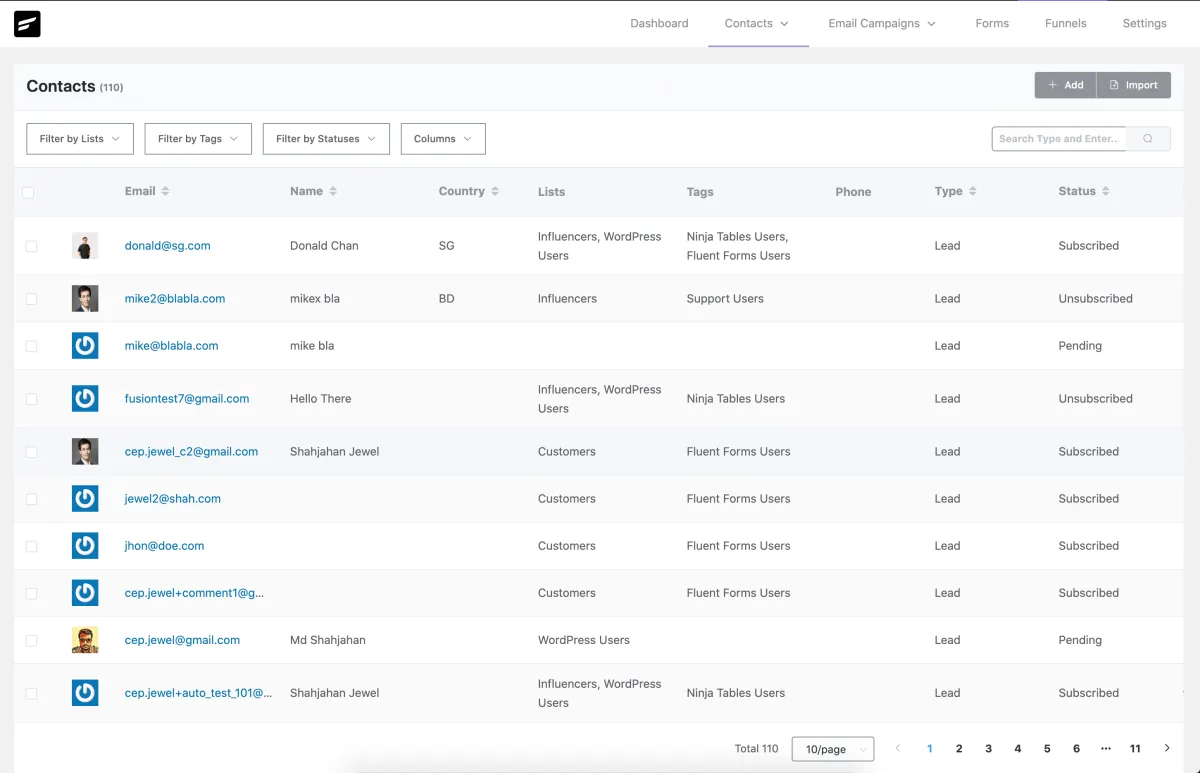
FluentCRM is a self-hosted email marketing and automation plugin from WPManageNinja, the team behind the separate Fluent Forms plugin. It stores contacts, tags, and campaigns in your WordPress database, focused on automated email sequences triggered by contact behavior, leaning harder into email marketing than the other three plugins here.
Best for: sites that want real email automation and contact management without paying per contact.
Pricing: the core plugin is free on WordPress.org with unlimited contacts. Paid licenses are billed annually. List prices are $129/year for one site, $249/year for five sites, and $499/year for fifty sites. At the time of writing the first year is 20% off, which makes it $103, $199, and $399. Every paid tier gets the same features; the only difference is site count.
What I found useful: the automation funnel builder is the main reason to pick FluentCRM. Build multi-step sequences with conditions and delays, and see a full activity history per contact. It connects to WooCommerce and LearnDash, and integrates with Fluent Forms, a separate plugin by the same maker; WPForms and Gravity Forms aren't listed as native integrations. It sends through WordPress's own wp_mail() by default, though a dedicated SMTP service is strongly recommended for reliable delivery.
Who I recommend it to: course creators, membership sites, and agencies running the same stack across several client sites who want a flat yearly fee instead of a per-contact SaaS bill.
Who I would not recommend it to: anyone who wants built-in invoicing or a sales pipeline. FluentCRM doesn't do either, and without a dedicated SMTP plugin, deliverability depends on your host's default mail setup.
2. Jetpack CRM
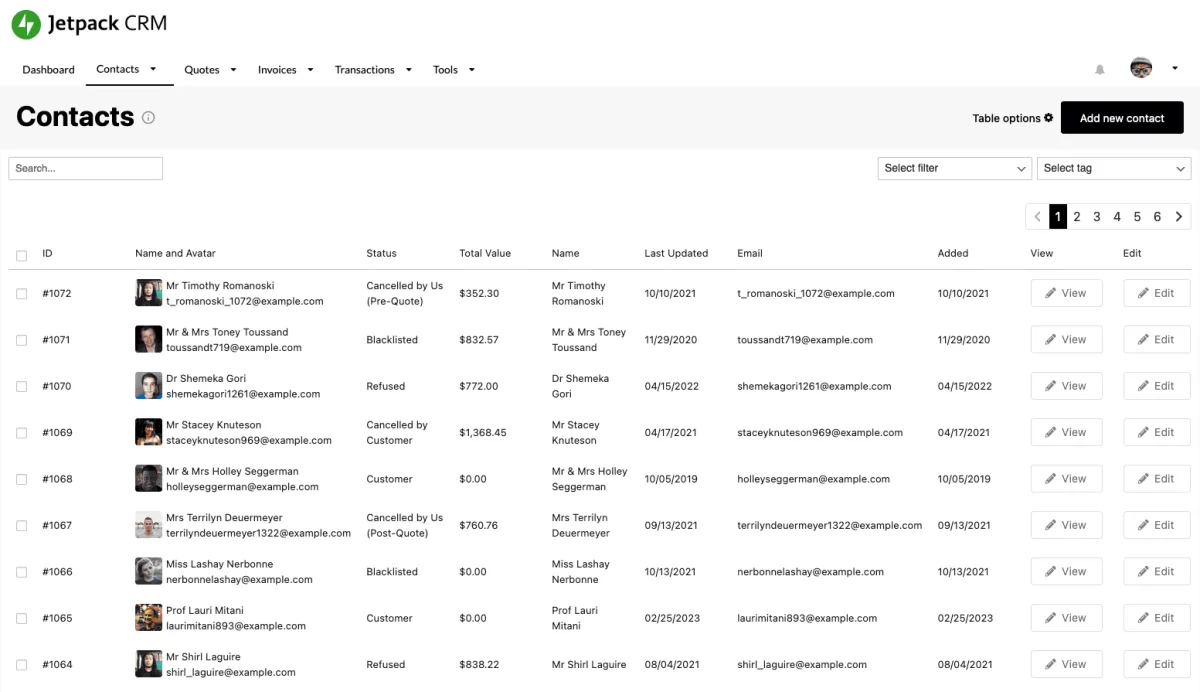
Jetpack CRM (formerly Zero BS CRM) is a client-management plugin built by Automattic, the company behind WordPress.com and WooCommerce. It focuses on client records, quotes, and invoices, closer to a billing and client-admin tool than an email marketing platform, unlike FluentCRM and Groundhogg.
Best for: freelancers and small service businesses that want client records and invoicing in the same place.
Pricing: the core CRM plugin is free and usable on its own, not a stripped-down demo. Paid extension plans are billed yearly: Freelancer $11/month (one site, 4 extensions including Invoicing Pro, which builds on the invoicing already in the free core), Entrepreneur $17/month (one site, 30+ extensions), Reseller $5.40 per site/month (10 sites, white-label for agencies).
What I found useful: the free core already covers contacts, quotes, invoices, a basic client portal, task scheduling, and WooCommerce order syncing. The paid extensions mostly add integrations (Stripe, PayPal, Gravity Forms) rather than gating the core CRM behind a paywall.
Who I recommend it to: solo freelancers and small agencies who want client management and invoicing without a separate invoicing SaaS subscription.
Who I would not recommend it to: anyone looking for marketing automation or multi-step email campaigns. Jetpack CRM is built around clients and billing, not email sequences.
3. Groundhogg
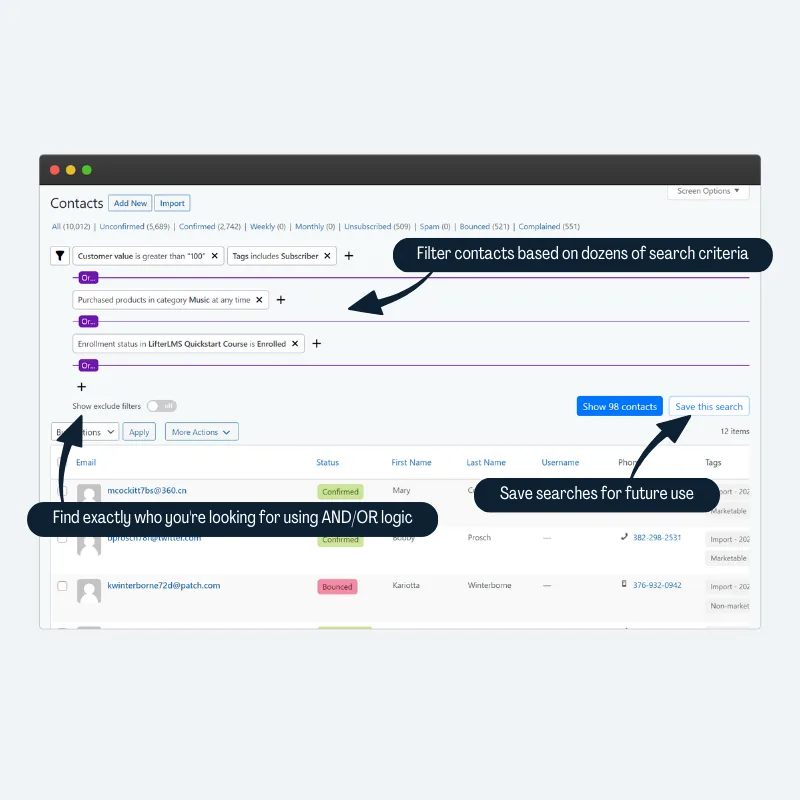
Groundhogg is a CRM and marketing automation plugin built around a drag-and-drop automation builder rather than just a contact list. It triggers email and task sequences off a contact's activity, tags, or WordPress events. Its main pricing difference from FluentCRM: both bill per site, but Groundhogg gates some automation features behind higher tiers.
Best for: small businesses that want CRM and marketing automation combined, without a per-contact bill.
Pricing: the core plugin is free forever, with unlimited contacts and basic automation. Paid plans are billed annually only: Basic $20/month for 1 site, Plus $40/month for 3 sites, Pro $50/month for 5 sites, Agency $100/month for 25 sites.
What I found useful: the free core includes a drag-and-drop automation builder with triggers like form submissions, tags, and WordPress post or user events, plus reporting on opens, clicks, and flow performance. Conditional logic branching and cart-abandonment recovery are Pro-plan only.
Who I recommend it to: small businesses that have outgrown a basic newsletter plugin and want real automation logic, tied to one flat yearly cost regardless of list size.
Who I would not recommend it to: anyone who just wants to store contacts without automation. Paying $20 to $100 a month for a plugin you'll mostly use as a contact list is a poor trade.
4. WP ERP (CRM module)
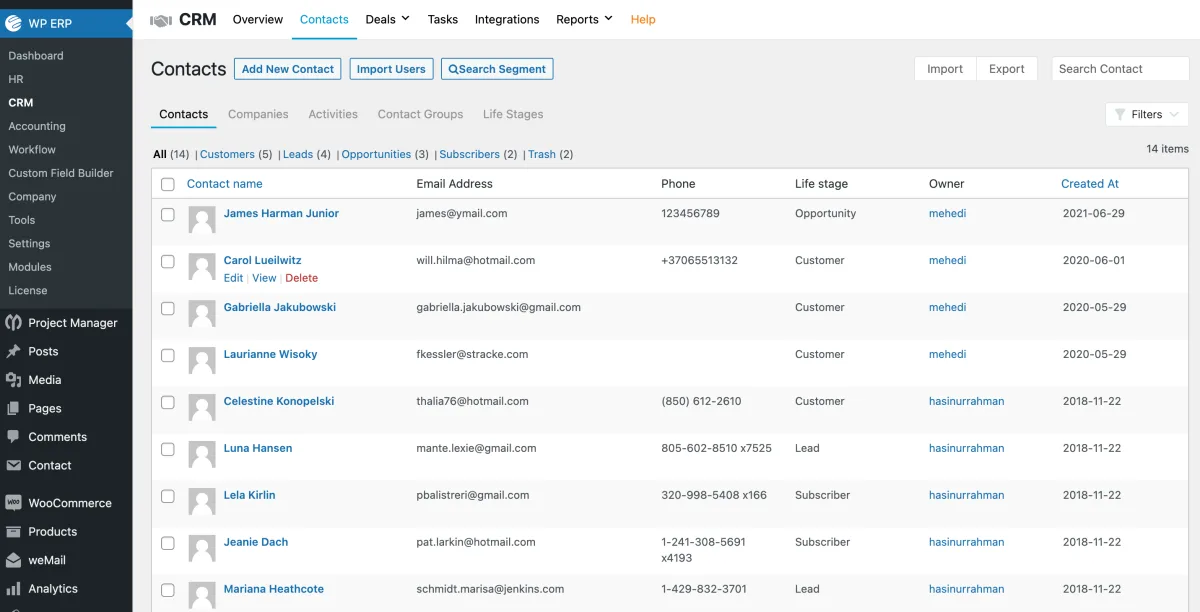
WP ERP is a small-business back-office suite bundling CRM, HR, and accounting into one free plugin, not a dedicated CRM like the other three plugins here. It gives a small team one dashboard for customer records, employee management, and basic bookkeeping instead of three separate tools. The CRM module is intentionally basic.
Best for: small businesses that want basic CRM bundled with HR and accounting in one free plugin.
Pricing: the free core includes CRM, HR, and accounting with unlimited users. Paid plans are Starter at $19/month or $228/year (1 user, plus $2/month or $24/year per extra user), Growth at $39/month or $468/year (3 users), and Scale at $79/month or $948/year (10 users). Starter only adds HR extensions. The deals pipeline and WooCommerce integration start at Growth. Enterprise is custom; annual is 12 months prepaid, no discount.
What I found useful: the free CRM module covers contacts, companies, and lead status. Since it shares a plugin with HR and accounting, those records sit in one admin area instead of three logins, the real time-saver if you already use WP ERP for back-office work.
Who I recommend it to: small service businesses that want HR, accounting, and basic customer records under one roof without three separate subscriptions.
Who I would not recommend it to: anyone who only wants a CRM. FluentCRM, Jetpack CRM, or Groundhogg will serve that need better, and WP ERP's deal pipeline and integrations sit behind paid tiers anyway.
FAQ
Do I actually need a CRM plugin on my WordPress site?
Only if you're tracking leads, repeat customers, or ongoing client work. A blog or small brochure site usually doesn't need one. If a spreadsheet is keeping up, you don't have a problem to solve yet.
What's the real difference between these and a cloud CRM like Salesforce or HubSpot?
These four plugins store contact data in your own WordPress database. A cloud CRM stores it on the vendor's servers and usually charges more as your contacts grow. You control the data, but you're also responsible for backups.
Will any of these work with WooCommerce?
Yes, to different degrees. Jetpack CRM syncs WooCommerce orders free. FluentCRM and Groundhogg offer WooCommerce integration, mainly on paid plans. WP ERP's WooCommerce integration starts at the $39/month Growth plan.
Is the free version of any of these actually usable, or just a trial?
All four free cores are real, usable products, not time-limited trials. Jetpack CRM's free core covers contacts, invoicing, and a client portal with no paywall. Paid tiers add automation depth or more sites, not basic functionality.
Does the price go up as my contact list grows?
No, and that's the main selling point of this category. All four plugins charge a flat fee based on sites or users, not contact count. A 500-contact list and a 50,000-contact list cost the same.
Which one should you actually install
Need client records and invoicing? Start with Jetpack CRM's free core. Want HR, accounting, and CRM together? Look at WP ERP. For real marketing automation, FluentCRM and Groundhogg both work: FluentCRM is cheaper to start and feature-identical across every paid tier, while Groundhogg's lower tiers skip extras like conditional logic and cart-abandonment until you move up. If none of this is your problem right now, that's a fine answer too.


