

7 Best WordPress Seat Reservation Plugins in 2026 (Compared)

If your visitors need to pick a specific seat, not just book a time slot, a standard booking plugin will not do the job. You need a plugin that renders a real seat map, tracks which seats are already taken for a given date, prices sections differently, and hands over a ticket for the exact seat someone chose.
I checked seven WordPress plugins that can do this, against their own pricing pages, documentation, and hands-on testing where it was available. Here is what each one actually costs once every required piece is priced in, what breaks in practice, and who should buy it.
Who this guide is for
- Theatres, cinemas, and performance venues selling numbered seats
- Concert, comedy, and festival organizers with assigned or section-based seating
- Conference and workshop organizers with tiered or zoned seating
- Studios and classes selling specific spots or stations
- Transport and tour operators selling a specific seat on a specific date
If you need appointment scheduling instead, a client picking a time with a specific staff member rather than a physical seat, see our WordPress appointment booking plugins guide.
How I evaluated these plugins
Same questions for every plugin: is the seat map a real, reusable visual layout, or a quantity selector wearing a seating label? Does availability track per date for recurring events? Is checkout native or WooCommerce-dependent? What does ticket delivery and check-in involve? And what is the real total cost, license plus any required companion product, not the headline number on the pricing page?
Comparison table
| Plugin | Visual seat map | Event ticketing | WooCommerce dependency | Free version | Starting price for seat maps |
|---|---|---|---|---|---|
Eventnetic |
Yes, reusable venue-level maps (Elite) |
Yes, native |
No (optional integration, Elite) |
Yes (no seat maps on Free) |
$299/ |
EventPrime |
Yes, "Live Seating" (standalone extension on free core, or bundled from Professional and up) |
Yes, native + optional WooCommerce checkout |
No (optional) |
Yes (no seating on Free or Essential) |
$49.95/ |
FooEvents |
Yes, Seating extension |
Yes, via WooCommerce |
Yes, required |
No free plan |
$249/ |
Tickera |
Yes, Seating Charts add-on |
Yes, native |
No (optional bridge add-on) |
Yes (no seating on free) |
$199/ |
Eventin |
Yes, included on all paid tiers (requires companion plugins WP Timetics + WP Timetics Pro) |
Yes, native or via WooCommerce |
Optional (required for free-tier payments) |
Yes (no seat map on free) |
$89/ |
Modern Events Calendar |
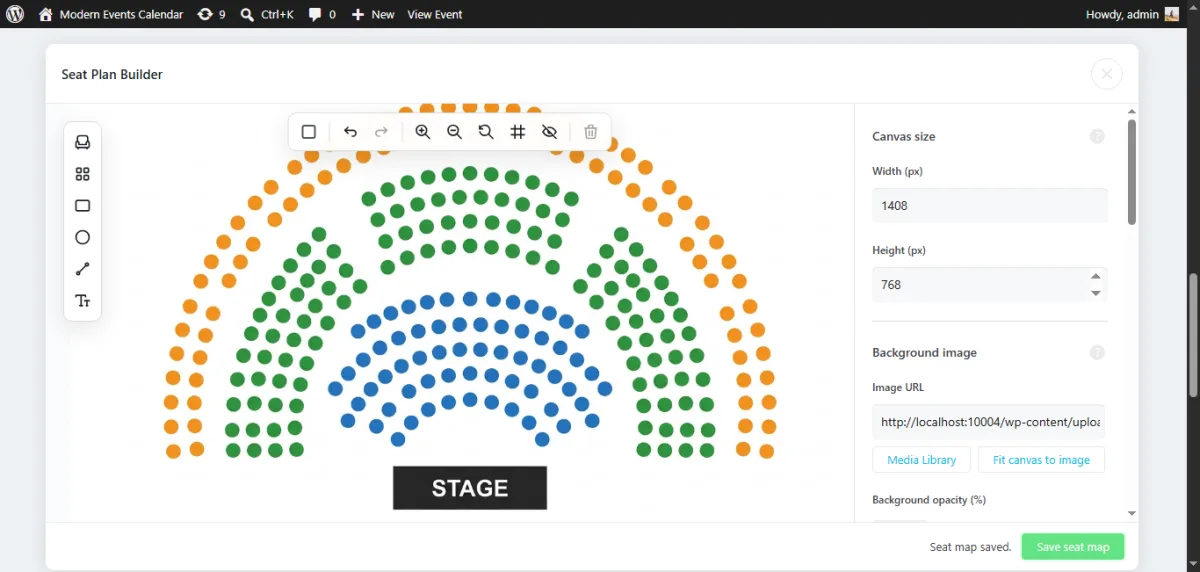
Yes, drag-and-drop Seat add-on |
Yes, with paid add-ons |
No |
Yes, Lite (no booking/ |
$218/ |
The Events Calendar + Event Tickets |
Yes, seating map builder (Elite) |
Yes, native (Tickets Commerce) |
No (optional integration, Pro+) |
Yes (no seating on free) |
$599/ |
Prices are per year for a single site unless noted, verified directly against official vendor pricing pages via live browser check on 2026-09-30. Payment processor fees (Stripe, PayPal, etc.) are separate from all license prices above unless stated.
1. Eventnetic: reusable venue maps that remember every date
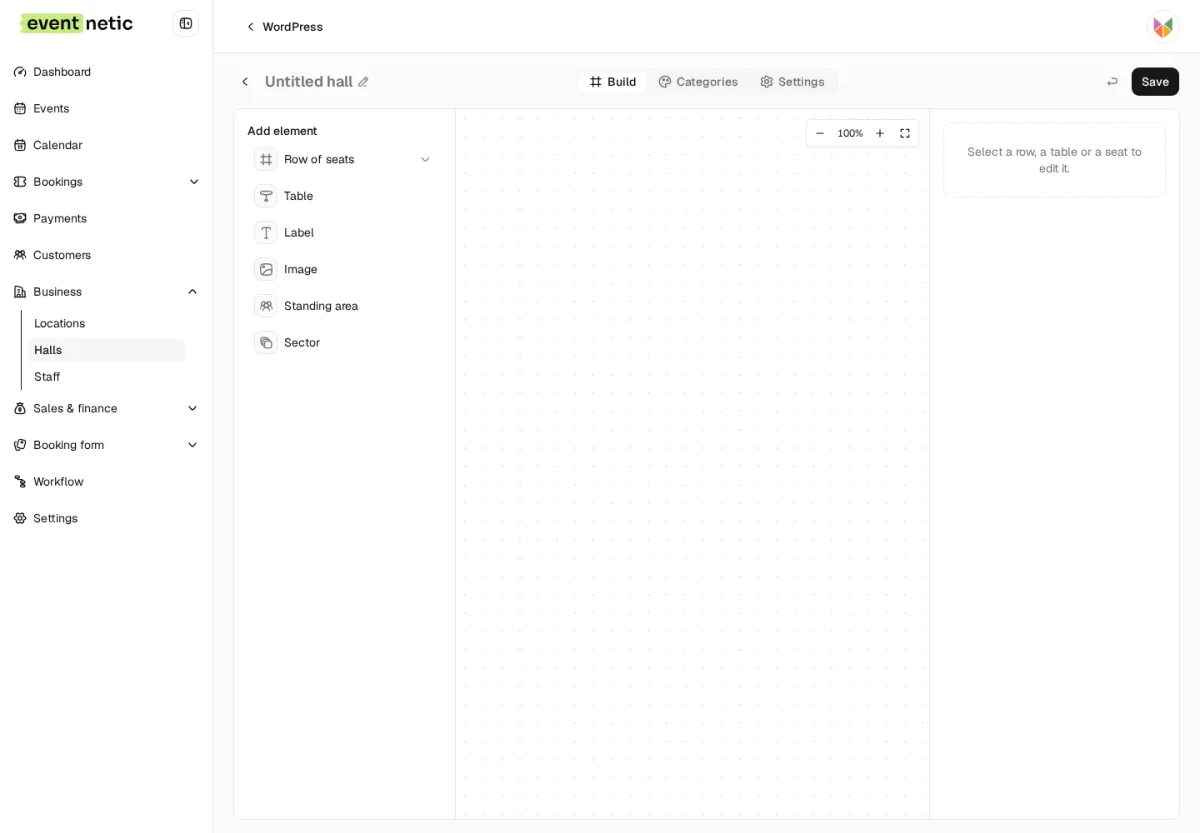
Eventnetic lets you draw a seat map once, per venue, and it gets reused automatically across every event held in that room. Build the layout, rows, tables, sections, a stage, once. Each date of a recurring event then tracks its own seat availability, so a sold-out Friday show does not block Saturday's seats in the same venue. Sections can carry their own price, so a front-row zone and a balcony zone on the same map sell at different rates, and a single event can offer multiple ticket types on top of that, not just one flat price per seat.
In hands-on testing on a live WordPress install, the full booking flow worked end to end: pick a ticket, enter details, pay, land on a confirmation screen with a QR code, a downloadable ticket, and calendar buttons. One friction point that testing turned up: the auto-generated events listing page shows event cards that are not clickable on their own, you need a separate booking shortcode page per event before checkout works.
The catch is price. Seat maps live only on the Elite plan, $299/year the first year, $399/year to renew, or $599 as a one-time lifetime purchase. Free, Starter, and Pro all skip seating entirely, so budget for Elite from the start if a seat map is why you are here. PDF tickets and QR check-in are available from Starter, not Elite-exclusive; only the seat map itself requires Elite. Separately, Eventnetic takes 0% commission on ticket sales at every tier, Free included, not just Elite.
Choose Eventnetic if seat maps and recurring per-date events are both non-negotiable and you would rather pay for one plan than assemble the feature from add-ons. Skip it if you only need basic ticketing without seat selection, Starter or Pro cover that for less.
Pricing: Free $0 (no seat maps); Starter $99/year first year ($199/year renewal, $199 lifetime); Pro $199/year first year ($299/year renewal, $399 lifetime); Elite $299/year first year ($399/year renewal, $599 lifetime), seat maps require Elite.
Official link: eventnetic.com
2. EventPrime: the cheapest real seat map in this guide, if you buy it standalone
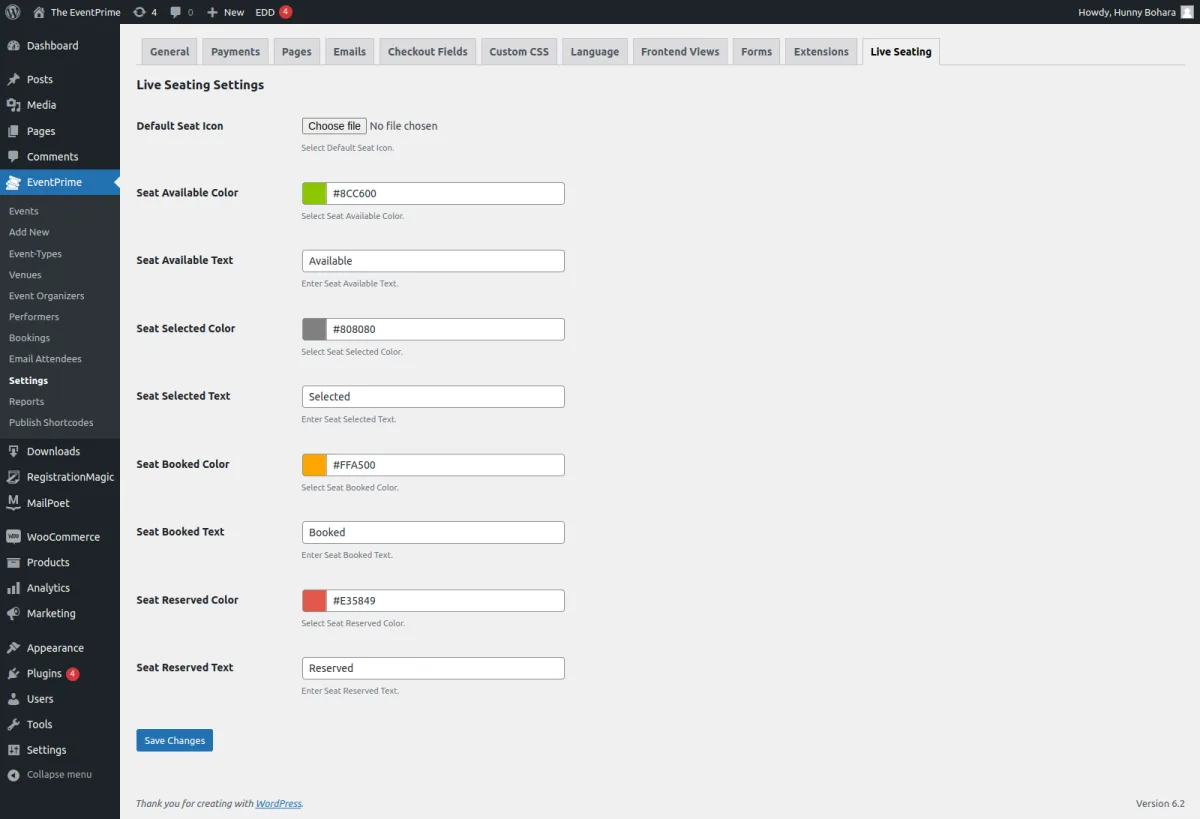
EventPrime's Live Seating feature has two prices, and the gap between them matters. Buy it as a standalone extension, $49.95/year, on top of EventPrime's free core plugin, and you get a real seat map for less than anything else here. Buy it bundled into the Professional plan instead, $99/year, and you also get native, Stripe, and WooCommerce checkout, group booking, coupons, and invoicing.
I checked EventPrime's own extension page directly and confirmed the standalone price and its only requirement, core plugin version 4 or above. The current free WordPress.org release is 4.3.4.8, so nothing paid is required to meet that.
The trade-off shows up once you need more than basic seating. Multi-section, custom-shaped maps need the separate Advanced Seat Plan Builder extension, bundled only from Business ($119/year, discounted from $179). And the $49.95 standalone extension buys seating alone, no checkout upgrades, no coupons, no invoicing. Weigh that against the $99 Professional bundle based on what else you actually need.
Choose EventPrime if you want the lowest verified total cost for a working seat map and do not need bundled checkout extras. Skip it if you need multi-section custom seat charts from day one, that pushes you to Business regardless of which route you take to basic seating.
Pricing: Free $0 (no seating); Essential $69/year (no seating); Professional $99/year (includes Live Seating); Business $119/year, discounted from $179 (adds Advanced Seat Plan Builder). Standalone Live Seating extension: $49.95/year single site, $89.95/year unlimited sites, on the free core plugin.
Official link: theeventprime.com
3. FooEvents: built for stores that already run WooCommerce
FooEvents does not run without WooCommerce. Every event is a WooCommerce product, every ticket type is a product variation, and checkout is the standard WooCommerce cart. That is either a non-issue or a dealbreaker, depending entirely on what your site already runs.
If you are not on WooCommerce, do not shortlist FooEvents. You would be installing an entire store platform just to sell seated tickets. If you already run WooCommerce, the calculation flips: FooEvents slots seating into an order system you are already using instead of adding a second checkout to maintain.
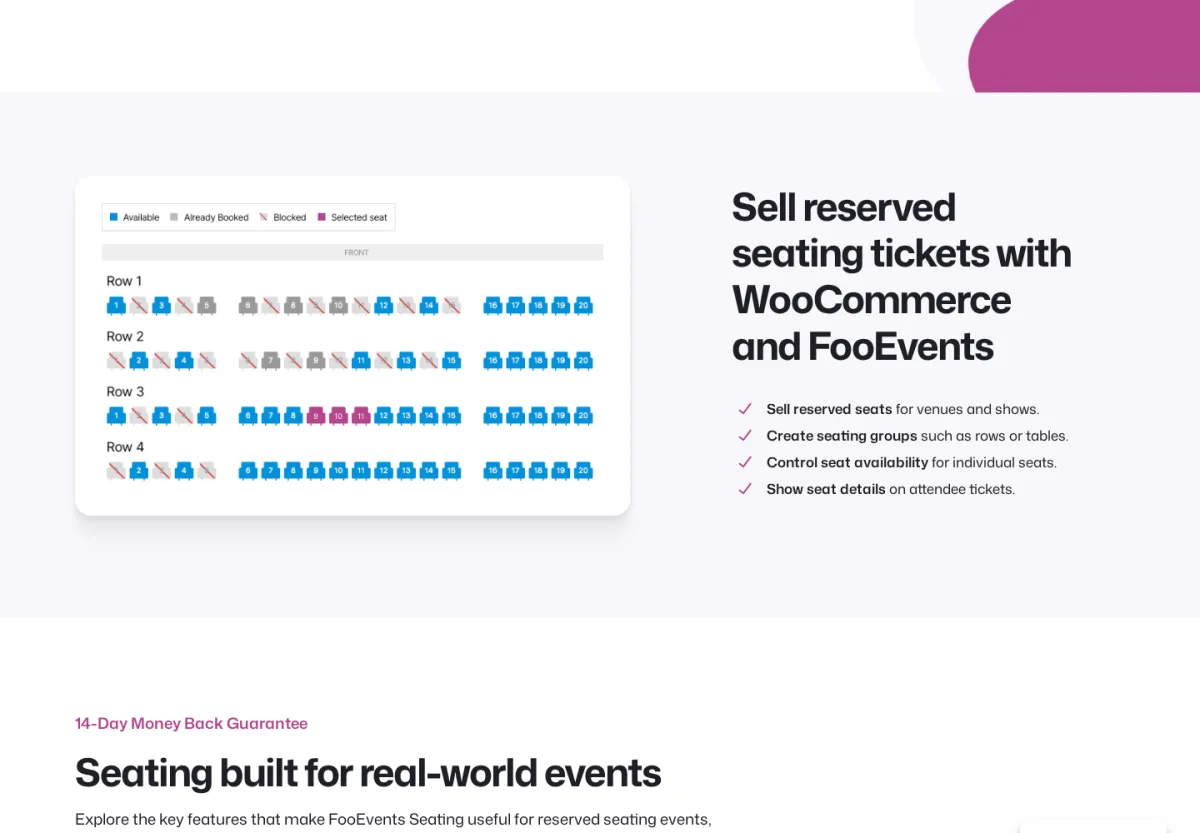
Seating itself is not sold on its own. FooEvents' pricing page does not list a standalone core-plus-seating price. The cheapest route to the Seating extension is the Premium Bundle at $249/year, which also includes PDF tickets, multi-day support, a calendar, express check-in, and a check-in app. There is no free tier and no trial; FooEvents offers a 14-day money-back guarantee instead.
Choose FooEvents if your store already runs on WooCommerce and you want ticket sales inside the same order flow. Skip it if WooCommerce is not already part of your stack, that is a much bigger commitment than the seat map itself justifies.
Pricing: No free tier. Premium Bundle $249/year (includes Seating, PDF Tickets, Multi-day, Calendar, Express Check-in, Check-in app, Ticket Themes). Point of Sale Bundle $399/year also includes Seating.
Official link: fooevents.com
4. Tickera: unlimited sites on every paid plan
Tickera's paid plans, Standard and Bundle alike, run on unlimited sites at a single price, a real advantage if you are deploying seat reservation across several venue clients rather than running a single site yourself.
The seat map itself is not in the entry tier. Seating Charts, Tickera's drag-and-drop floor plan builder, is one of 25 add-ons bundled only into the Bundle plan, $199/year the first year, $149/year to renew. Standard ($149/year first year, $99/year renewal) does not include it. I checked Tickera's own pricing page directly for a standalone Seating Charts purchase and found none; Bundle is currently the only route to seating.
One pricing quirk worth knowing before you budget: Tickera's first-year price is higher than its renewal, because a one-time $50 activation fee is built into year one.
Choose Tickera if you are managing seat reservation across multiple sites and per-site licensing elsewhere would add up fast. Skip it if you only run one site, the unlimited-site advantage does not apply, and Bundle's $199 first-year price is not the cheapest route to a seat map here.
Pricing: Standard $149/year first year, $99/year renewal (no seating). Bundle $199/year first year, $149/year renewal (includes Seating Charts, unlimited sites). Lifetime $399 one-time.
Official link: tickera.com
5. Eventin: a seat map that depends on two other plugins
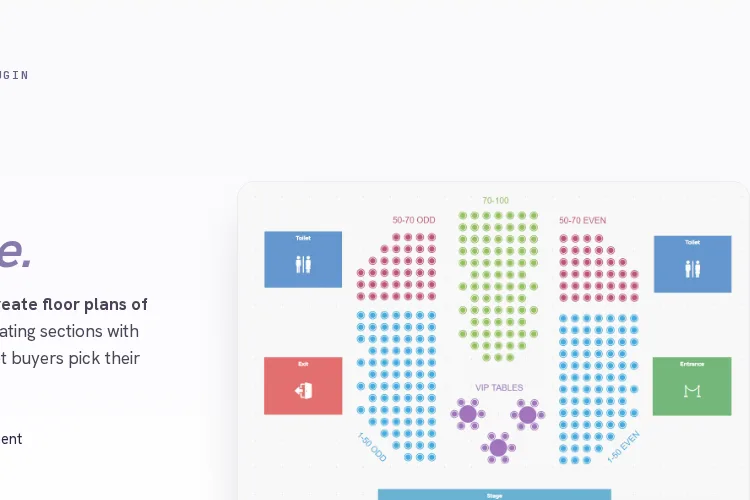
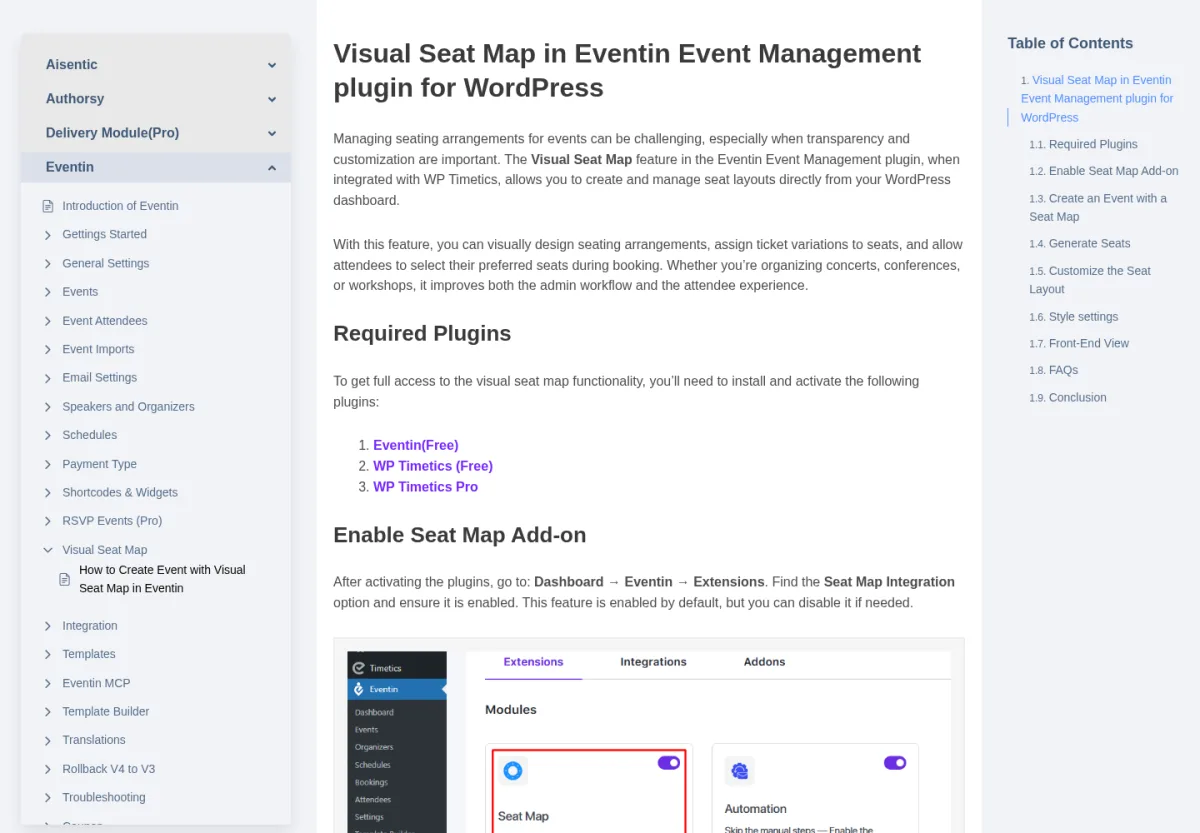
Eventin's $89/year headline price does not get you a working seat map on its own. I checked Eventin's own documentation and found its Visual Seat Map feature lists two required companion plugins beyond Eventin itself: WP Timetics and WP Timetics Pro. WP Timetics is free. WP Timetics Pro is not; its cheapest tier is $63/year for one site.
Add that up and the real minimum for a working seat map is $152/year for one site, not $89. Need two sites? WP Timetics Pro's one-site tier will not cover it, you would need its $109/year Advance tier instead, bringing the two-site total to $198/year. None of this shows up on Eventin's own pricing page, only in its documentation, so it is easy to budget wrong if you stop at the headline number.
To Eventin's credit, once you have paid for all three pieces, every paid tier includes the identical feature set, QR check-in, PDF tickets, and the seat map alike, so there is no separate seat-map upgrade lurking further up the ladder.
Choose Eventin if you specifically want its Visual Seat Map and have already priced in the WP Timetics Pro dependency. Skip it if you were comparing on the $89 headline price alone, EventPrime's standalone extension is $49.95 versus Eventin's $152 combined minimum.
Pricing: Standard $89/year (2 domains); Premium $149/year (100 domains); Agency $299/year (unlimited domains), all three include the Visual Seat Map. Verified combined minimum for a working seat map: $152/year for one site, $198/year for two.
Official link: themewinter.com/eventin
6. Modern Events Calendar: the best-looking calendar, seating stacked on top as an extra
Modern Events Calendar's own product page advertises 60+ layouts, and on display variety it delivers. That strength has nothing to do with seating, and seating is where MEC gets expensive.
Pro alone, $99/year for one site, does not include a seat map or ticketing. You need the Seat add-on on top, $119/year, confirmed directly on Webnus's own add-on pricing page. That is $218/year just to get a seat map working. Want PDF tickets and QR check-in too? That is the separate Ticket and Invoice add-on, another $119/year, three purchases stacked on top of each other for one working setup.
There is a distribution wrinkle worth flagging as well: MEC's WordPress.org listing has been closed since May 11, 2022, permanently, for a guideline violation, per WordPress.org's own notice. You cannot find or install it by searching inside wp-admin. You install it manually after buying it directly from Webnus.
Choose MEC if calendar and listing design is your priority and seating is secondary, you are paying for the display layer, not the seat map. Skip it if seating is the main reason you are here, $218/year buys you a seat map assembled from two separate purchases rather than one plan that includes it.
Pricing: Lite is free (no booking, ticketing, or seating). Pro $99/year (1 site), $199/year (5 sites), $999/year (unlimited). Seat add-on $119/year, single site, requires Pro. One-site seat-mapped total: $218/year. Ticket and Invoice add-on: an additional $119/year.
Official link: webnus.net/modern-events-calendar
7. The Events Calendar + Event Tickets: a massive install base, the priciest seat map
The Events Calendar reports 600,000+ active installations, and its free tier already sells tickets through its own Tickets Commerce checkout. None of that scale helps if seat maps are the reason you are reading this: the seating map builder is locked to Elite, $599/year, the highest price tag attached to seating anywhere in this guide. Pro, at $399/year, does not include it.
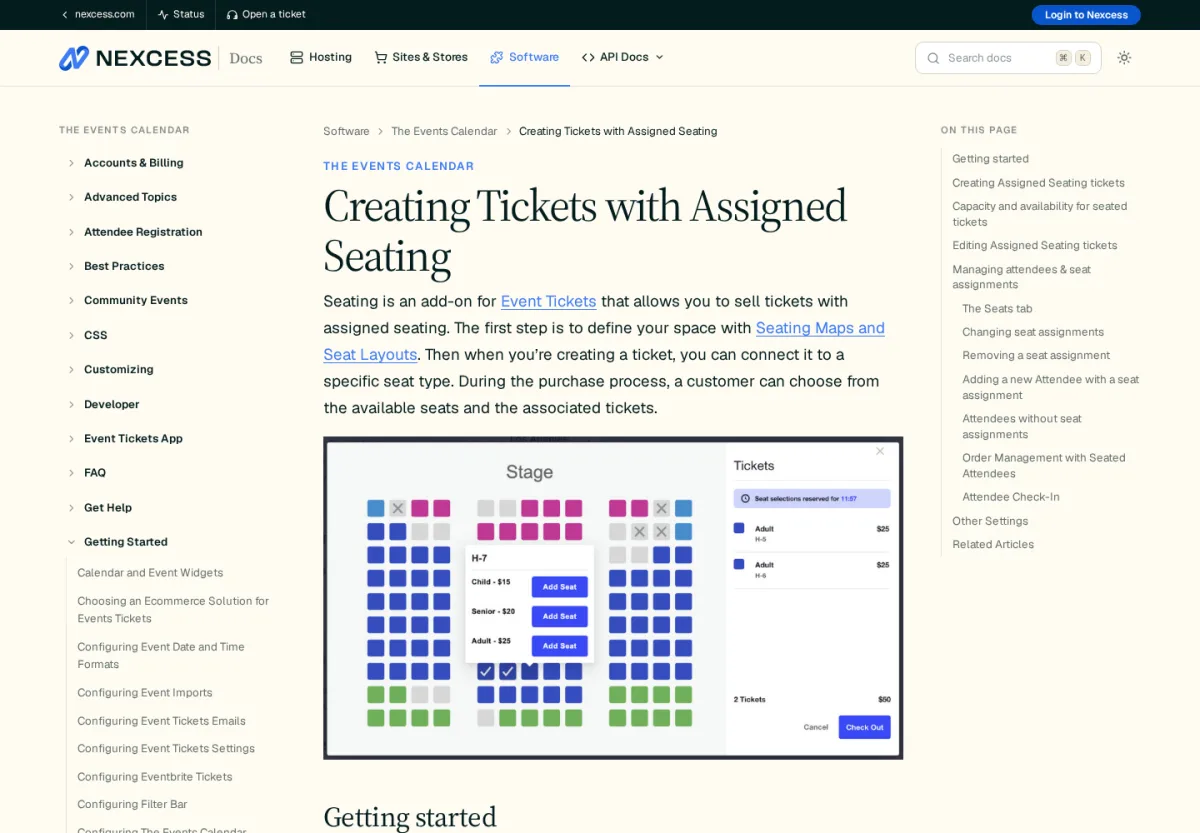
I checked Nexcess's own documentation directly and found a limitation worth flagging before you commit: assigned seating cannot currently be added to recurring events. The documentation states it plainly, "they cannot currently be added to recurring events." Series Passes are the workaround, one ticket covering the whole series rather than per-date seat tracking. If your venue runs the same seated show weekly, that is a real gap, not a minor caveat.
Free and Essentials tiers also carry a 2% commission on Stripe and Square transactions, on top of whatever you already pay for the plan; that only disappears at Pro and above, tiers that still do not include seating.
Choose The Events Calendar if you are already running it at scale for non-seated events and want to add seating without switching platforms, and $599/year does not change that math. Skip it if seating is your main requirement or your events repeat on a schedule, the price and the recurring-event gap both work against you here.
Pricing: Free (Tickets Commerce, 2% Stripe/Square commission, no seating). Essentials $259/year (commission not waived, no seating). Pro $399/year (0% commission, no seating). Elite $599/year (includes the seating map builder, assigned seating, hold timers).
Official link: theeventscalendar.com
Buyer's guide: what actually matters
Seat map quality. Check whether "seating" means a real interactive map, rows, sections, tables, a stage, or a quantity selector wearing a seating label. Eventnetic, EventPrime, FooEvents, Tickera, Eventin, and The Events Calendar all have genuine visual map builders on their official feature lists.
Per-date inventory. If the same show runs on multiple dates in the same room, seat availability needs to track per date, not just per event. Eventnetic's venue-level reuse model is the only one confirmed here to do that without rebuilding the map each time. Ask any vendor directly whether a layout can be duplicated across events before assuming it works that way.
Payment flow and commission. Decide whether you want native checkout (Eventnetic, Tickera, EventPrime, MEC) or you are fine tying seat sales to WooCommerce (FooEvents, and Eventin's free tier). Then check for a commission on top of the license itself. Eventnetic and Tickera charge 0% at every tier; The Events Calendar charges 2% until Pro.
Ticket delivery and check-in. PDF tickets and QR check-in are standard requirements for assigned seating at the door. Confirm which tier unlocks them: on Eventin, FooEvents, and The Events Calendar, that is the same tier as seat maps; on Eventnetic, it is one tier lower.
Recurring events. Verify the plugin generates independent seat inventory per date, not one shared pool across a "recurring" event. This is the sharpest gap in this whole comparison: The Events Calendar's own documentation confirms assigned seating cannot be added to recurring events at all.
Mobile usability. Test the seat map on an actual phone before launch, not just desktop. Pinch-zoom and tapping small seat targets are harder to get right on a small screen than a standard booking form, regardless of which plugin you choose.
Total cost, not headline price. Add up every required piece before comparing. Eventin's $89 becomes $152 once WP Timetics Pro is priced in; MEC's $99 becomes $218 with the Seat add-on. EventPrime's standalone extension has no such catch: $49.95 is $49.95.
Frequently asked questions
What is the difference between a seat reservation plugin and a regular WordPress booking plugin?
A seat reservation plugin lets a visitor pick a specific numbered seat, table, or row from a visual map. A booking plugin for appointments lets a visitor pick a time slot, not a physical location.
Do I need WooCommerce for a WordPress seat map plugin?
No, not always. Eventnetic, Tickera, EventPrime, and Modern Events Calendar all include native checkout. FooEvents runs entirely on WooCommerce and cannot work without it. Eventin needs WooCommerce specifically to accept paid tickets on its free tier.
Which plugin is cheapest for genuine seat selection?
EventPrime's standalone Live Seating extension: $49.95/year on the free core plugin, the lowest verified total cost in this guide. Eventin's $89/year headline price looks lower, but its required WP Timetics Pro dependency pushes its real minimum to $152/year.
Does seat reservation software charge a commission on ticket sales?
It depends on the plugin, not just the license price. Eventnetic and Tickera charge 0% commission at every tier. The Events Calendar charges 2% on Stripe/Square transactions until Pro ($399/year). Always check commission separately from the subscription price.
Conclusion
Eventnetic is the strongest overall pick if you want one plugin that owns the whole flow: reusable venue maps, per-date availability, ticketing, and check-in, with zero commission at every tier. If budget decides it, EventPrime's standalone Live Seating extension at $49.95/year beats everything else here on price, with no companion plugins required. Eventin's $89/year looks competitive until its required WP Timetics Pro dependency is priced in, at which point it is no longer the cheapest option in this guide. If you are already committed to WooCommerce or The Events Calendar, FooEvents and The Events Calendar + Event Tickets let you add seating without switching platforms, though the latter reserves seating for its most expensive tier.
Whatever you pick, confirm the exact tier that unlocks seat maps before buying. "Has booking" and "has a seat map" are different claims, and most vendors in this guide gate seating behind a higher tier than their headline price suggests.
Similar Blogs


