

Bookly Pro Review: Pricing, Features, Pros & Cons

You may like Bookly Pro at first glance, but the real question is whether the base license is enough for a real service business — or whether the 40+ paid add-ons will quietly turn it into the most expensive option on your shortlist. And once you commit, will the Pro plan actually cover Stripe, two-way Google Calendar, locations, and recurring appointments — or do those live behind separate purchases?
I tested Bookly Pro in the official Bookly sandbox with the Pro license plus the full 40+ paid add-on catalog activated, walked the front-end booking flow as a real customer, checked the admin Calendar, Appointments, Customers, and Dashboard, cross-checked the pricing page, and read user feedback across CodeCanyon, WordPress.org, Capterra, Reddit, and the WordPress.org support forums. This Bookly Pro review is the practical buyer-decision write-up of that work — not a marketing summary.
What Is Bookly Pro?
Bookly Pro is the paid extension to the free Bookly plugin, a self-hosted WordPress appointment booking system that has been on WordPress.org since October 2014. The free Bookly base plugin runs basic scheduling for one staff member and up to five services; Bookly Pro removes those limits and unlocks unlimited staff, online payments, advanced email templates, and the ability to install Bookly's catalog of 40+ paid add-ons. It is built for service businesses — salons, clinics, consultants, tutors, fitness studios — that prefer WordPress-native booking over a separate SaaS scheduler. Bookly Pro lives inside the standard WordPress admin sidebar, alongside Posts, Pages, and Plugins, rather than in an isolated dashboard.
Bookly Pro Quick Verdict
Bookly Pro is a strong fit for WordPress-savvy buyers who want a long-running, well-supported plugin and are comfortable assembling commerce features through individual paid add-ons. It is a weaker fit for buyers who want one all-in price or a modern, isolated booking dashboard.
| Criteria | Verdict |
|---|---|
| Best for | WordPress site owners and small agencies who like buying paid add-ons à la carte |
| Starting price | Free base plugin on WordPress.org; paid Bookly Pro from $49 / year (annual) or $129 lifetime, with Business at $199 / year or $399 lifetime and Ultimate at $399 / year or $799 lifetime — verified at the time of review on booking-wp-plugin.com/ |
| Free version / trial | Yes — real free Bookly plugin on WordPress.org (1 staff / 5 services); 30-day money-back guarantee on paid plans |
| Tested environment | Official Bookly sandbox at d2ae5d059ddf.sandbox.bookly.info, Bookly Pro + 40+ paid add-ons licensed |
| Strongest features | Multi-step booking widget, Email Notifications template editor, Calendar with Day/ |
| UI/ | 7.4 / 10 |
| Feature depth score | 7.8 / 10 (Pro alone) — closer to 9.0 / 10 with Business or Ultimate add-ons layered on |
| Performance impression | Smooth on the sandbox; admin and front-end transitions felt fast |
| Public rating / source | 4.54 / 5 on CodeCanyon (~1,173 reviews); 4.4 / 5 on WordPress.org for the free plugin (562 reviews); 4.0 / 5 on Capterra (~70 reviews) |
Pros
- Genuine free tier on WordPress.org that lets buyers de-risk before paying.
- Mature, broad add-on catalog covering payments, calendar sync, locations, recurring appointments, packages, taxes, customer / staff portals, and verticals like Events.
- Strong Email Notifications module with reminder, follow-up, agenda, and birthday templates available on Pro.
- Lifetime tier on the official site is the same one-time, perpetual license historically distributed on CodeCanyon — only the Annual tier renews.
Cons
- The most commercially important capabilities — Stripe, two-way Google Calendar, recurring appointments, locations, custom fields, customer / staff portals — sit in paid add-ons rather than the Pro plan.
- Admin UI feels like a 2014–2018 WordPress plugin: dense datatables, persistent upsell menu items, no isolated SaaS-style booking dashboard.
- No native iOS or Android mobile app for staff or admins.
- Capterra Customer Service rating sits at 3.7 / 5; reviewers describe slow ticket cycles.
How I Tested Bookly Pro
- Logged into the official Bookly sandbox as administrator with Bookly Pro plus 40+ paid add-on licenses already activated.
- Walked the front-end booking flow on the sample
[bookly-form]page as a real customer — Service → Time → Details → Payment → Done. - Verified the resulting appointment on the admin Appointments list, Calendar (Day / Week / Month / Timeline / List), and Dashboard counters.
- Confirmed customer auto-creation on the Customers list with phone, email, last appointment, and total appointments columns.
- Inspected core admin modules: Dashboard, Calendar, Appointments, Staff Members, Services, Customers, Customer Information, Email Notifications, SMS Notifications, Payments, Appearance, Settings, Diagnostics, Add-ons, and Bookly Cloud.
- Cross-checked the pricing page on booking-wp-plugin.com plus the Add-ons page inside the sandbox.
- Read recurring positive and negative themes on CodeCanyon, WordPress.org, Capterra, Reddit, and WordPress community threads.
Bookly Pro Features That Matter
Bookly Pro ships a focused core feature set; the long tail (recurring appointments, two-way Google Calendar, Stripe, locations, deposits, taxes, invoices, packages, custom fields, staff and customer portals, group booking, waiting list, and more) lives in the 40+ paid add-on catalog. These are the parts that mattered most in testing.
Multi-step booking widget and time slot grid
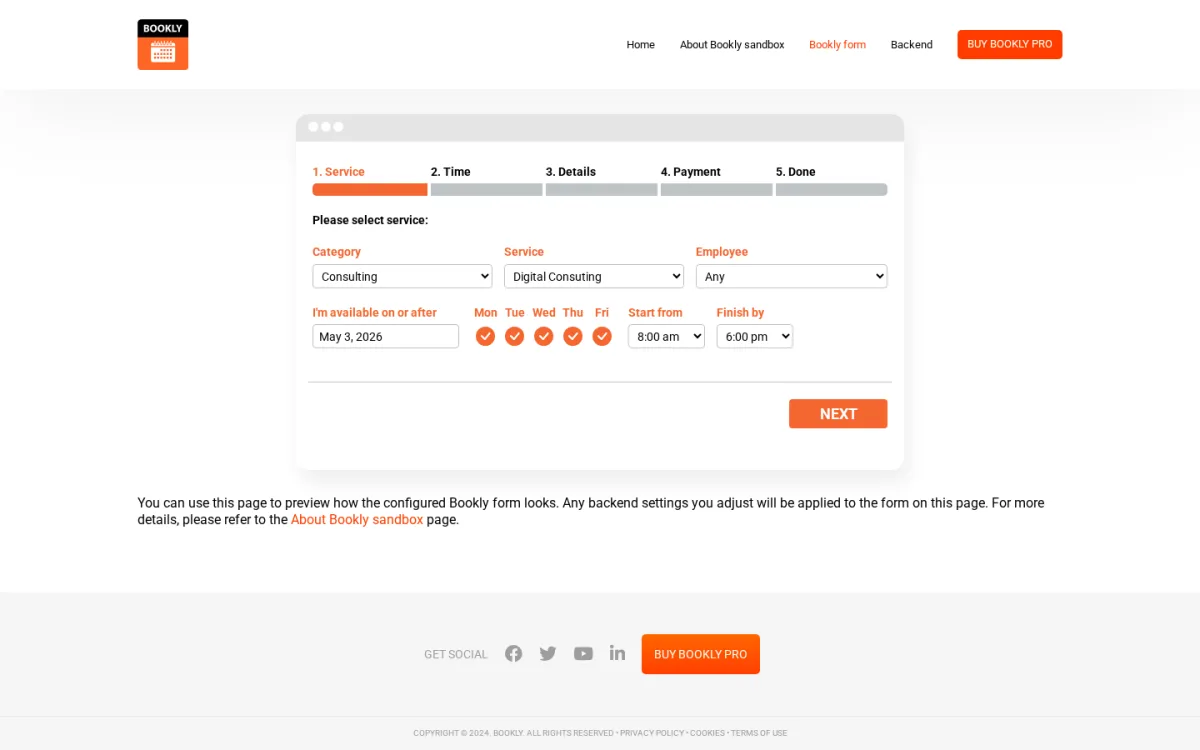
After dropping the [bookly-form] shortcode on a WordPress page, the front-end widget renders a 5-step strip — Service → Time → Details → Payment → Done — with category, service, employee, day-of-week, and "Start from / Finish by" filters on the first step. In testing, picking Consulting filtered the service dropdown, choosing Digital Consulting auto-loaded staff Nick Knight, and the Time step rolled out a multi-day grid of 15-minute slots grouped by day for the selected staff member. Clicking a slot advanced the wizard immediately and printed a clear handover line confirming the service, staff, date, and price ("$540.00") before the Details step — a small but useful conversion moment.
Admin Calendar
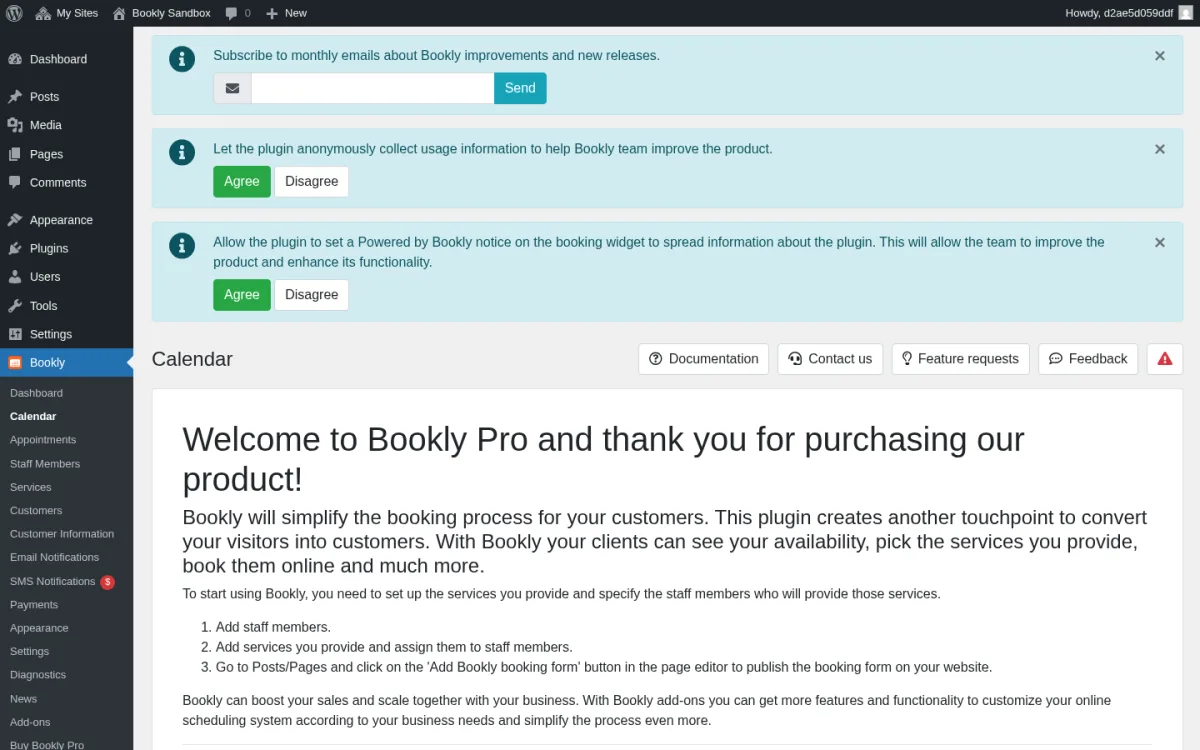
The admin Calendar offers Month, Week, Day, Timeline, and List views with All staff / All services filters at the top. Each booking renders as a card in the staff column for that day, and my test booking appeared at the correct slot for Nick Knight as soon as I confirmed it from the front-end. There is no drag-and-drop reschedule in this view by default, and the visual style is intentionally simple compared with newer competitor calendars.
Email Notifications template editor
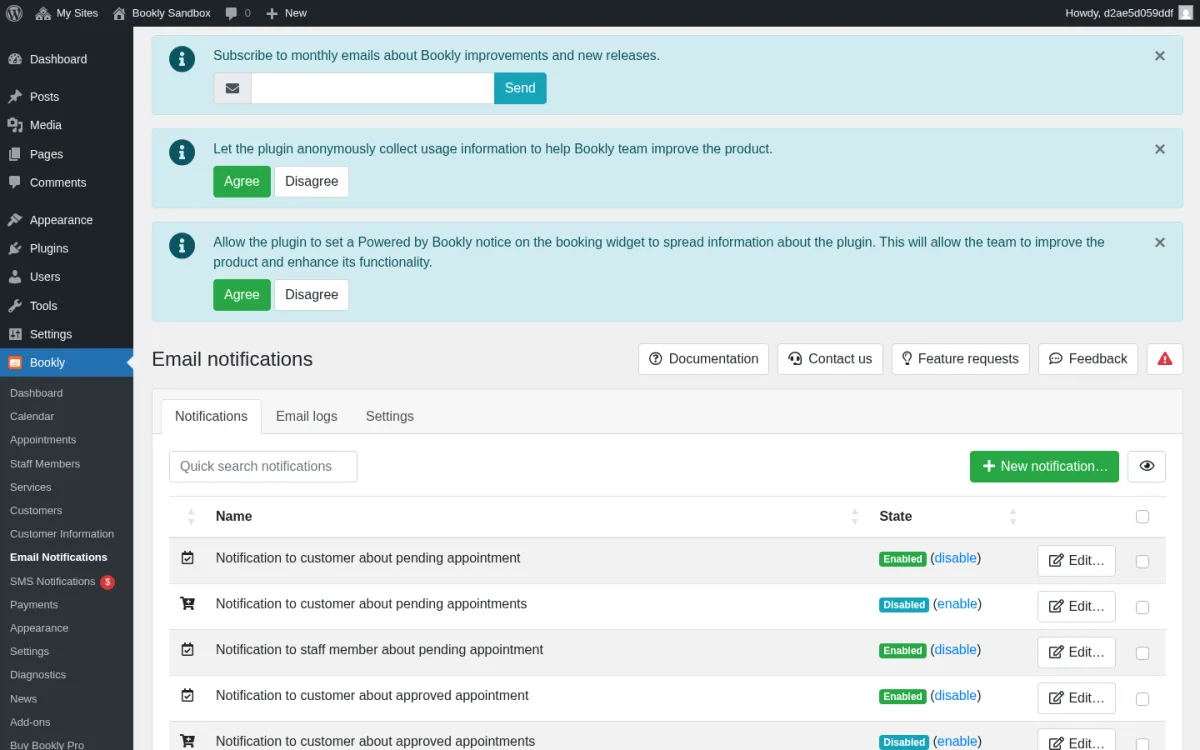
This is the strongest non-widget module on Pro. Templates exist for every booking event — created, approved, rejected, cancelled, reminder, follow-up, birthday greeting, evening agenda — split by recipient (Customer, Staff, Admin) and customisable with HTML and [booking_*] shortcodes. The reminder, follow-up, agenda, and birthday templates are Pro-only and were not available on the free tier.
Add-ons marketplace
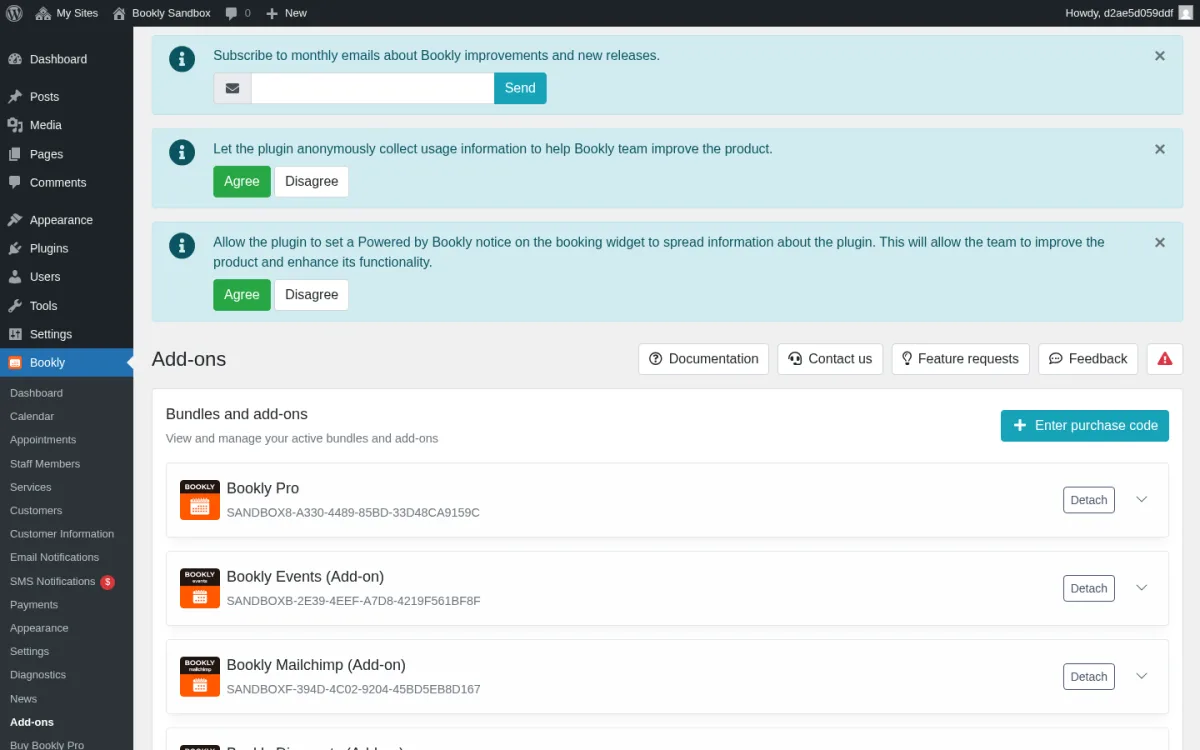
The Add-ons page is where Bookly's economy lives. On top of Pro, the catalog covers payment gateways (Stripe, Mollie, PayPal Standard, Authorize.Net), calendar sync (Advanced Google Calendar two-way, Outlook), scheduling extensions (Recurring Appointments, Group Booking, Waiting List), commerce (Coupons, Taxes, Invoices, Deposit Payments, Packages), ops (Locations, Staff Cabinet, Customer Cabinet, Custom Fields), and verticals like Events. Each add-on is a separate paid license, and the same modules are bundled together — at a discount versus buying them individually — inside the Business and Ultimate plans. Breadth is the real differentiator; the trade-off is the add-on bill.
SMS Notifications and Bookly Cloud
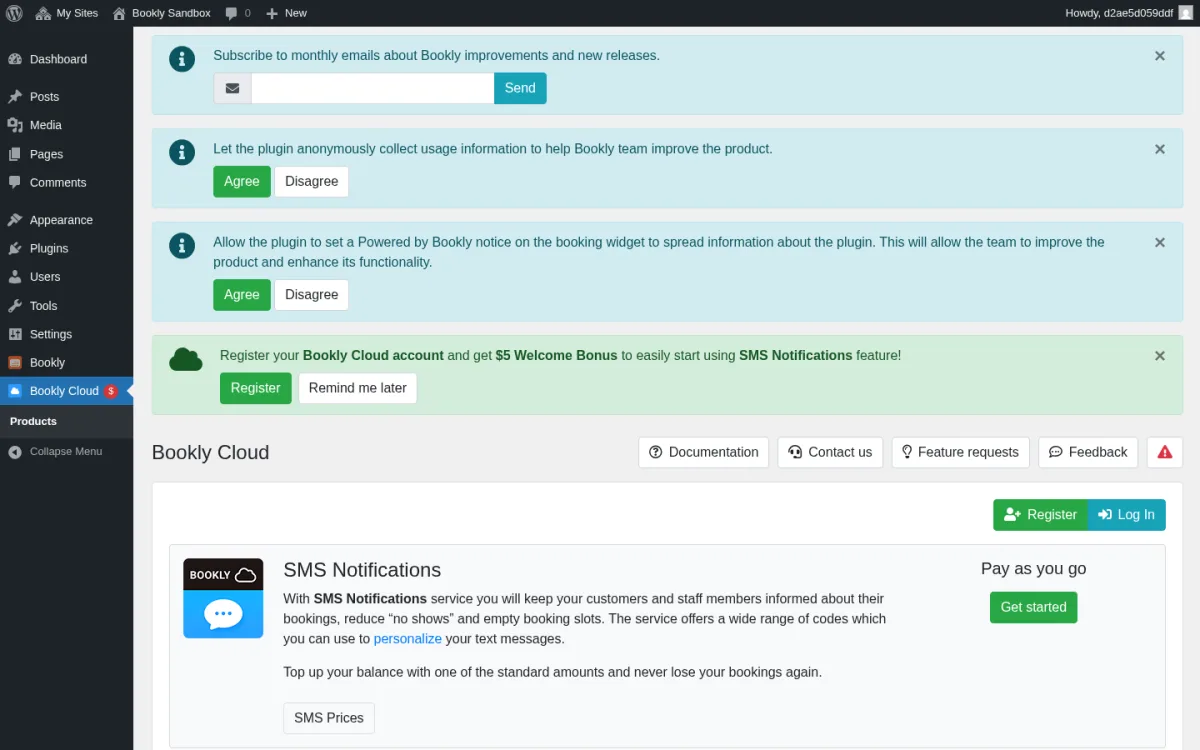
Bookly's SMS, WhatsApp, Cron, and Stripe Connect features run through Bookly Cloud — a separate metered subscription funded with credits. The "SMS Notifications" menu item routes the user straight into the Bookly Cloud → Products page, which is honest about the fact that you are buying credits, not flipping a switch. WhatsApp is only available through Bookly Cloud — no self-hosted WhatsApp gateway exists in the WordPress plugin itself — so any production site that wants WhatsApp confirmations is signing up for a recurring credit burn on top of the Pro license.
Appearance customizer with live preview
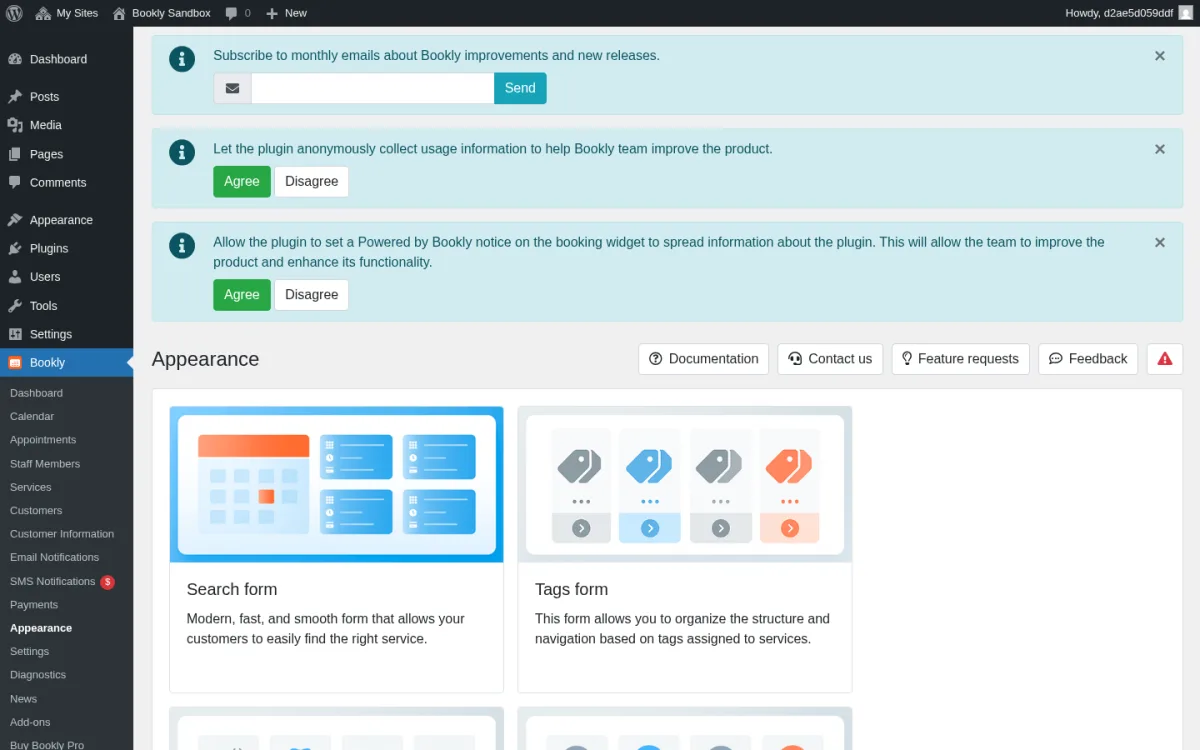
The Appearance module is unusually friendly for a WordPress booking plugin: it shows a live preview of the booking widget and lets you edit colors, typography, and per-step labels for Service, Time, Details, Payment, and Done. There is no drag-and-drop visual form builder, but the per-step controls are enough to brand the widget for most sites without writing CSS.
Bookly Pro Ease of Use / UI & UX
Bookly Pro is comfortable to live in if you are already a WordPress administrator, and a little less comfortable if you are a non-technical staff member who only manages appointments.
- Setup experience — The sandbox shipped with a sample
[bookly-form]page, sample services, and one staff member, which mirrors a realistic Bookly Pro onboarding. Plan for an extra session to configure payment gateways, Bookly Cloud credits, calendar OAuth, and any add-ons you license. - Admin navigation — The Bookly menu sits inside the standard WP sidebar with consistent datatable + modal patterns across modules. The persistent "Buy Bookly Pro" / Bookly Cloud / News upsell items add visual noise even on a paid install.
- Frontend booking experience — The 5-step widget felt natural for a buyer, with a clear price summary line before Details and instant slot rendering after picking a service.
- Editing and managing appointments — Day / Week / Month / Timeline / List views all rendered the new booking, and the Appointments list exposed the full attribute set (date, employee, customer, service, status, payment) with searchable / sortable columns.
- Friction points — The biggest friction is that the most commercially important capabilities (Stripe, two-way Google Calendar, custom form fields, recurring appointments, locations, customer / staff portals) are not in Pro; you have to identify, license, install, and configure each one separately.
Bookly Pro Pricing & Value
The amounts below were verified at the time of review on the official booking-wp-plugin.com/pricing/ page. Sale prices and add-on counts can shift over time, so check the official pricing page for current amounts before purchase.
- Free — $0; included in the free Bookly plugin on WordPress.org: 1 staff member, up to 5 services, basic email + SMS templates, and Local payment.
- Pro — $49 / year (regular $89) or $129 lifetime (regular $189); unlocks unlimited staff and services, Google Calendar (one-way), online meetings (Zoom / Google Meet / Jitsi / BigBlueButton), WooCommerce, advanced email templates, and the ability to install paid add-ons.
- Business — $199 / year (regular $259) or $399 lifetime (regular $499); Pro plus a curated set of popular paid add-ons (Custom Fields, Group Booking, Stripe Payments, Service Extras, Advanced Google Calendar, Service Schedule, Locations, Special Days, Staff Cabinet, Coupons, Customer Cabinet, Recurring Appointments, and more).
- Ultimate — $399 / year (regular $499) or $799 lifetime (regular $999); all Business features plus the rest of the catalog (Chain Appointments, Customer Information, Invoices, Multiply Appointments, Mollie, Collaborative Services, Packages, Files, Special Hours, Taxes, Multisite, PayPal Checkout) plus priority support.
A 30-day money-back guarantee applies to paid plans, and individual add-ons can also be bought à la carte through CodeCanyon if you do not want a bundle. The Lifetime tier on the official site is the same one-time, perpetual license historically distributed on CodeCanyon — buying on CodeCanyon and buying the Lifetime tier on booking-wp-plugin.com both grant a no-renewal license; only the Annual tier renews.
The decision is mostly about how many add-ons you actually need. Pro alone is cheap and well-supported; Business and Ultimate exist precisely because most production sites end up wanting features that live in add-ons. If your shopping list crosses ~5–6 add-ons, the Business or Ultimate bundle is almost always cheaper than buying each one individually.
Bookly Pro Support, Documentation & Reputation
Bookly Pro support runs through tickets and email at the official support site, with community-only support for free users on the WordPress.org forums. Each license includes a defined support period; renewal terms differ between Annual and Lifetime and should be confirmed on the official purchase page.
Documentation is genuinely strong: the support site covers Pro and every add-on with detailed, screenshot-rich articles, and Nota-info maintains a YouTube channel with set-up tutorials.
Public reputation is mixed in a predictable way. CodeCanyon and WordPress.org reviewers praise the genuinely usable free tier, the longevity of the plugin (more than a decade on the market), the breadth of the add-on catalog, and the option to buy Pro as a one-time license. The most repeated complaints are the add-on cost model — reviewers describe the experience as "nickel-and-dimed" because Stripe, recurring appointments, custom fields, locations, and the customer / staff portals are individual paid add-ons — followed by support latency (Capterra Customer Service sits at 3.7 / 5) and occasional issues after major WordPress core updates.
Best Bookly Pro Alternatives
If Bookly Pro is close but not a perfect match, these are the most relevant alternatives to compare. For a broader shortlist, see the full roundup of the best WordPress appointment booking plugins, and for a deeper side-by-side breakdown of the plugins closest to Bookly on workflow fit and pricing, see the round-up of Bookly alternatives.
Booknetic
A polished WordPress booking plugin that bundles features and add-ons into tiered annual or lifetime plans, ships an isolated SaaS-style admin dashboard, and includes a native mobile app. The natural pick for buyers who want predictable pricing and a more modern admin UX. See the full Booknetic review for the deep dive.
Amelia
A heavyweight WordPress booking plugin known for a strong Events module and a polished admin UI. A good shortlist option if events are central to your business — read the full Amelia review for the breakdown.
LatePoint
A modern WordPress booking plugin with a slick UI and competitive lifetime pricing. Worth a look if you specifically prefer LatePoint's flat pricing model and visual style — the LatePoint review covers the trade-offs.
FluentBooking
A newer WordPress entrant focused on cleaner setup and a simpler scheduler-style experience. A good fit for lighter-weight one-on-one booking instead of a full studio operation — see the FluentBooking review for hands-on testing notes.
Who Should Use Bookly Pro?
Good fit for:
- WordPress-savvy small businesses that already manage their own site and are comfortable buying and configuring add-ons one by one.
- Buyers who want a free starting point and are willing to upgrade to Pro only when they hit the 1-staff / 5-service cap.
- Subscription-averse buyers who prefer the one-time Lifetime license (sold on the official site or as the equivalent CodeCanyon one-time license) over an annual renewal.
- Teams that need a specific niche add-on — Events, Multisite, PayU Latam, PayUbiz — that sits in Bookly's broad catalog.
Skip it if:
- You want one all-inclusive price rather than tracking individual add-on purchases.
- Your non-technical staff team needs a clean, modern, isolated booking dashboard for daily use.
- You are a multi-location brand without a Business / Ultimate budget — Locations is not in core Pro.
- You need a native iOS or Android mobile app for staff or admins.
Final Verdict
Bookly Pro is worth considering when you want a mature, long-running WordPress booking plugin and your shopping list is short — Pro alone, or Pro plus one or two specific add-ons, is genuinely good value. The booking widget converts cleanly, the Email Notifications module is one of the strongest in the category, the Calendar covers every view a service team needs, and the free tier lets buyers de-risk the decision before spending anything. It becomes a harder sell as the feature list grows: by the time you need Stripe, two-way Google Calendar, locations, recurring appointments, and the customer / staff portals, the Business or Ultimate bundle is the rational choice — and at that price point, an all-inclusive alternative like Booknetic is worth a serious side-by-side. The biggest limitation is the dated admin UI plus the heavy reliance on paid add-ons; if both of those are acceptable, Bookly Pro remains a credible, well-supported option in the WordPress booking plugin market.


