

8 Best Lazy Load Plugins for WordPress in 2026


Why lazy load still matters in 2026 (and why a plugin still helps)
If your WordPress site loads dozens of images, embedded YouTube videos, Instagram or X embeds, Google Maps iframes, comment threads or background videos on a single page, every one of those resources fights for bandwidth on the first paint. Lazy loading fixes that by deferring off-screen content until the visitor scrolls toward it. The visitor sees the page faster, your server moves less data, and your Largest Contentful Paint (LCP) and Interaction to Next Paint (INP) scores both improve.
WordPress core has lazy-loaded images natively since version 5.5, all the way back in August 2020. That's the question most readers ask first in 2026: do I still need a lazy-load plugin? The honest answer is "only for what core doesn't cover":
- Core's
loading="lazy"attribute applies to<img>tags only. It doesn't lazy-load<iframe>automatically across all themes, doesn't touch background images set in CSS, doesn't replace heavy third-party embeds (YouTube, Vimeo, Maps, Twitter/X, Facebook), doesn't lazy-load comment threads, and doesn't generate low-quality image placeholders (LQIP) for a smoother visual loading effect. - Core also can't compress your images, convert them to WebP/AVIF, or serve them from a CDN. For most sites in 2026 the bigger payoff is pairing lazy loading with image optimization, not lazy loading on its own.
The 8 plugins below cover those gaps. Some are dedicated lazy-load plugins, some bundle lazy load inside a broader image-optimization or speed suite, and one is a specialized YouTube replacement. I verified each plugin's version, install count, rating, review count and pricing against the live WordPress.org listing and vendor pricing pages on 2026-05-24, dropped the entries that no longer earn a slot (NitroPack as a pure speed suite rather than a lazy-load plugin, Speed Up - Lazy Load as effectively abandoned, the legacy Jetpack listing in favor of the dedicated Jetpack Boost), and added the modern picks that actually move the needle in 2026.
If you want the broader, non-plugin perspective on WordPress performance, start with our WordPress Speed Optimization guide. This article is the tactical companion that names the actual lazy-load plugins.
How I evaluated each plugin
For each of the eight plugins I verified the following against the live WordPress.org plugin page and the vendor's site on 2026-05-24:
- Active installs, rating, review count (community trust signals from WP.org).
- Latest version, last release date, tested up to WordPress version, required PHP version (so you know it is actively maintained, not a 2024 zombie).
- What the free tier actually does for lazy loading, separated from what the Pro upsell unlocks.
- What it can lazy-load beyond native core: iframes, videos, background images, comments, embeds, gravatars, thumbnails, oEmbed widgets.
- Whether it adds image optimization on top (compression, WebP/AVIF, CDN delivery).
- Conflicts and known footguns from current vendor docs and recent 2026 reviews on the WordPress.org reviews tab. Page-builder breakage (Elementor, Divi, WPBakery) and CDN conflicts are the two most common.
I prioritized plugins with a usable free version and a real lazy-load story, not plugins where lazy load was a marketing footnote on a $30-per-month subscription. Where a paid tier adds genuine lazy-load value (LQIP generation, Optimole's CDN-delivered placeholders, Jetpack Boost's automatic image guide), I called it out without padding.
Quick comparison table
| Plugin | Best for | Active installs | Rating | Lazy-loads beyond images | Free tier covers |
|---|---|---|---|---|---|
Optimole | Image-first sites that want CDN + WebP/ | 200,000+ | 4.7 / 5 | Background images, iframes, videos (via CDN), LQIP placeholders | Up to 2,000 monthly visits, unlimited images, all CDN and lazy-load features |
Smush | All-in-one image optimization plus lazy load with no monthly cap | 1,000,000+ | 4.8 / 5 | Iframes, images outside media library, gravatars | Lazy load with placeholders, lossy/ |
a3 Lazy Load | Dedicated, standalone lazy load for images, iframes and videos | 90,000+ | 4.3 / 5 | iframes, videos (HTML5, YouTube, Vimeo embeds), background images via filter | Everything; fully free, no paid tier |
LazyLoad Plugin (WP Media) | Lightweight script-only lazy load that pairs with any cache plugin | 100,000+ | 4.2 / 5 | iframes, videos, YouTube replacement with preview image | Everything; fully free, no paid tier |
Jetpack Boost | Automattic's modern speed plugin with built-in lazy load and image guide | 200,000+ | 4.7 / 5 | Images (via dedicated module), works with Site Accelerator CDN for offload | Lazy load module, image size analysis, defer JS, manual critical CSS |
LiteSpeed Cache | The most advanced lazy load (LQIP + viewport-based) when host runs LiteSpeed | 7,000,000+ | 4.8 / 5 | Images, iframes, background images, with LQIP-generated placeholders | All lazy-load features plus cache, image opt, CDN; LQIP uses QUIC.cloud quota |
Autoptimize | CSS/ | 900,000+ | 4.7 / 5 | Images and iframes via Extra tab, plus WebP/ | Aggregation, minification, defer JS, lazy load images, Google Fonts optimization |
WP YouTube Lyte | Replacing heavy YouTube embeds with lite placeholders | 30,000+ | 4.8 / 5 | YouTube only: replaces full iframe embed with a click-to-play thumbnail | Everything; fully free, ad-free, no paid tier |
1. Optimole: best modern lazy load when image delivery is the bottleneck
- WordPress.org: wordpress.org/plugins/optimole-wp/
- Active installs: 200,000+
- Rating: 4.7 / 5 (633 reviews)
- Latest version: 4.2.6, released May 19, 2026
- Requires: WordPress 5.5+, PHP 7.4+
- Tested up to: WordPress 7.0
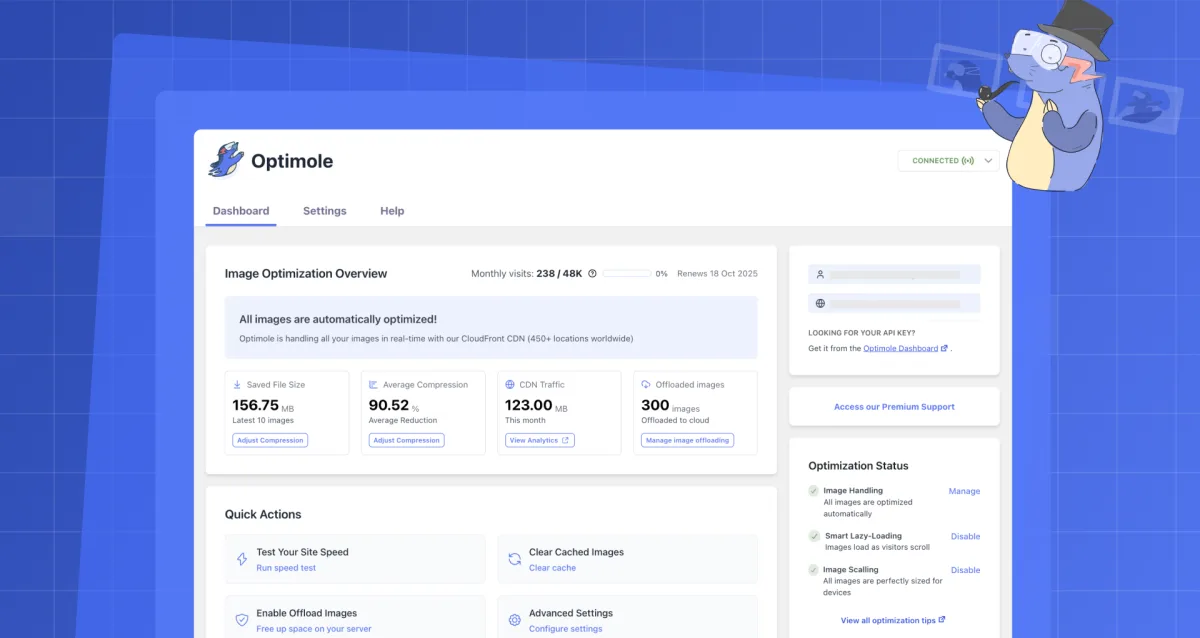
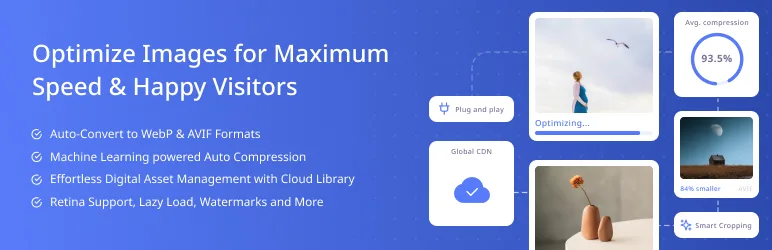
What it is. Optimole from Themeisle / Optimole bundles image compression, format conversion (WebP and AVIF), responsive image sizing, smart cropping, watermarking, a global CDN, and lazy loading with low-quality image placeholders (LQIP) into one plugin. Your original images stay in the WordPress media library; the plugin rewrites image URLs on the front end so visitors load device-perfect, optimized versions from Optimole's CDN instead of straight from your server.
Why it leads the list in 2026. Three reasons. First, lazy loading is most useful when the images themselves are heavy; Optimole's LQIP approach (it generates a tiny blurry placeholder that gets replaced when the real image is in viewport) avoids the "white box pops in" effect that bare native lazy loading produces on slow connections. Second, the CDN means the lazy-loaded images load fast when they're finally requested, instead of being lazy-loaded from a slow shared host. Third, the free tier is actually usable for small sites.
Free vs paid. Free covers up to 2,000 monthly visits, unlimited images, all features (WebP/AVIF, CDN, LQIP lazy load, smart cropping, watermarking, 25 GB CDN bandwidth). Paid plans start around $22.52 per month billed annually for the Starter tier and scale up with monthly-visit limits. There is no per-image cap; you pay for visitor traffic, which is the right model for most blogs and small businesses.
Watch-outs. Because images are served from the Optimole CDN, you depend on the Optimole API being reachable from your visitors. If your CDN region has a hiccup, images fall back to your origin (this is by design) but you'll briefly serve unoptimized images. The free 2,000-visit cap is real; if you blow through it mid-month, Optimole keeps serving images but throttles, so growing sites should upgrade before the cap.
Best fit. Image-heavy WordPress sites (blogs, photography portfolios, news sites, recipe sites, lifestyle and travel sites) up to roughly 25,000 monthly visits, where the bigger problem is image weight rather than caching.
Free download on WordPress.org | Optimole pricing
2. Smush: easiest free image plus lazy load combo with no monthly cap
- WordPress.org: wordpress.org/plugins/wp-smushit/
- Active installs: 1,000,000+
- Rating: 4.8 / 5 (6,039 reviews)
- Latest version: 4.0.3, released May 18, 2026
- Requires: WordPress 6.4+, PHP 7.4+
- Tested up to: WordPress 7.0
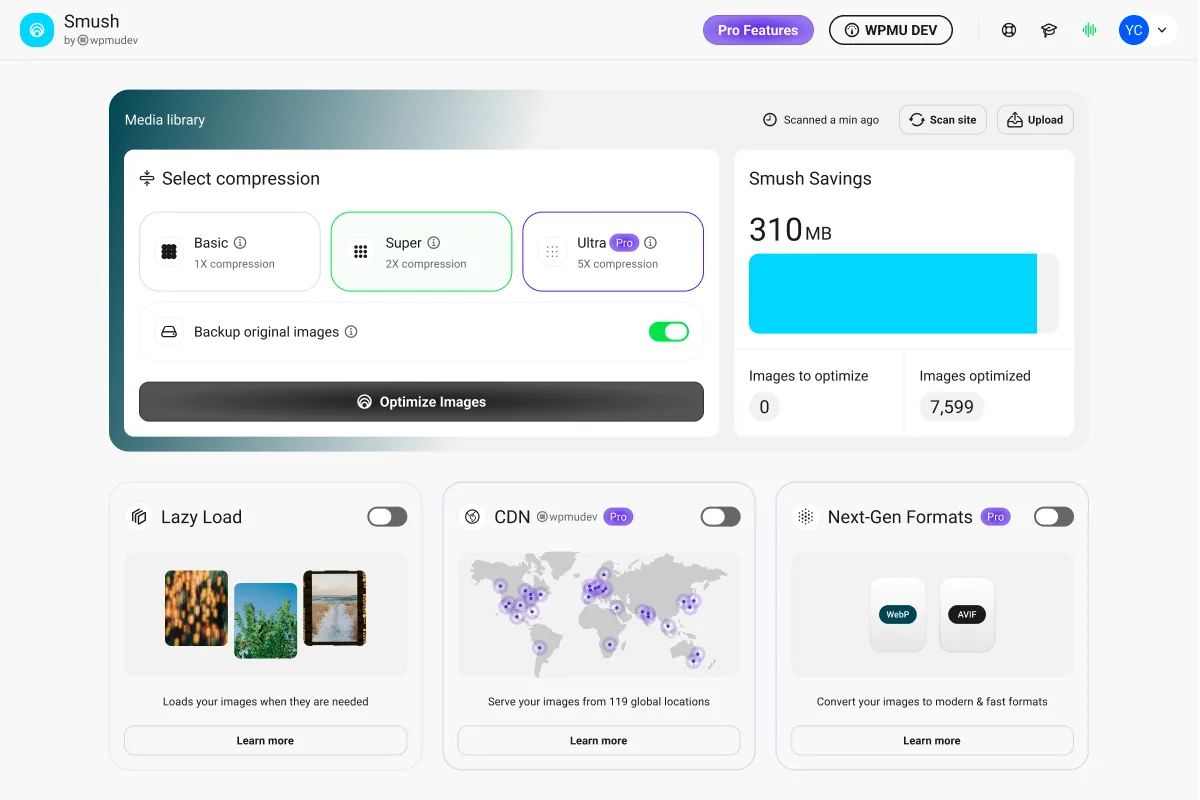
What it is. Smush from WPMU DEV optimizes, compresses, lazy-loads and (in Pro) converts your images to WebP and AVIF. The dedicated Lazy Load section under Smush > Lazy Load lets you toggle lazy loading for media library images, post and page images, comments, widgets, gravatars and thumbnails, and pick from a set of fade-in or spinner placeholder animations. You can also exclude specific post types, classes, URLs or above-the-fold images.
Why it earns a top slot. Smush is the only major free image plugin that does not cap how many images you can compress per month. You can run lazy load plus lossless or lossy compression across an entire media library, no credit system, no monthly limit. Lazy load also works on dynamic content like comments and widgets, which native WordPress lazy loading doesn't touch.
Free vs paid. Free covers lazy load with placeholders, lossy/lossless compression for images up to 5 MB, bulk smush, Directory Smush (compress images outside the media library) and image resizing. Pro adds WebP and AVIF conversion, the Smush CDN (119 global servers, up to 500 GB bandwidth), compression for images up to 256 MB and image backups. Pro is sold inside a WPMU DEV plan starting at $7.50 per month billed annually, which also bundles other WPMU DEV plugins.
Watch-outs. The free version skips images over 5 MB. Resize them before upload, or use ShortPixel / Optimole for the oversized files. The 4.0 dashboard added a handful of in-admin promotional panels that some 2026 reviewers explicitly complain about; the compression and lazy-load logic itself remains solid. If you already run another image optimization plugin (ShortPixel, Imagify, EWWW), disable Smush's compression and keep only its lazy load to avoid duplicate work.
Best fit. Sites that upload many images each week, run on Apache or NGINX shared hosting without LiteSpeed, and want a single plugin that handles both lazy load and image compression with no monthly cap.
Free download on WordPress.org | Smush product page
3. a3 Lazy Load: the classic dedicated lazy-load plugin
- WordPress.org: wordpress.org/plugins/a3-lazy-load/
- Active installs: 90,000+
- Rating: 4.3 / 5 (148 reviews)
- Latest version: 2.7.8, released May 7, 2026
- Requires: WordPress 6.0+
- Tested up to: WordPress 7.0
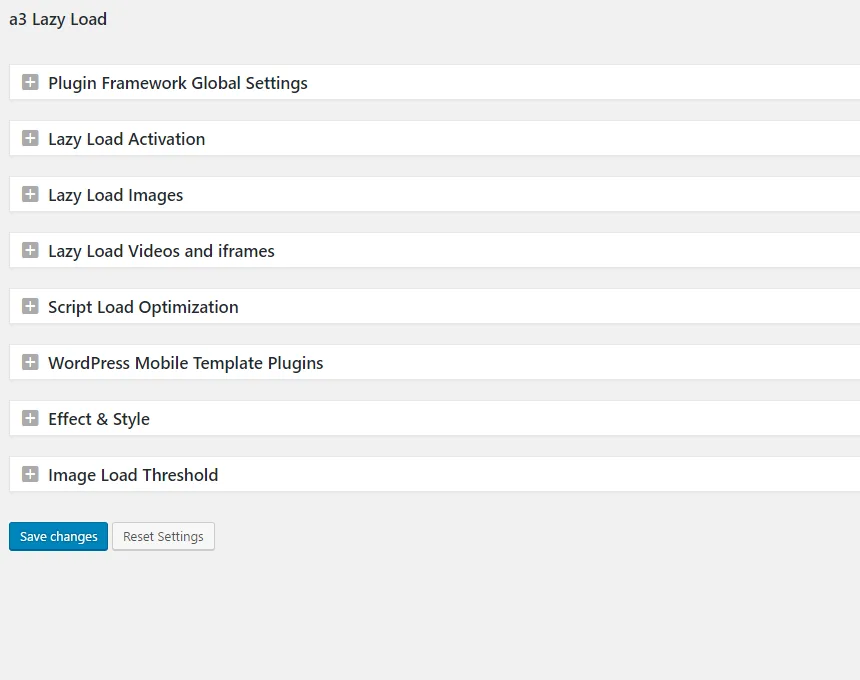
What it is. a3 Lazy Load from a3rev (Steve Truman) is the original, focused "do one thing well" lazy-load plugin for WordPress. It lazy-loads images, iframes, HTML5 video tags, embedded YouTube and Vimeo, gravatars, post thumbnails, content images, sidebar widgets, and post excerpts. You can pick the effect (fade in, spinner placeholder), set a custom placeholder image, exclude specific class names or images, and disable WordPress core's native lazy loading if you want a3 to control the whole pipeline.
Why it earns a slot in 2026. Most plugins on this list bundle lazy load inside a larger image optimization or speed suite. a3 Lazy Load doesn't. It's a clean, single-purpose plugin that pairs with whatever cache and image plugin you already run, and it stays out of the way. Two recent 2.7.x releases in 2026 patched WordPress 7.0 compatibility and updated the underlying lazysizes.js library that powers the lazy-load behavior.
Free vs paid. Fully free. a3rev sells WooCommerce extensions and themes elsewhere, but a3 Lazy Load has no paid tier and no upsell modal in the admin.
Watch-outs. Because a3 Lazy Load aggressively lazy-loads iframes and videos, it can clash with page builders that inject iframes (Elementor's video widget, Divi's video module, certain WPBakery embeds). Test on staging before enabling video / iframe lazy load. If you also use a cache plugin with built-in lazy load (LiteSpeed Cache, Optimole, WP Rocket), disable that cache plugin's lazy-load module to avoid double-lazy-loading the same images.
Best fit. Sites that already have their caching and image optimization sorted (LiteSpeed Cache + ShortPixel, WP-Optimize + Imagify, etc.) and only need a clean dedicated lazy-load layer for iframes, videos and edge cases.
Free download on WordPress.org
4. LazyLoad Plugin by WP Rocket: the lightest dedicated option

- WordPress.org: wordpress.org/plugins/rocket-lazy-load/
- Active installs: 100,000+
- Rating: 4.2 / 5 (139 reviews)
- Latest version: 2.4.0, released October 17, 2025
- Requires: WordPress 4.9+, PHP 7.3+
- Tested up to: WordPress 6.8.5
What it is. LazyLoad Plugin (still hosted at the legacy rocket-lazy-load slug) is WP Media's free standalone lazy-load script. WP Media is the company behind WP Rocket, so the plugin shares the same lightweight implementation: a small vanilla-JavaScript script (under 10 KB) with no jQuery dependency, lazy loading for images, iframes and videos, and an optional "click to play" replacement for YouTube embeds that swaps the heavy iframe for a static preview image and a lightweight play button.
Why it earns a slot in 2026. When WordPress core added native lazy loading in 5.5, WP Media kept this plugin alive specifically for what core doesn't cover: iframe and video lazy loading, and a real YouTube-replacement mode that materially cuts third-party JavaScript on pages with embedded videos. The script size and zero-dependency design keep its own performance overhead negligible.
Free vs paid. Fully free. WP Media's paid product is WP Rocket (the cache plugin), which has its own much more comprehensive lazy load built in. LazyLoad Plugin is the free, script-only sibling.
Watch-outs. The current 2.4.0 release on WordPress.org is from October 2025 with "tested up to" WordPress 6.8.5. The plugin still works on WordPress 7.0 in current testing, but the slowing release cadence suggests WP Media is prioritizing WP Rocket. Keep this in mind: if you need long-term certainty, prefer a more actively-maintained alternative such as Optimole, Smush or Jetpack Boost. If you already use WP Rocket on the same site, do not install LazyLoad Plugin; WP Rocket's own lazy load is more advanced and the two will overlap.
Best fit. Sites that need iframe and YouTube replacement lazy load without installing a bigger image or cache suite, and that don't mind a less-frequent release schedule.
Free download on WordPress.org | WP Rocket (paid cache plugin from the same team)
5. Jetpack Boost: Automattic's lightweight modern speed plugin
- WordPress.org: wordpress.org/plugins/jetpack-boost/
- Active installs: 200,000+
- Rating: 4.7 / 5 (604 reviews)
- Latest version: 4.5.9, released April 13, 2026
- Requires: WordPress 6.8+, PHP 7.2+
- Tested up to: WordPress 6.9.4
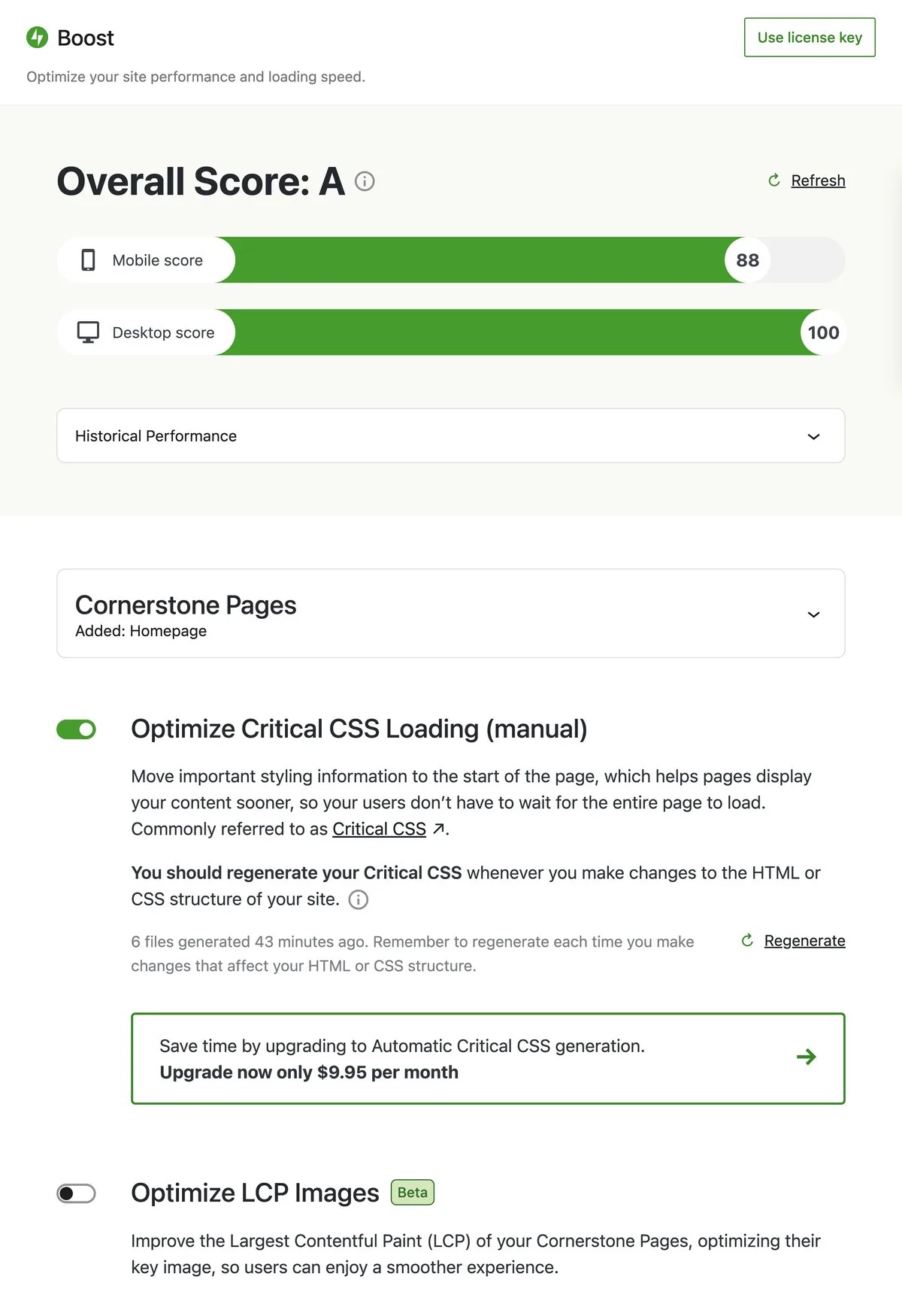
What it is. Jetpack Boost is the dedicated speed-and-Core-Web-Vitals plugin from Automattic (the WordPress.com / Jetpack / WooCommerce team). It strips the legacy Jetpack module bloat down to the modules that actually move performance: critical CSS, defer non-essential JavaScript, image size analysis, lazy load images, Image CDN powered by Jetpack's Site Accelerator, and a live speed score panel inside wp-admin.
Why it earns a slot in 2026. Jetpack Boost is the right Automattic recommendation in 2026, not the full Jetpack plugin. The lazy-load module is implemented as a slim front-end script; combined with the free Image CDN and the new Image Guide that surfaces oversized images per page, it gives non-LiteSpeed sites a complete image-and-lazy-load pipeline with zero account signup for the lazy load itself. Connecting to a free WordPress.com account unlocks the CDN.
Free vs paid. Lazy load, image size analysis, defer non-essential JavaScript, manual critical CSS and Image CDN are free. The Premium tier (about $24.95 per year per site, often discounted to lower introductory pricing) adds automatic critical CSS regeneration (so the cache rebuilds whenever you publish or update a page) and priority support.
Watch-outs. Jetpack Boost's image lazy load specifically targets images served through the Image CDN to deliver maximum benefit. If you skip the CDN connection, you still get lazy loading via the front-end script but you lose the bandwidth offload. If you already use another caching plugin (LiteSpeed Cache, WP-Optimize, W3 Total Cache) with its own lazy load, disable one side to avoid duplicating the work.
Best fit. Self-hosted WordPress sites where the owner is happy to connect a free WordPress.com account for the CDN and wants a single Automattic-maintained plugin for lazy load + Core Web Vitals tuning.
Free download on WordPress.org | Jetpack Boost website
6. LiteSpeed Cache: the most advanced lazy load if your host runs LiteSpeed

- WordPress.org: wordpress.org/plugins/litespeed-cache/
- Active installs: 7,000,000+
- Rating: 4.8 / 5 (2,751 reviews)
- Latest version: 7.8.1, released April 1, 2026
- Requires: WordPress 5.3+, PHP 7.2+
- Tested up to: WordPress 6.9.4
What it is. LiteSpeed Cache (LSCWP) is a full performance suite from LiteSpeed Technologies, and its Page Optimization > Media settings include the most advanced lazy-load implementation of any free WordPress plugin. You get lazy load for images, iframes and background images; viewport-based loading (only fetch when the element is about to enter the viewport, not when it's anywhere off-screen); responsive placeholders; and, with a QUIC.cloud account, automatic LQIP generation that creates a tiny blurry version of every image to use as the lazy-load placeholder.
Why it earns a slot in 2026. The combination of viewport-based lazy load plus LQIP placeholders plus the free QUIC.cloud CDN gives LiteSpeed Cache the smoothest lazy-load visual experience of anything in this roundup. On real-world WordPress sites the difference between "white box pops in" and "blurry placeholder smoothly resolves into the image" is the difference between a Core Web Vitals hit and a pass for visual stability.
Free vs paid. Everything described above is free. The "cost" comes from QUIC.cloud usage quotas if you exceed the generous free monthly limits on LQIP, critical CSS or CDN bandwidth; the plugin itself is fully GPL.
Watch-outs. LiteSpeed Cache's server-level page cache only fires on LiteSpeed, OpenLiteSpeed and QUIC.cloud-fronted setups. The image, lazy-load and minify modules work on any host. The plugin's settings page is dense; do not "enable everything". Start with viewport-based lazy load, add LQIP, and test on staging before enabling iframe / background-image lazy load (some themes break with background-image lazy load enabled).
Best fit. Sites on LiteSpeed / OpenLiteSpeed hosting (Hostinger's premium tiers, Namecheap Stellar, A2 Turbo, ChemiCloud, most cloud LiteSpeed configurations) who want the most polished lazy-load visual experience without an additional plugin.
Free download on WordPress.org | LiteSpeed Cache project page
7. Autoptimize: pair this with any cache plugin for lazy load + optimization

- WordPress.org: wordpress.org/plugins/autoptimize/
- Active installs: 900,000+
- Rating: 4.7 / 5 (1,425 reviews)
- Latest version: 3.1.15.1, released April 4, 2026
- Requires: WordPress 5.3+, PHP 7.1+
- Tested up to: WordPress 6.9.4
What it is. Autoptimize from Optimizing Matters (Frank Goossens) is a focused CSS / JS / HTML optimization plugin. The Images tab adds lazy load for images and iframes, with optional WebP / AVIF rewriting through a free ShortPixel integration. Autoptimize doesn't include page caching, which is exactly why it complements WP Super Cache, W3 Total Cache or your host's built-in cache.
Why it earns a slot in 2026. When you already have a cache plugin you're happy with, Autoptimize layers on CSS aggregation, JS deferral and a clean lazy-load implementation without forcing you to switch cache vendors. The lazy load is implemented as a small vanilla-JS script and integrates with Autoptimize's exclusion rules so you can keep above-the-fold images eager-loaded for LCP.
Free vs paid. Autoptimize itself is fully free. Autoptimize Pro on AcceleraWP is an optional add-on subscription that bundles image optimization (powered by ShortPixel), CDN delivery, automatic critical CSS rules and extra booster options. Pricing sits in the low-single-digit-dollars-per-month range billed annually depending on plan; the free plugin remains fully functional without it.
Watch-outs. Aggressive aggregation of inline JS or CSS can break page builders (Elementor, Divi, WPBakery). Start with HTML and Google Fonts optimization, then enable CSS minify, then JS minify, testing after each change. The Images tab's lazy load and the WebP / AVIF integration both depend on adding the ShortPixel placeholder service or your own CDN; configure that before enabling lazy load if you want the smoothest visual experience.
Best fit. Sites that already have a working cache plugin and want a single additional plugin to add CSS / JS optimization plus iframe-aware image lazy load.
Free download on WordPress.org | Autoptimize Pro on AcceleraWP
8. WP YouTube Lyte: best dedicated lazy load for YouTube embeds

- WordPress.org: wordpress.org/plugins/wp-youtube-lyte/
- Active installs: 30,000+
- Rating: 4.8 / 5 (206 reviews)
- Latest version: 1.7.30, released March 14, 2026
- Requires: WordPress 6.0+
- Tested up to: WordPress 7.0
What it is. WP YouTube Lyte from Frank Goossens (also the author of Autoptimize) replaces every embedded YouTube video on your site with a lightweight static thumbnail and a small play-button overlay. The heavy YouTube iframe (which loads roughly 1.5 MB of third-party JavaScript before you've clicked anything) only loads when the visitor clicks play. The result is a site that still has all your videos available but doesn't pay the YouTube tax until someone actually wants to watch.
Why it earns a slot in 2026. Native WordPress lazy loading doesn't help with YouTube embeds. Most general lazy-load plugins lazy-load the iframe element itself but still pay the full third-party-script cost once the element enters the viewport (which on a content page is almost guaranteed). WP YouTube Lyte is the only plugin in this roundup that meaningfully reduces YouTube's blocking-resource and third-party-script footprint by deferring the entire iframe until a real user interaction.
Free vs paid. Fully free, GPL, no upsell, no signup. Goossens maintains the plugin as a personal project from blog.futtta.be.
Watch-outs. Some Gutenberg YouTube blocks and page builder embed widgets bypass the standard oEmbed pipeline and need to be inserted using the plugin's own [lyte] shortcode or block to be replaced. Out of the box, the plugin covers WordPress's built-in YouTube oEmbed conversion (the most common case). If you embed Vimeo, Wistia or other video providers, Lyte does not handle those; use a3 Lazy Load or LazyLoad Plugin (WP Media) for Vimeo, or your video host's official embed code with its own lazy-load option.
Best fit. Tutorial sites, podcast pages, course pages, news sites with video embeds, and any WordPress site that regularly embeds YouTube videos and cares about Core Web Vitals.
Free download on WordPress.org | WP YouTube Lyte project page
How to choose: pick one stack, don't install all eight
You don't install all eight of these. Pick a combination based on your hosting, your content type and what your site is actually heavy with.
- If your bottleneck is heavy images: Optimole alone covers compression, WebP / AVIF, CDN delivery and LQIP lazy load. Smush is the alternative when you need unlimited monthly visits in free and don't want a CDN dependency.
- If your host runs LiteSpeed / OpenLiteSpeed: install LiteSpeed Cache and use its built-in lazy load with LQIP. Do not stack a second lazy-load plugin on top. If you also embed YouTube, add WP YouTube Lyte.
- If you want one Automattic-maintained plugin: Jetpack Boost gives you lazy load, defer JS, manual critical CSS, image size analysis and the free Image CDN. Connect a free WordPress.com account to unlock the CDN.
- If you already have a cache plugin you like (WP-Optimize, W3 Total Cache, WP Super Cache): add Autoptimize for CSS/JS optimization plus image lazy load, and add WP YouTube Lyte if you embed YouTube. That combination layers on top of any cache without conflicts.
- If you only want lazy load and nothing else: a3 Lazy Load is the cleanest dedicated plugin. LazyLoad Plugin (WP Media) is the second pick if you specifically want WP Rocket's lightweight script implementation and don't mind that the release cadence has slowed.
- If you host with SiteGround: SiteGround's free Speed Optimizer plugin (the renamed SG Optimizer, formerly
sg-cachepress) includes its own lazy load that integrates with SiteGround's server-level caching. It is the simplest choice on SiteGround. Outside of SiteGround it is irrelevant; uninstall it if you ever migrate away. - If you already pay for WP Rocket, NitroPack, FlyingPress or Perfmatters: keep them. Their lazy load implementations are already configured and tested as part of those suites. None of the free plugins above will beat a fully-configured paid all-in-one across every benchmark. The free stack matters when budget is a constraint.
For broader speed work beyond lazy loading, our free WordPress speed plugins roundup covers cache, minification and database cleanup. Lazy load is one of four levers; caching is usually the bigger one.
A reminder: no lazy-load plugin can fix bad hosting. If your TTFB is over 800 ms before any plugin is installed, the bottleneck is your server, not your image loading order. Our WordPress hosting comparison covers the providers that get out of your way in 2026.
FAQ
Do I still need a lazy load plugin if WordPress already lazy-loads images?
Yes, but only for what core doesn't cover. WordPress core lazy-loads <img> tags via the loading="lazy" HTML attribute. It does not lazy-load iframes consistently across themes (5.7 added loading="lazy" to native iframes, but many themes inject embeds in ways that bypass it), does not lazy-load background images set in CSS, does not replace heavy third-party YouTube or Vimeo embeds, does not lazy-load comments, and does not generate low-quality placeholders. A dedicated plugin is the right call when any of those matter for your page.
Does lazy load improve Core Web Vitals?
Lazy load helps Largest Contentful Paint (LCP) indirectly by freeing up bandwidth so the LCP element loads faster, and it helps Interaction to Next Paint (INP) by reducing the number of network requests competing during page interaction. It does not help directly with Cumulative Layout Shift (CLS) unless your lazy-load plugin reserves space for the placeholder; if your plugin or theme does not, lazy load can actually increase CLS by causing images to pop in. Use plugins that ship with proper width/height reservation (Optimole, Jetpack Boost, LiteSpeed Cache LQIP, Smush) on image-heavy pages.
Can I install more than one lazy load plugin?
No. Two plugins lazy-loading the same image will fight over the src and data-src attributes, double-defer the load, and in some cases produce broken images. If you run a cache plugin with a lazy-load module (LiteSpeed Cache, WP Rocket, Jetpack Boost) and also install a dedicated lazy-load plugin (a3 Lazy Load, LazyLoad Plugin), disable lazy load on one side. Always test on staging.
Should I lazy-load above-the-fold images?
No. The first image visible on initial page paint (your hero image, the first product photo, the article featured image) should not be lazy-loaded; lazy-loading the LCP element actively hurts your LCP score because the browser delays fetching it. Every plugin in this list lets you exclude above-the-fold images by class, ID or URL pattern. Use that exclusion. WordPress core's native lazy load is smart enough to skip the first content image automatically; third-party plugins are not always.
Does lazy load work with WooCommerce product images?
Yes for all major lazy-load plugins on this list. WooCommerce product images render as standard <img> tags, so they're handled like any other image. Watch for two specific footguns: product gallery thumbnails (some lazy-load plugins lazy-load thumbnails that the gallery's own JavaScript expects to be eager-loaded, which can break the gallery swap) and zoom on hover (lazy load can defer the high-resolution zoom image until it's too late). Test product pages specifically after enabling, and exclude the gallery thumbnail class if needed.
What happened to Lazy Load by WP Rocket (the original)?
The original "Lazy Load by WP Rocket" was rebranded by WP Media after WordPress 5.5 added native lazy loading. The plugin still lives at the same WordPress.org URL (rocket-lazy-load) but the display name is now "LazyLoad Plugin - Lazy Load Images, Videos, and Iframes" and its scope has narrowed to iframe / video lazy load and YouTube replacement. The 2.4.0 release in October 2025 is the most recent. WP Media's primary product remains WP Rocket, the paid cache plugin that includes its own more advanced lazy-load module.
What about Speed Up - Lazy Load and the old Automattic "Lazy Load" plugin?
Both are effectively retired. Speed Up - Lazy Load's last release is 1.0.25 from March 2023 with around 500 active installs in 2026 and a 4.3 / 5 rating from 12 reviews; we removed it from the 2026 list. The original Automattic "Lazy Load" plugin's last release is 0.6.1 from late 2018; it was made redundant by WordPress core in 5.5 and by Jetpack Boost. Do not install either of these on a new site in 2026.
Is lazy load worth it on a small site with only a few images per page?
Probably not as a dedicated plugin. WordPress core's native loading="lazy" already covers the typical small-blog case. If your pages have one featured image, a couple of inline images and no embedded videos, you'll get more performance benefit from caching and image compression than from a lazy-load plugin. Use this roundup when your pages have many images, embedded videos, comment threads, or heavy iframes.
Conclusion
Lazy loading in 2026 is no longer about adding the loading="lazy" attribute to images, because WordPress core has done that for five years already. It's about extending coverage to iframes, background images, embedded videos and comment threads, smoothing the visual loading effect with LQIP placeholders, and pairing lazy load with image optimization, WebP / AVIF and CDN delivery so the deferred images actually arrive fast when the visitor scrolls to them.
If you want a single recommendation: install Optimole if your site is image-heavy and under 25,000 monthly visits, install LiteSpeed Cache if your host runs LiteSpeed, otherwise install Jetpack Boost plus WP YouTube Lyte (if you embed YouTube). Measure with PageSpeed Insights before and after, exclude your above-the-fold image from lazy load, and walk through our SEO audit checklist once your stack is stable, so the faster page is also discoverable.
Similar Blogs


