

Best Shopify Bulk Image Upload Apps in 2026 (Compared, Scored & Ranked)

Managing product images at scale is one of the most time-consuming tasks for any Shopify merchant. Whether you're migrating a 10,000-SKU catalog to Shopify, refreshing seasonal photos, or onboarding a new product line, doing it product by product inside the Shopify admin is simply not an option. Bulk image upload apps let you match photos to products automatically by SKU, barcode, product title, or filename, then push hundreds or thousands of images in a single job.
The problem is that the Shopify App Store lists dozens of apps in this category, ranging from polished tools with active developer communities to barely functional scripts with zero reviews. Choosing the wrong one can mean hours of failed imports, mismatched images, or support emails that go unanswered.
This guide compares the 6 best Shopify bulk image upload apps available in 2026. We researched each app from its Shopify App Store listing, pricing tiers, feature depth, merchant reviews, and developer track record, evaluated using Shopify App Store data, listing information, feature sets, pricing, and verified merchant reviews. We did not install or test these apps hands-on.
Quick Results
| # | App | Overall Score | Best For |
|---|---|---|---|
1 |
CS - Smart Bulk Image Upload |
9.6/ |
Large catalogs, Cloud storage (Drive/ |
2 |
PicManager Bulk Image Upload |
8.0/ |
Small catalogs and small stores |
3 |
BL Bulk Product Image Uploader |
8.0/ |
Small to mid-size stores |
4 |
Bulk Image Editor & Optimizer |
7.6/ |
Visual image management, reordering, in-browser editing not for bulk upload |
5 |
Bulk Image Upload by SyncFlow |
6.6/ |
Visual matching board |
6 |
PicSync - Bulk Image Uploader |
6.2/ |
Handle or CSV-based matching, alt text workflows |
How We Evaluated
We evaluated each app using publicly available Shopify App Store data, including listing information, feature sets, pricing tiers, and verified merchant reviews. We read a representative sample of reviews (positive, critical, and recent) to understand real-world strengths and weaknesses, and examined each developer's track record, support responsiveness, and product roadmap signals.
Each app was scored on five dimensions:
- Pricing & Value - Free plan generosity, paid pricing fairness, value for small and growing stores.
- Feature Richness - Breadth of matching options (SKU, barcode, title, handle, metafield), cloud integrations, file format support, and special capabilities.
- Built for Shopify / Integration - Whether the app holds Shopify's Built for Shopify badge, how well it integrates with Shopify Admin, and overall platform alignment.
- Ease of Use (UI/UX) - Setup effort, interface clarity, upload workflow, and how easily a non-technical merchant can run a job successfully.
- Support & Reputation - App Store rating, review volume and quality, developer responsiveness, and longevity on the platform.
Overall score = average of the 5 dimensions, rounded to one decimal place.
Full Comparison Table
| App | Pricing & Value | Feature Richness | Built for Shopify | Ease of Use | Support & Reputation | Overall (/ |
Best For |
|---|---|---|---|---|---|---|---|
| CS - Smart Bulk Image Upload | 9 | 9 | 10 | 9 | 9 | 9.6 | Small to Large catalogs + cloud storage + automated alt text generation |
| PicManager Bulk Image Upload | 8 | 8 | 9 | 8 | 7 | 8.0 | Media management for small stores |
| BL Bulk Product Image Uploader | 9 | 7 | 8 | 9 | 7 | 8.0 | Small to mid-size stores |
| Bulk Image Editor & Optimizer | 7 | 8 | 6 | 9 | 8 | 7.6 | Visual image workspace |
| Bulk Image Upload by SyncFlow | 7 | 8 | 4 | 8 | 6 | 6.6 | Migration + one-click undo |
| PicSync - Bulk Image Uploader | 5 | 7 | 4 | 8 | 7 | 6.2 | Handle/ |
1. CS - Smart Bulk Image Upload - Best for Large Catalogs and Cloud Storage Workflows
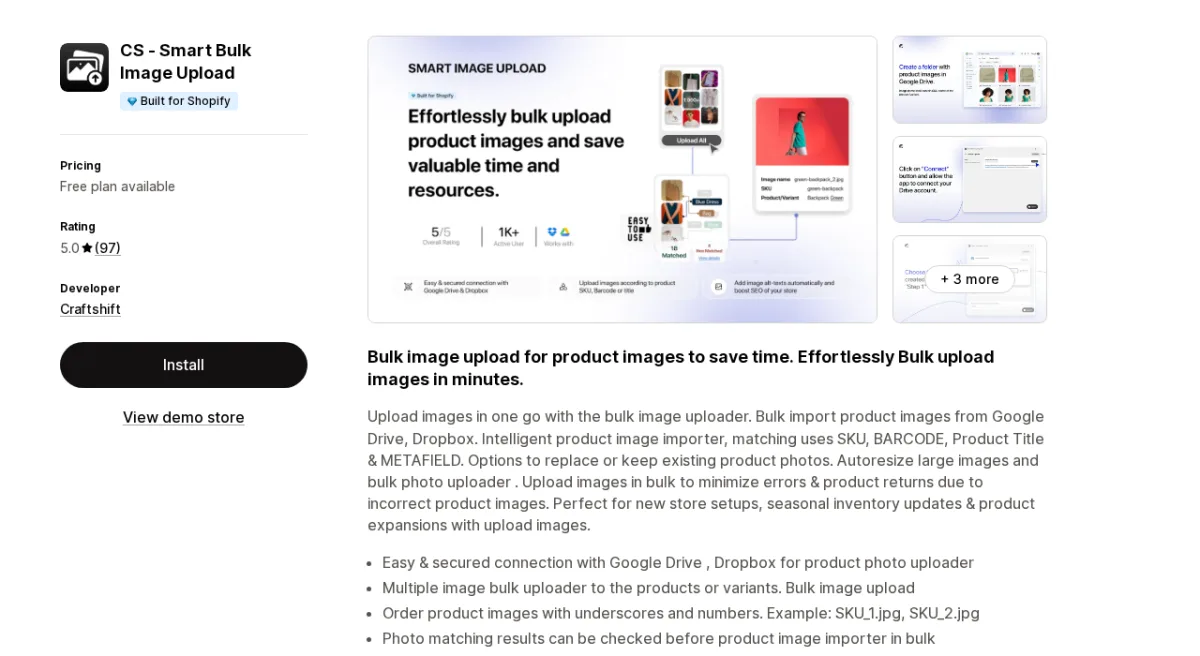
App Store: CS - Smart Bulk Image Upload by Craftshift | Rating: 5.0 (97 reviews) | Built for Shopify
CS - Smart Bulk Image Upload by Craftshift is the most complete dedicated bulk image upload solution for batch uploading product images on the Shopify App Store. Launched in December 2020, it has accumulated 97 reviews at a perfect 5.0 rating, a track record that reflects both product quality and developer reliability. One merchant migrated 60,000 SKUs using the app; another uploaded 120,000 images for a 40,000-SKU catalogue. Those are not edge cases; they are the app's design target.
Pricing & Value (9/10): The free plan covers 25 images, useful for testing. Paid plans run at $69/month (Shopify Basic/Grow), $99/month (Shopify Advanced), and $149/month (Shopify Plus). These price points reflect the enterprise-grade capacity on offer, but they are a significant commitment for smaller merchants. If you're running a large store, the ROI on hours saved is immediate.
Feature Richness (9/10): CS - Smart Bulk Image Upload supports Google Drive and Dropbox integration, letting you stream images directly from the cloud without downloading and re-uploading. Matching runs on SKU, barcode, product title, and metafields, the broadest matching options in this category. You can order images with underscore-number suffixes (for example, SKU_1.jpg, SKU_2.jpg), preview matching results before committing any upload, choose to replace or keep existing product photos, and benefit from automatic resizing of images larger than 20MB or 20 megapixels. SEO-optimized alt text is generated automatically.
Built for Shopify (10/10): The app holds Shopify's Built for Shopify badge and integrates natively with Shopify Admin. It pairs with CS - Export Product Images (same developer), giving merchants a complete image import/export ecosystem within Shopify. Shopify Admin, Dropbox, and Google Drive are all first-class integrations.
Ease of Use (9/10): Merchants consistently describe the upload process as intuitive. The pre-upload preview allows merchants to catch mismatches before they happen, eliminating one of the biggest frustrations in bulk image management. The team has also shown a notable willingness to add features quickly: one review specifically notes a request for upload history was implemented within couple hours and made available to all users.
Support & Reputation (9/10): 97 reviews at 5.0 stars is outstanding. Reviews span multiple countries and large-scale use cases. The developer's support response rate, speed, and willingness to accommodate real-world edge cases (complex CSV structures, Shopify API bottlenecks) stand out in the review record. The app has been active since 2020, providing reassurance about long-term maintenance.
Pros:
- Perfect 5.0 rating across 97 reviews
- Built for Shopify certified
- Metafield-based matching (unique in this category)
- Google Drive and Dropbox cloud integration
- Preview before upload prevents costly mistakes
- Auto-resize images over 20MB/20 megapixels
- Supports both replace and keep-existing modes
- Companion export app from same developer
- Flexible customization options via support requests, so you can ask them your case and they can customize the app for you
Cons:
- Free plan limited to 25 images
Pricing:
- Free: 25 image uploads, all matching modes, Drive/Dropbox integration
- Premium: $69/month (Shopify Basic/Grow plans)
- Premium PRO: $99/month (Shopify Advanced plans)
- Enterprise: $149/month (Shopify Plus)
Scores: Pricing & Value: 9 | Feature Richness: 9 | Built for Shopify: 10 | Ease of Use: 9 | Support: 9 | Overall: 9.6/10
2. PicManager Bulk Image Upload - Best for All-in-One Media Management
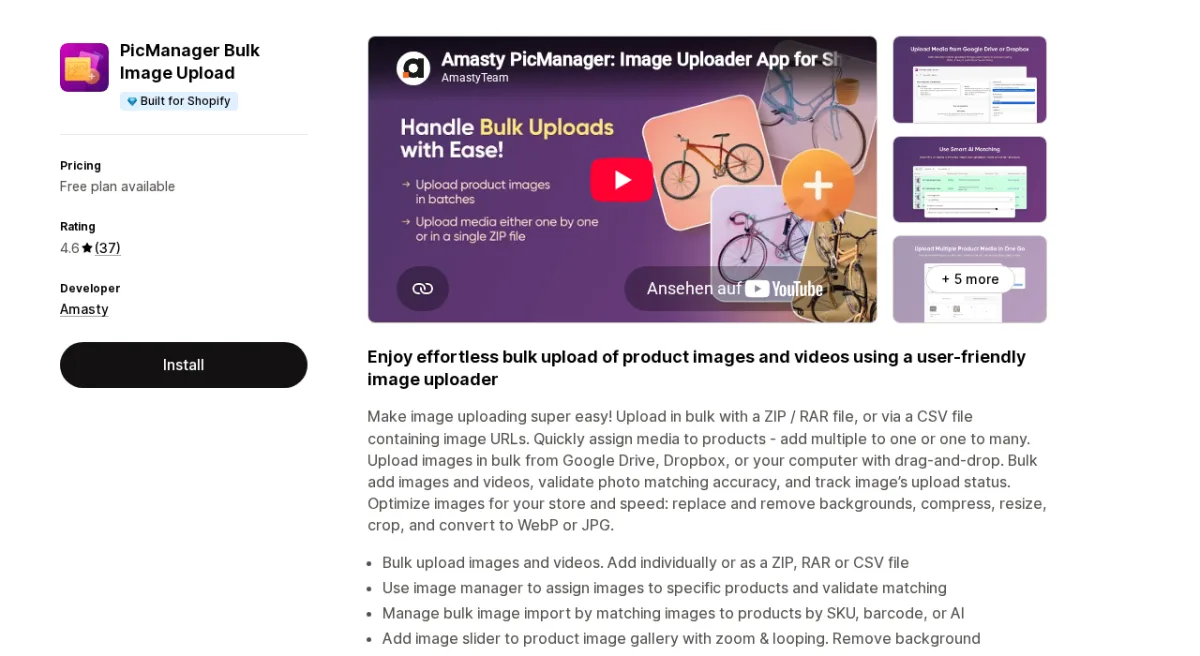
App Store: PicManager Bulk Image Upload by Amasty | Rating: 4.6 (37 reviews) | Built for Shopify
PicManager, built by Amasty (a well-known Magento plugin developer that has expanded to Shopify), is the most feature-complete media management app in this roundup. It's a good option for small catalogs, but negative feedback shows you need to be careful with the result and check multiple times.
Pricing & Value (8/10): The free tier is genuinely useful: Google Drive and Dropbox integration, and a 7-day revert window. The paid Standard plan costs $4.99/month + usage-based fees, AI matching, larger batches (5,000 images, 5GB), image optimization features, format conversion, and an image slider.
Feature Richness (8/10): PicManager handles ZIP, RAR, and CSV file imports alongside Drive and Dropbox. Beyond upload, it offers background removal, image compression, cropping, resizing, PNG-to-JPG/WebP and JPG-to-WebP conversion, and an image slider with arrows, bullets, and zoom. AI-assisted matching (paid plan) handles cases where filenames don't follow clean naming conventions. Video upload support is a differentiator no other app in this roundup offers.
Built for Shopify (9/10): PicManager carries the Built for Shopify badge. Integration is via Shopify Admin only (no direct storefront hooks beyond the image slider), which is appropriate for a backend tool.
Ease of Use (8/10): Most reviews highlight an intuitive interface, but at least one merchant reported waiting a week for an email reply without resolution, which ultimately led to uninstall. The app's depth of features can feel complex for users who only need basic SKU-based upload.
Support & Reputation (7/10): At 4.6 stars across 37 reviews, PicManager's overall reputation is strong, but the support miss noted in a recent review is worth flagging. Amasty is an established developer in the Magento ecosystem; their Shopify presence is newer and support SLAs may still be maturing.
Cons:
- Support response times have been inconsistent per recent reviews
- AI matching and image optimization require the paid plan
- Feature breadth can feel overwhelming for simple use cases
- 1000 images per batch, so it's hard to manage big catalogues
Pros:
- Best free plan in the category (unlimited uploads, up to 1000 images/batch & 1GB)
- $4.99/month paid plan plus usage-based fees
- ZIP/RAR/CSV/Drive/Dropbox support
- Video uploads (limited)
- AI-based image matching on paid plan
- Compression, format conversion
- Image slider for product galleries
- Built for Shopify certified
Pricing:
- Free: Unlimited uploads, 1,000 img/batch at a time (max 1GB), 7-day revert, Drive/Dropbox
- Standard: $4.99/month - 5,000 img/batch (max 5GB), video uploads, AI matching, image optimization, 30-day revert
Scores: Pricing & Value: 8 | Feature Richness: 8 | Built for Shopify: 9 | Ease of Use: 8 | Support: 7 | Overall: 8.0/10
3. BL Bulk Product Image Uploader - Best for Budget-Friendly Simplicity
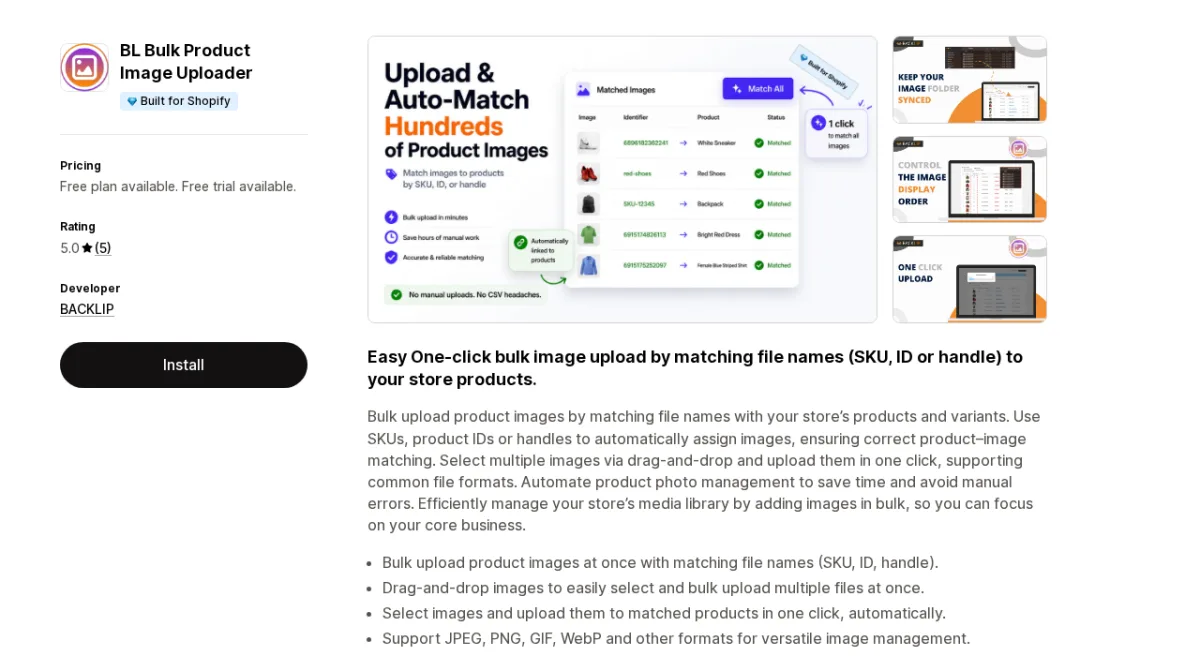
App Store: BL Bulk Product Image Uploader by BACKLIP | Rating: 5.0 (5 reviews) | Built for Shopify
BL Bulk Product Image Uploader by BACKLIP is the newest Built for Shopify app in this category, launched in May 2025. It earns its place in this roundup not on review volume but on value clarity: a $3.99/month paid plan that covers uploads, a 5.0 rating from early adopters. For stores looking for a low-cost solution without the complexity of feature-heavy competitors, BL Bulk is worth consideration.
Pricing & Value (9/10): The free plan covers 30 images. Paid plans are affordable in this roundup: $3.99/month or $2.99/month on the annual plan. Both paid tiers include a 3-day free trial. For small to mid-size stores processing regular inventory updates, this is a strong value proposition.
Feature Richness (7/10): The app focuses on doing one thing well: bulk upload via SKU, product ID, or handle matching. Drag-and-drop file selection, one-click upload, JPEG/PNG/GIF/WebP support, and collection product uploads are included. There is no cloud storage integration (no Drive/Dropbox), no image optimization, and no CSV import workflow. If you need those features, look elsewhere.
Built for Shopify (8/10): BL Bulk carries the Built for Shopify badge despite launching in 2025, which signals good technical standards from the start.
Ease of Use (9/10): The one-click upload process is its signature strength. Drag and drop images, the app matches them by filename, and you click upload.
Support & Reputation (7/10): Five reviews, all 5 stars. The developer added a custom feature for one merchant within a few days. This is promising, but the sample size is small. The developer (BACKLIP, based in Israel) is responsive, but the track record is limited to a short period.
Pros:
- Built for Shopify certified
- Affordable paid plan ($3.99/month)
- 5.0 rating
- One-click drag-and-drop workflow
- SKU, product ID, and handle matching (three match types)
- Multi-language (EN, ES, FR, DE)
Cons:
- No Google Drive or Dropbox integration
- No image optimization features
- Only 5 reviews
- No CSV import support
- Free plan limited to 30 images
Pricing:
- Free: 30 image uploads
- Unlimited: $3.99/month (or $2.99/month annual)
Scores: Pricing & Value: 9 | Feature Richness: 7 | Built for Shopify: 8 | Ease of Use: 9 | Support: 7 | Overall: 8.0/10
4. Bulk Image Editor & Optimizer
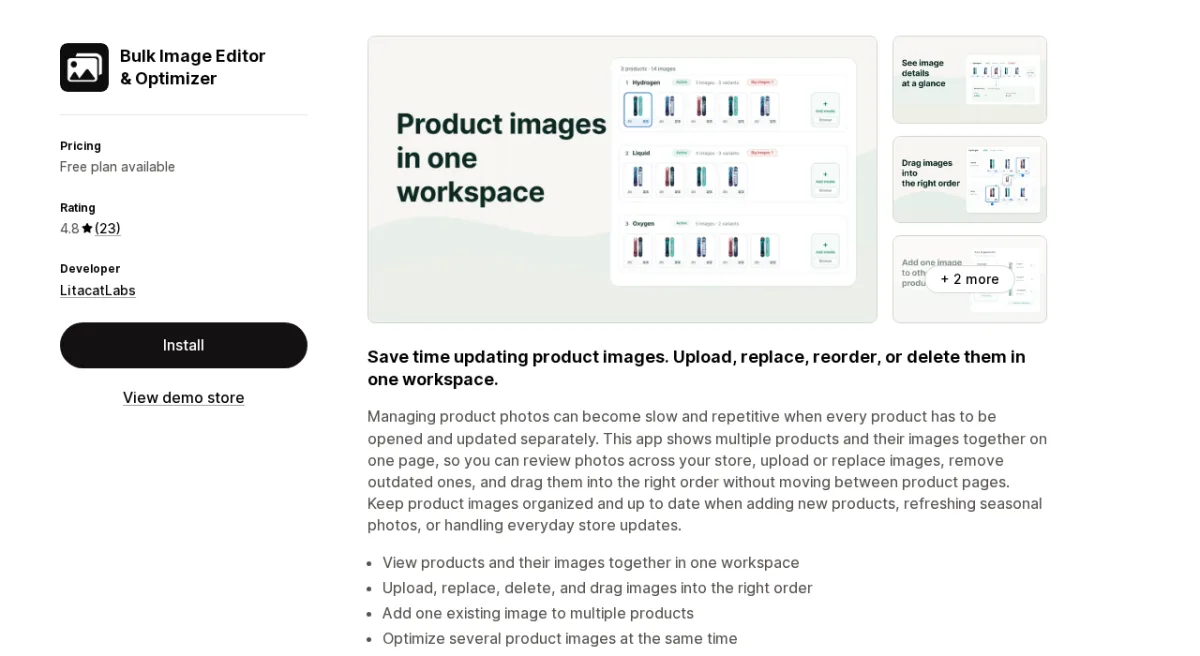
App Store: Bulk Image Editor & Optimizer by LitacatLabs | Rating: 4.8 (23 reviews)
Bulk Image Editor & Optimizer by LitacatLabs takes a different approach from the other apps in this roundup. Rather than focusing on the initial import pipeline from cloud storage, it focuses on day-to-day management of images already in your store. Its standout feature is a visual workspace where you can see multiple products and all their images together on a single page, then upload, replace, reorder, delete, or optimize images without ever opening individual product pages.
Pricing & Value (7/10): The free Beginner plan includes 200 image updates per calendar month, plus a generous 1,000-update bonus in your first month. For stores actively managing images, 200/month may run out quickly. Paid plans: $14.90/month (50,000 updates), $29.90/month (250,000 updates), $49.90/month (1,000,000 updates). Annual billing saves 16-17%.
Feature Richness (8/10): The visual workspace for editing images across products, the ability to add one existing image to multiple products, Excel-based bulk updates, image compression, alt text bulk editing, drag-and-drop reordering, and rollback capability cover most day-to-day image management scenarios. What it lacks: Google Drive/Dropbox cloud import and CSV-based bulk upload from external sources. It's a management tool, not a migration tool.
Built for Shopify (6/10): No Built for Shopify badge. Launched July 2024. Works well within Shopify Admin, but the absence of the badge suggests it hasn't undergone Shopify's quality review process for built apps.
Ease of Use (9/10): This is where Bulk Image Editor shines. Reviews consistently describe the experience as intuitive and visual. Multiple merchants across different countries recommend it without reservations. The visual workspace reduces decision fatigue significantly compared to list-based interfaces.
Support & Reputation (8/10): 4.8 stars across 23 reviews with consistently positive developer interactions. The LitacatLabs team appears responsive and genuinely engaged with their user community. The rating and review quality give confidence in the product's reliability.
Pros:
- Unique visual workspace to manage images across all products at once
- Drag-and-drop reorder within the workspace
- Add one image to many products simultaneously
- Excel-based bulk image updates
- Image compression and optimization
- Rollback functionality
- Strong visual design and ease of use
Cons:
- No Built for Shopify badge
- No cloud import (Google Drive/Dropbox)
- Per-update billing can get expensive at scale
- Not ideal as a first-time bulk importer for new stores
Pricing:
- Beginner: Free (200 updates/month; 1,000 bonus first month)
- Basic: $14.90/month - 50,000 updates/month
- Pro: $29.90/month - 250,000 updates/month
- Advanced: $49.90/month - 1,000,000 updates/month
Scores: Pricing & Value: 7 | Feature Richness: 8 | Built for Shopify: 6 | Ease of Use: 9 | Support: 8 | Overall: 7.6/10
5. Bulk Image Upload by SyncFlow - Best for One-Click Undo and Migration Projects
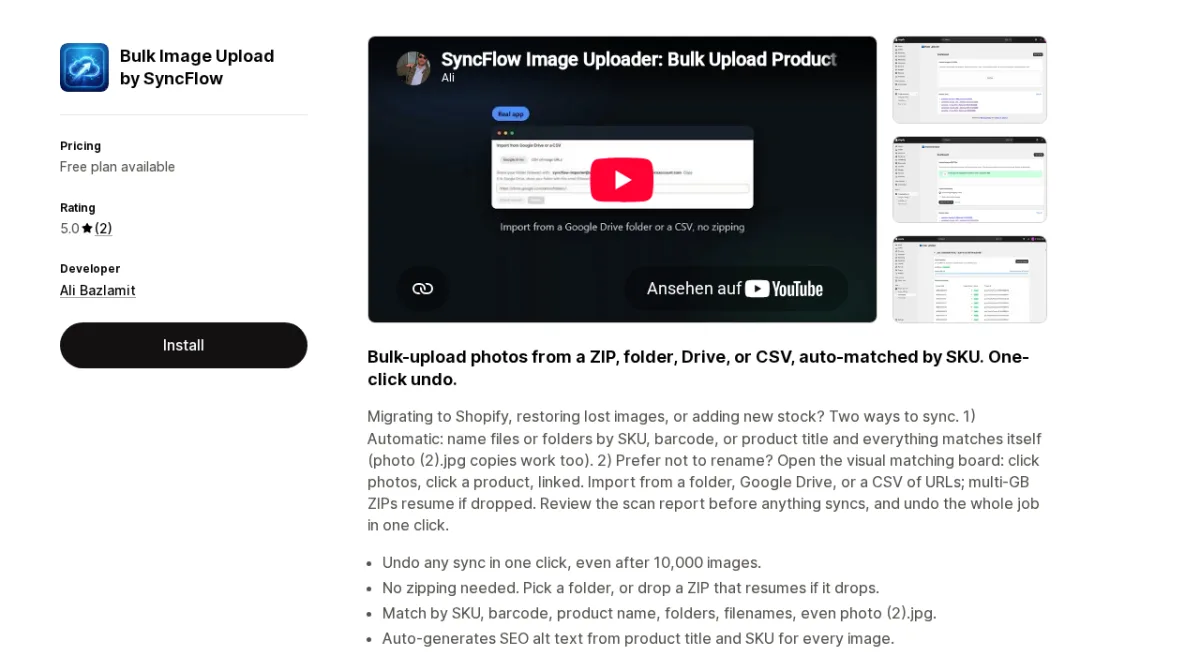
App Store: Bulk Image Upload by SyncFlow by Ali Bazlamit | Rating: 5.0 (2 reviews)
Bulk Image Upload by SyncFlow is the newest entrant in this roundup, launched in May 2026. Despite its very limited review record, it introduces two features that stand out in this category: a visual matching board (click a photo, click a product to link them) and a full one-click undo on any sync job, even after 10,000 images. For merchants who want flexibility and safety on large migration jobs, these are meaningful differentiators.
Pricing & Value (7/10): The free plan covers 50 images/month. The Pro plan at $10/month (or $110/year, saving 8%) includes unlimited uploads, flexible duplicate handling, automatic catalog-wide alt text, and assisted matching for unmatched images. Credit packs are available at $3 for 1,000 image uploads (valid 30 days) for occasional-use scenarios.
Feature Richness (8/10): Matching by SKU, barcode, product name, folder name, filename, and even copies like "photo (2).jpg" is impressive breadth. No ZIP-downloading required; pick a folder directly. Multi-GB ZIP files resume if the connection drops. The visual matching board handles cases where automatic matching fails. Auto-generated SEO alt text from product title and SKU runs on the paid plan. One-click undo for entire jobs is a genuine safety net.
Built for Shopify (4/10): No Built for Shopify badge. Launched May 2026 and built by a solo developer. The app's technical quality seems solid based on reviews, but it has not been through Shopify's Built for Shopify review process, and the newness of the developer and app presents longevity risk.
Ease of Use (8/10): Both reviews highlight speed and ease of use. The automatic SKU matching means merchants can upload a ZIP and let the app do the work. The visual matching board provides a fallback when auto-match can't resolve images.
Support & Reputation (6/10): Two reviews, both 5 stars, with positive notes on speed and customer service responsiveness. Too few reviews to assess reliability at scale. The app launched in 2026 and the developer has a very limited public track record.
Pros:
- One-click undo for entire sync jobs (including 10,000+ image jobs)
- Visual matching board for manual override
- Handles "photo (2).jpg" filename variations automatically
- Multi-GB ZIP with resume support
- Auto SEO alt text on paid plan
- Matches by SKU, barcode, title, folder, and filename
- $3 credit packs for occasional use
Cons:
- Only 2 reviews
- No Built for Shopify badge
- Solo developer with limited track record
- Free plan limited to 50 images
- No Dropbox integration
Pricing:
- Free: 50 image uploads/month, basic email support
- Pro: $10/month (or $110/year)
- Add-on: $3 for 1,000 image credit pack (30-day validity)
Scores: Pricing & Value: 7 | Feature Richness: 8 | Built for Shopify: 4 | Ease of Use: 8 | Support: 6 | Overall: 6.6/10
6. PicSync - Bulk Image Uploader - Best for Handle-Based and CSV-Controlled Workflows
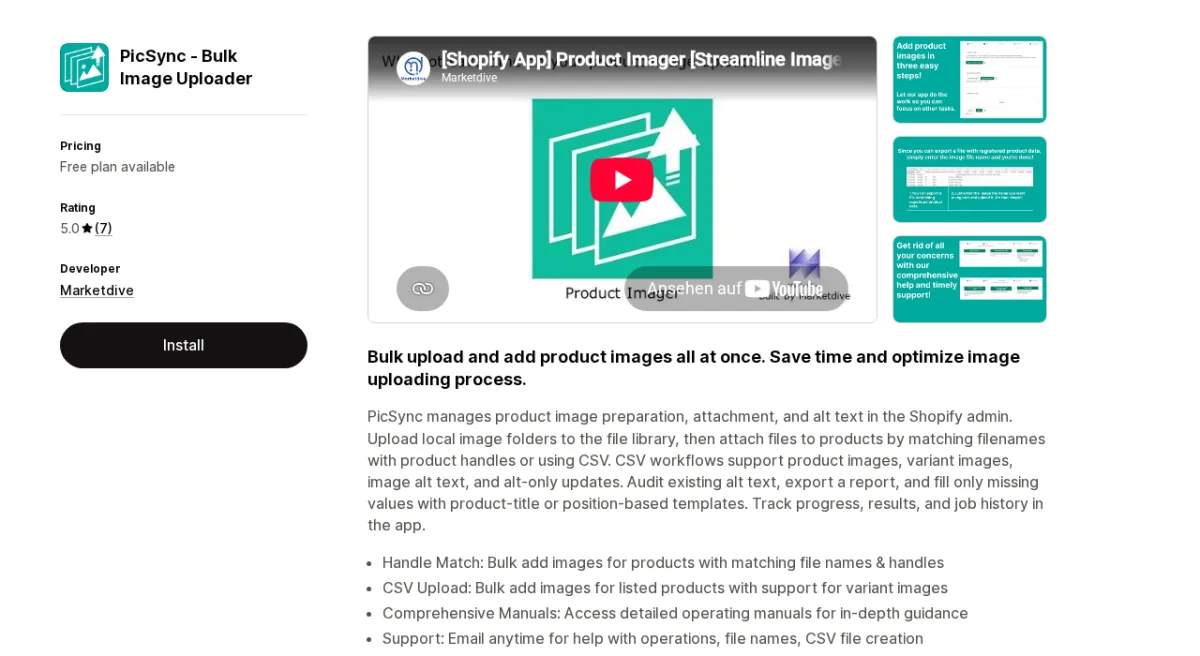
App Store: PicSync - Bulk Image Uploader by Marketdive | Rating: 5.0 (7 reviews)
PicSync - Bulk Image Uploader by Marketdive is a focused app that has been on the Shopify App Store since September 2022. It handles two specific workflows particularly well: bulk image uploads matched by product handle and filename, and CSV-based image attachment for precise control over which image goes to which product and variant. Its alt text audit and missing-value fill features are a useful bonus for stores investing in SEO.
Pricing & Value (5/10): The free plan is very restrictive: only 10 products (handle match) and 10 rows per CSV. Most real-world use cases will require a paid plan. The Standard tier at $20/month covers unlimited handle matching but still limits CSV uploads to 10 rows per file. Only the $35/month Pro plan unlocks unlimited CSV uploads. For the feature depth offered, the pricing is on the high side compared to alternatives like PicManager ($4.99/month) or BL Bulk ($3.99/month).
Feature Richness (7/10): PicSync focuses on two upload paths: handle-match (local image folders matched by filename to product handles) and CSV-upload (explicit mapping of images to products and variants, including variant images and alt text). The alt text audit, export, and fill-for-missing functionality is well-implemented. Detailed documentation is a strength. What's missing: Google Drive/Dropbox integration, ZIP support, and SKU/barcode matching.
Built for Shopify (4/10): No Built for Shopify badge. The developer is based in Japan and most reviews are in Japanese, which suggests a narrower support community for English-speaking merchants. The app launched in 2022, providing some longevity assurance.
Ease of Use (8/10): Reviews consistently praise ease of use and documentation quality. The two-path workflow (handle match vs. CSV) is clear. The CSV template is downloadable from within the app, pre-populated with your existing product data.
Support & Reputation (7/10): Seven reviews at 5.0 stars. Both Japanese and international merchants have posted positive reviews. The developer is responsive and provides setup and filename support on the Standard plan (CSV support on Pro).
Pros:
- Precise control via CSV import (product + variant image mapping)
- Alt text audit with missing-value fill
- Detailed documentation and tutorials
- Good developer support on paid plans
- Active since 2022
Cons:
- Free plan extremely limited (10 products/10 CSV rows)
- $20-35/month feels expensive for the feature set
- No Google Drive or Dropbox integration
- No ZIP support
- Primarily targeted at Japanese market
Pricing:
- Free: Handle match up to 10 products; CSV up to 10 rows; alt text audit
- Standard: $20/month - unlimited handle match; CSV 10 rows/file; setup support
- Pro: $35/month - unlimited handle match + unlimited CSV; full support
Scores: Pricing & Value: 5 | Feature Richness: 7 | Built for Shopify: 4 | Ease of Use: 8 | Support: 7 | Overall: 6.2/10
Which App Should You Choose?
Choose CS - Smart Bulk Image Upload if you manage small- to medium- to large-sized catalogs (hundreds to thousands of SKUs), import images from Google Drive or Dropbox regularly, or run any of Shopify's plans. The metafield matching, automated alt-text generation for SEO and resizing images bigger than 20 MB and 20 MP, and preview-before-upload features make it the most reliable choice for high-volume, mission-critical operations. The $69/month cost is justified if bulk uploads are part of your workflow or you value high value in customer support.
Choose Bulk Image Editor & Optimizer if your main pain point isn't initial import but ongoing image management: keeping an existing catalog organized. Its visual workspace has no direct competition in this category.
Choose Bulk Image Upload by SyncFlow if price is your primary concern. The one-click undo on any job (including image imports) is unique and valuable when working with complex or hard-to-recreate datasets.
Choose PicSync if you need precise CSV-controlled image mapping, especially for variant images and alt text workflows, and your team is comfortable working with CSV files.
Frequently Asked Questions
What is the best Shopify app for bulk uploading product images?
CS - Smart Bulk Image Upload by Craftshift is the top-rated Shopify app for bulk image uploads, with a 5.0 rating across 97 reviews, Built for Shopify certification, and support for Google Drive, Dropbox, SKU, barcode, title, and metafield matching. It ranks first across all five of our evaluation dimensions.
Can I upload images from Google Drive to Shopify in bulk?
Yes. CS - Smart Bulk Image Upload supports direct bulk import from Google Drive. You connect your Google Drive account within the app and select a folder to import without downloading them locally first.
How do Shopify bulk image upload apps match images to products?
Most apps use filename-based matching: you name image files with the product's SKU, barcode, product title, or Shopify product handle. The app reads the filename and automatically associates each image with the correct product. Advanced apps like CS - Smart Bulk Image Upload also support metafield-based matching and offer a preview of matches before any images are committed to your store.
Do Shopify bulk image upload apps support variant images?
Yes, some do. CS - Smart Bulk Image Upload supports variant images through its ordering convention (SKU_1.jpg, SKU_2.jpg assigns images to positions). PicSync - Bulk Image Uploader supports variant image mapping via CSV.
What happens if an image is matched to the wrong product during bulk upload?
Better apps include safeguards. CS - Smart Bulk Image Upload shows a preview of all matches before uploading. Bulk Image Upload by SyncFlow allows you to undo an entire sync job in one click, even after uploading 10,000 images. Always review matches before confirming a large upload job.
Are Shopify bulk image upload apps safe to use with a live store?
Yes, provided you use the preview and review features available in each app. All apps in this roundup operate through Shopify's official APIs and do not have direct database access. Using preview-before-upload or full job undo features significantly reduces the risk of unintended changes to your live product catalog.


