

7 Best WordPress Image Optimization Plugins in 2026 (Free and Paid, Compared)

Why image optimization is still the biggest WordPress speed lever in 2026
Most WordPress sites lose more page speed to oversized images than to anything else. Themes ship 2 MB hero photos, contributors upload phone JPEGs straight from the camera, and WooCommerce product galleries hide a dozen 4,000-pixel-wide PNGs behind a thumbnail. WordPress core does not compress those files for you and does not convert them to a next-generation format. That work belongs to an image optimization plugin.
In 2026 the job of a good image plugin is no longer just "make the JPEG smaller". A serious image optimizer should:
- Compress JPEG, PNG and GIF files with a sensible lossy or lossless trade-off.
- Generate next-generation copies in WebP and ideally AVIF, then serve those to compatible browsers automatically.
- Resize oversized originals so a 6,000-pixel photo does not ship as a 6,000-pixel photo.
- Run a bulk optimizer over an existing media library without crashing PHP workers.
- Stay out of the way: backup originals, never destroy quality silently, and integrate cleanly with WooCommerce and page builders.
I tested seven plugins that genuinely do this in 2026. Each one was installed in a clean WordPress 7.0 sandbox on 2026-06-05, its free admin surface was walked end to end, and its free-versus-paid limits were verified against the live vendor pricing page on the same day. The order below is by buyer fit, not popularity: the most installed plugin in the category is not always the best choice for a small site or a developer.
If you want the broader speed perspective, the free WordPress speed plugins roundup is the upstream context post.
How I evaluated each plugin
For each of the seven plugins I verified the following against the live WordPress.org plugin page and the vendor's pricing page on 2026-06-05:
- Active installs, rating, review count as community trust signals from WP.org.
- Latest version, last release date, tested up to WordPress version, required PHP version, so you know it is actively maintained, not a 2024 zombie.
- What the free tier actually does for compression, separated from what the paid tier unlocks.
- WebP and AVIF support: does the free plugin generate these formats, does it deliver them to compatible browsers, and what is the per-format fallback story.
- Bulk optimizer UX: does the bulk runner survive a real media library, can you stop and resume, is the savings panel honest.
- Media library behavior: original-image backup, restore, per-thumbnail control, and how the plugin marks optimized attachments in the library list.
- Known free-version limitations: per-image size cap, per-month image cap, format limits (PNG, GIF), and what specifically the paid upgrade unlocks.
The seven plugins below all passed the basic gate: they install cleanly in a 2026 WordPress 7.0 install, they have a usable free version, they convert to at least one next-generation format (free or paid), and they have real momentum on WordPress.org. I deliberately left out tools that are full all-in-one speed suites (LiteSpeed Cache, Jetpack Boost, Autoptimize) because those are already covered in the lazy-load roundup and they crowd out the focused image-optimization story.
To pressure-test the free workflows, I also uploaded a deliberate four-attachment sample set into the WordPress media library (a small near-optimal JPEG, a 720 KB photo-style JPEG, a 1 MB random-noise PNG, and a 32 KB transparent-alpha PNG, plus the 17 thumbnails WordPress automatically generates for them), then ran the free bulk optimizer for every plugin whose free tier does not require a registered account. Real before-and-after sizes show up in the per-plugin "What I tested" sections below. The headline numbers: Smush free Basic 1X saved 1.4% across the full 12.7 MB set (8.2 to 20.6% on the main images); EWWW free local lossless saved 2.4% (8.3 to 50.2% on the main images) and also wrote a WebP copy alongside 20 of the 21 files; Converter for Media's free WebP conversion shrank the same set to 5.0 MB (60.5% saved). ShortPixel, Imagify, Optimole and TinyPNG all gate their free workflow behind a registered account, so the test stopped at the connect screen for those four (the safe-testing rule is to never register live vendor accounts during a roundup test, the same precedent used on the previous cluster roundups).
Quick comparison table
| Plugin | Best for | Active installs | Rating | Free WebP | Free AVIF | Free monthly cap |
|---|---|---|---|---|---|---|
ShortPixel Image Optimizer | Mixed-format media library with WebP and AVIF in one plugin | 300,000+ | 4.5 / 5 | Yes (paid plan) | Yes (paid plan) | 100 image credits / month on the free plan |
Smush | Largest free quota and an honest bulk smush flow | 1,000,000+ | 4.8 / 5 | Pro only | Pro only | None: unlimited compressions up to 5 MB per file |
EWWW Image Optimizer | Privacy-conscious sites that want local compression | 1,000,000+ | 4.8 / 5 | Free with .htaccess help | Paid (Easy IO) | None for local compression |
Imagify | Simplest UI from the WP Rocket team | 1,000,000+ | 4.3 / 5 | Yes (all paid tiers) | Yes (all paid tiers) | 20 MB / ~200 images per month (free Starter) |
Optimole | Image-heavy sites that want CDN, WebP/ | 200,000+ | 4.7 / 5 | Yes (free tier) | Yes (free tier) | 5,000 monthly visits and 1 site (free tier) |
Converter for Media | Free WebP delivery without an account | 500,000+ | 4.9 / 5 | Yes (free) | Pro only | None for WebP |
TinyPNG (Compress JPEG and PNG) | Pay-as-you-go simplicity from the original TinyPNG team | 100,000+ | 4.5 / 5 | Yes (paid call) | No | 500 compressions / month free |
1. ShortPixel Image Optimizer: best mixed-format optimizer with WebP and AVIF in one plugin
- WordPress.org: wordpress.org/plugins/shortpixel-image-optimiser/
- Active installs: 300,000+
- Rating: 4.5 / 5 (813 reviews)
- Latest version: 6.5.2, released 2026-06-04
- Requires: WordPress 4.8+, PHP 7.4+
- Tested up to: WordPress 7.0
What it is. ShortPixel Image Optimizer is the WordPress front end for the ShortPixel cloud compression API. It optimizes JPEG, PNG, GIF and PDF files using the ShortPixel SmartCompress engine, with three quality modes (Lossy, Glossy and Lossless), automatic conversion to WebP and AVIF on every paid plan, SmartCrop for cropped thumbnails, and the most permissive image-format coverage in this roundup (PDFs included).
Why I picked it as number one. ShortPixel is the most complete dedicated image-optimization tool for a serious site. The free 100 credits per month let you test it on a real library without a credit card; the Unlimited Yearly plan at $8.33/month billed yearly ($100/year on shortpixel.com/pricing as of 2026-06-05) gives unlimited credits, unlimited websites, 500 GB of monthly CDN traffic and both WebP and AVIF delivery in a single subscription. Most competitors make you pay separately for the CDN or limit AVIF to the most expensive tier.
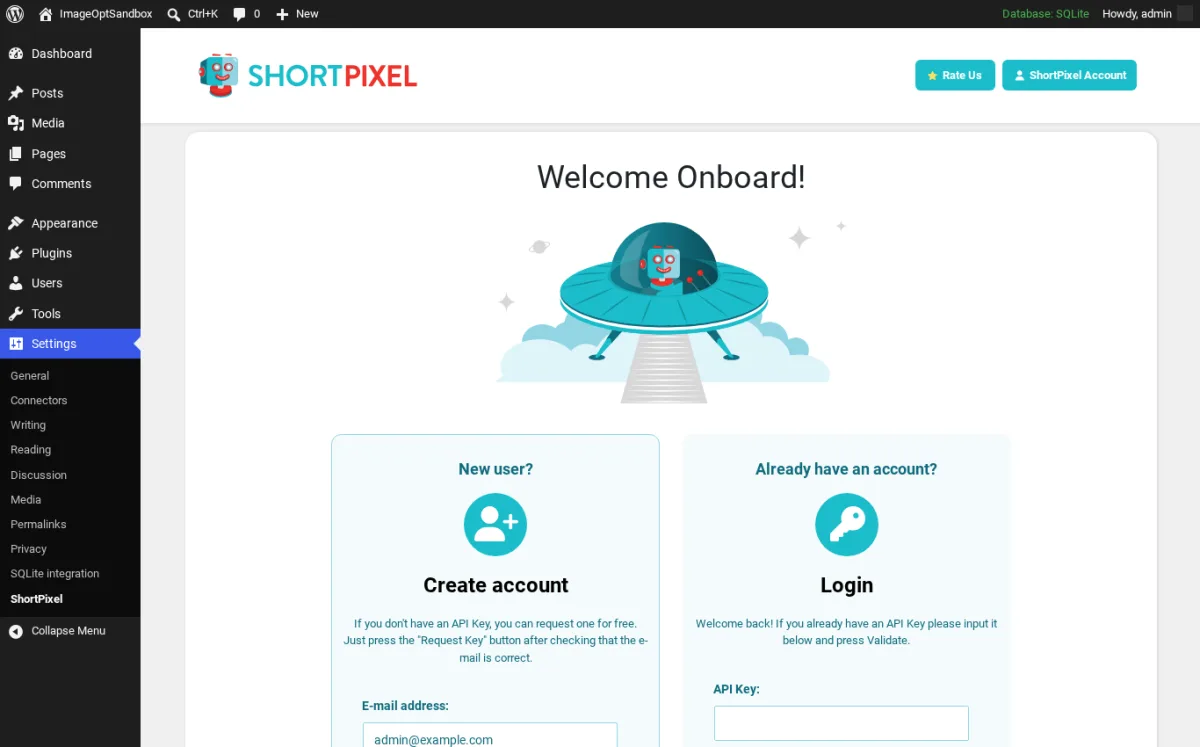
What I tested. I installed the plugin in the clean WordPress 7.0 sandbox, activated it, and walked the "Welcome Onboard" wizard at Settings > ShortPixel. The Create account / Login flow renders cleanly and the e-mail field is pre-filled from the WordPress admin user. The Settings sidebar exposes the plugin without forcing the wizard if you click out. I did not register a live ShortPixel account during the test, so the bulk runner was not exercised on the sample images: a real compression call requires an API key tied to a registered email, and the safe-testing rule for this roundup is to avoid creating live vendor accounts. The buyer-facing description above is grounded in the live pricing page and the plugin's own settings copy.
Free vs paid. The free ShortPixel plan ships 100 monthly credits and the full SmartCompress engine. One credit covers one image at one size: optimizing a single JPEG and asking for both a WebP and an AVIF copy counts as three credits, which is why the credit budget runs out faster than buyers expect. With WebP and AVIF both turned on the free 100 credits typically cover only the first ~33 uploaded originals each month, before WordPress thumbnail multiplication is even counted. Paid plans add unlimited credits, the ShortPixel CDN, unlimited websites, SmartCrop, EXIF management, WPML and multisite support, and 24/7/365 support.
Watch-outs. Credits are the unit, not images: enabling WebP and AVIF triples the credit cost per upload. If you only want to test the plugin without paying, generate WebP only and skip AVIF on the free plan. The plugin will continue to optimize new uploads after the credit balance hits zero, but those will queue until the next monthly reset or the next credit pack purchase. The Welcome Onboard screen will not let you bulk-optimize anything until you create or paste in an API key, so plan to register before the first run.
Best fit. WordPress sites with a mixed media library (JPEG, PNG, GIF, PDF) that want WebP and AVIF delivery through one plugin, with optional CDN, and a clear annual price.
Free download on WordPress.org | ShortPixel pricing
2. Smush: best free image compressor with no monthly cap
- WordPress.org: wordpress.org/plugins/wp-smushit/
- Active installs: 1,000,000+
- Rating: 4.8 / 5 (6,043 reviews)
- Latest version: 4.1.0, released 2026-06-01
- Requires: WordPress 6.4+, PHP 7.4+
- Tested up to: WordPress 7.0
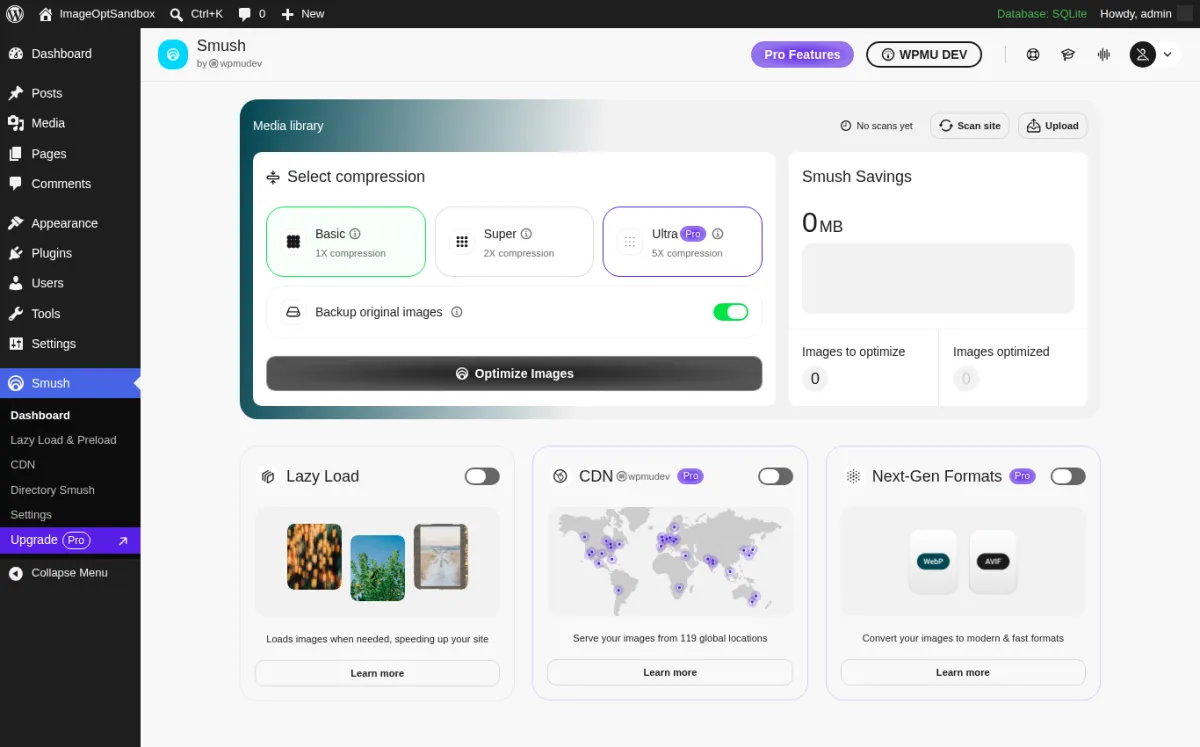
What it is. Smush is WPMU DEV's image optimizer. The free Smush plugin optimizes, lazy-loads and (in Pro) converts your images to WebP and AVIF. The dedicated Smush dashboard exposes a compression picker (Basic 1X, Super 2X, Ultra 5X Pro), a backup-originals toggle, the Optimize Images bulk action, the Savings panel, and three feature cards (Lazy Load, CDN, Next-Gen Formats Pro).
Why it earns a top slot. Smush is the only major free image plugin that does not cap how many images you can compress per month. You can run lossless or lossy compression across an entire media library, no credit system, no monthly limit, as long as each file is under 5 MB. It also bundles a clean lazy-load module so you can take care of two performance levers with one plugin install.
What I tested. I installed Smush in the clean WordPress 7.0 sandbox, dismissed the first-load Scan site start-up wizard via the "Skip start up wizard" link, and inspected the dashboard. The compression picker renders the Basic / Super / Ultra labels with the Ultra option correctly Pro-gated, the Optimize Images bulk action is visible and clickable, and the Backup original images toggle is on by default. I then ran the free Basic 1X (lossless) bulk smush against the four sample attachments by calling the plugin's own Smusher class with Smusher_Options_Provider defaults, which hits the public https://smushpro.wpmudev.com/1.0/ endpoint with no API key. The four main files came back at: 32 KB transparent PNG to 26 KB (18.5% saved), 720 KB photo JPEG to 661 KB (8.2% saved), 1.04 MB noise PNG to 933 KB (10.6% saved), 11.6 KB small JPEG to 9.2 KB (20.6% saved). The 17 generated thumbnails were already at the lossless floor and showed 0% savings each, so the total across all 21 files was 178 KB saved (about 1.4%). After the run the Media Library list rendered a per-attachment Smush column with messages like "5 images reduced by 25.2 KB (4.3%) Main Image size: 645.37 KB" and "Skipped: Image is already optimized" on the small JPEG; this is the calmest after-state UI of any plugin in this roundup.
Free vs paid. Free Smush ships unlimited compression up to 5 MB per file (the lossless Basic 1X mode you just saw in the test), Bulk Smush, lazy load with placeholders, Directory Smush (compress images outside the media library), image resizing, and the Smush dashboard. Pro adds Super 2X and Ultra 5X lossy compression (where the bigger 50-70% savings live), WebP and AVIF conversion, the Smush CDN across 119 global points with up to 500 GB of bandwidth on the top tier, file-size up to 256 MB, and original-image backups. Smush Pro pricing on wpmudev.com (verified 2026-06-05): Pro Basic $3/month (1 site, 50 GB CDN), Pro Standard $5/month (3 sites, 100 GB), Pro Plus $10/month (10 sites, 250 GB), Premium (unlimited sites, 500 GB CDN, white-label reseller).
Watch-outs. Free Smush is lossless. Expect 5 to 20% savings per main image on typical photos and very little on thumbnails (WordPress already saves resized thumbnails at slightly lower JPEG quality during wp_generate_attachment_metadata, so the lossless engine has nothing left to squeeze). The 50-70% per-photo savings you see in Smush's own marketing assume Super 2X or Ultra 5X, both of which are Pro. The 5 MB per-file free-tier cap is also real: pre-resize images larger than 5 MB before upload, or split them. If you already run another optimizer (ShortPixel, Imagify, EWWW), disable Smush's compression and keep only its lazy load to avoid duplicate work. The 4.x dashboard added a few in-admin promotional panels that some recent reviewers note; the compression and bulk logic itself is still solid.
Best fit. Sites that upload many images each week on shared hosting, want a single plugin for compression plus lazy load, and do not want to pay or count credits.
Free download on WordPress.org | Smush Pro pricing
3. EWWW Image Optimizer: best privacy-conscious local-compression option
- WordPress.org: wordpress.org/plugins/ewww-image-optimizer/
- Active installs: 1,000,000+
- Rating: 4.8 / 5 (1,832 reviews)
- Latest version: 8.7.1, released 2026-06-04
- Requires: WordPress 6.7+, PHP 7.4+
- Tested up to: WordPress 7.0
What it is. EWWW Image Optimizer is the privacy-aware alternative to every cloud-only image plugin. The free EWWW ships local image compression that runs on your own host with bundled or system-installed binaries (jpegtran, optipng, pngout, gifsicle), an automatic optimization-on-upload hook, a bulk optimizer, metadata stripping, and WebP rewriting via .htaccess on Apache or a JavaScript fallback. None of that requires an API key or any cloud call.
Why it earns a top slot. If your site has compliance reasons not to send images to a third-party cloud (GDPR-strict EU sites, healthcare, public-sector projects), EWWW is the only mainstream plugin in this list that can do real lossy and lossless compression without your images leaving the server. The premium API and Easy IO CDN are opt-in.
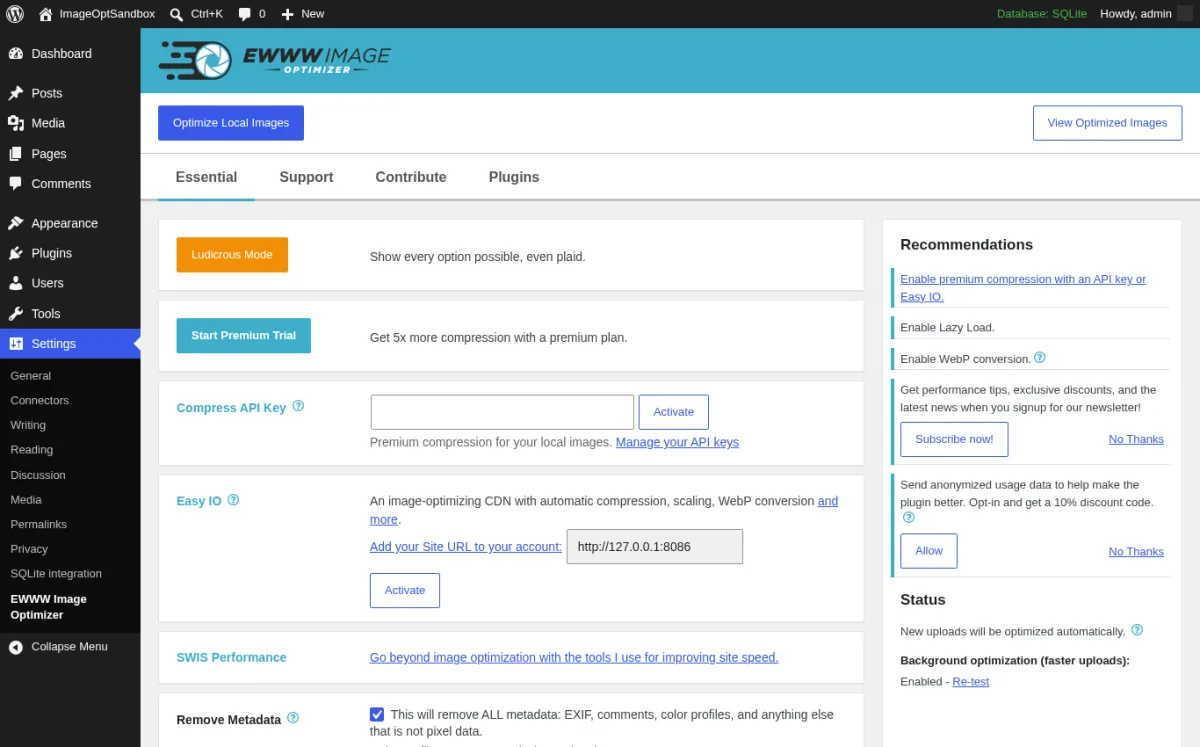
What I tested. I installed EWWW in the sandbox and opened Settings > EWWW Image Optimizer. The first load renders a goal-selection wizard ("Speed up your site, Save storage space, Activate 5x more optimization and priority support, Stick with free mode for now"); the "I know what I'm doing, leave me alone!" link bypasses the wizard cleanly. The Essential settings tab exposes Ludicrous Mode (every option), Start Premium Trial, the Compress API Key field, the Easy IO setup with the sandbox URL pre-filled, SWIS Performance, the Remove Metadata toggle, and the right-rail Recommendations panel (Enable premium compression, Enable Lazy Load, Enable WebP conversion). I then ran ewww_image_optimizer() on each of the four sample attachments (free local mode, no API key). Per-file results: the transparent PNG dropped from 32 KB to 16 KB (50.2% saved) plus a WebP copy 33.5% smaller than the original; the 720 KB photo JPEG dropped to 661 KB (8.3% saved) plus a WebP 63.4% smaller; the 1.04 MB noise PNG dropped to 934 KB (10.5% saved) plus a tiny WebP saving; the 11.6 KB small JPEG dropped to 9.2 KB (20.6% saved) plus a WebP 79.1% smaller. Total set including thumbnails: 308 KB saved (about 2.4% on the originals), and 20 of the 21 files also produced a .webp copy on disk alongside the original. EWWW logs every per-file result in the Media Library's "Image Optimizer" column so you can see "Reduced by X% (Y KB)" per attachment.
Free vs paid. Free EWWW ships local compression for JPEG, PNG, GIF and WebP (the lossless run you just saw), optimization on upload, the bulk optimizer, metadata stripping, image resizing, and WebP rewriting (with the included .htaccess help on Apache). The free WebP generator writes the .webp file next to your original automatically; the delivery layer (.htaccess on Apache or LiteSpeed, a small JavaScript fallback, or a Nginx location block) is a separate setup step on the same screen. Premium tiers on ewww.io/plans (verified 2026-06-05): Standard $80/year or $8/month (50 GB Easy IO CDN, 300k or 25k premium compression credits, auto-WebP/AVIF, SWIS Performance plugin); Growth $160/year or $16/month (200 GB CDN, 600k or 50k credits, 10 Critical CSS sites/month); Infinite $320/year or $32/month (400 GB CDN, 1.2m or 100k credits, 25 Critical CSS sites/month). Easy IO and the Compress API can also be purchased separately.
Watch-outs. Free EWWW is lossless. Expect modest single-digit to low-double-digit percentage savings on JPEG photos that have already been compressed once and bigger wins on simple PNG illustrations (the transparent shapes PNG in this test saved 50.2%; the photo JPEG saved only 8.3%). The big "Reduced by 50-70%" claims you see in vendor screenshots assume the paid Compress API in lossy mode. The free WebP rewriting needs either .htaccess (Apache or LiteSpeed) or the JavaScript fallback; on pure Nginx it can be fiddly to wire up. AVIF on the free tier is not supported; you need Easy IO for that.
Best fit. Compliance-sensitive sites, agencies who do not want every client's media library going through a US-hosted API, and developers who want full control over compression on their own server.
Free download on WordPress.org | EWWW pricing
4. Imagify: simplest UX from the WP Rocket team
- WordPress.org: wordpress.org/plugins/imagify/
- Active installs: 1,000,000+
- Rating: 4.3 / 5 (1,644 reviews)
- Latest version: 2.2.8, released 2026-06-01
- Requires: WordPress 5.3+, PHP 7.3+
- Tested up to: WordPress 7.0
What it is. Imagify is the image-optimization plugin from WP Media, the same French team behind WP Rocket. The plugin compresses JPEG, PNG, GIF and PDF using the Imagify cloud, generates WebP and AVIF copies, and writes them back into the WordPress media library with original-image backups. Three compression modes (Smart, Lossless and the legacy Aggressive/Ultra) let you trade savings for fidelity.
Why it earns a slot in 2026. The admin UI is the cleanest in this roundup. There is no goal-selection wizard, no nine-step onboarding, no upsell sidebar at every screen (well, except a single WP Rocket cross-promotion). You enter an API key, you pick a compression mode, you run Bulk Optimization. That is the entire flow.
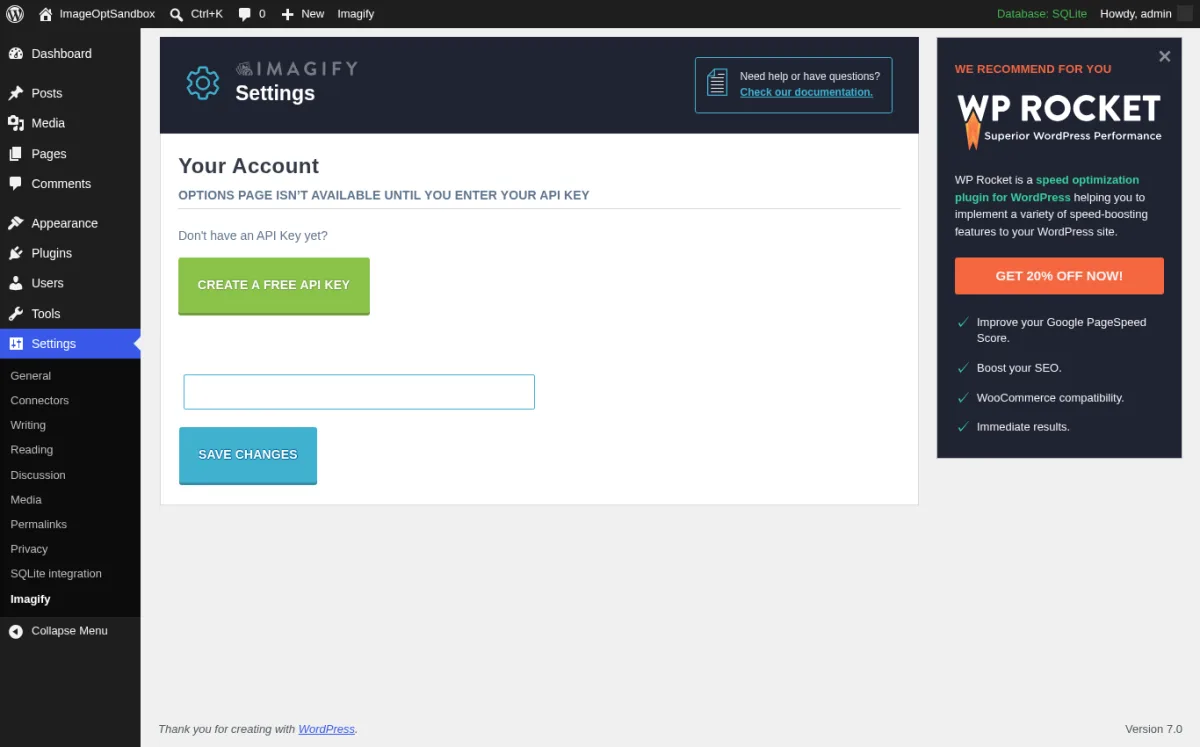
What I tested. I installed Imagify and opened Settings > Imagify. The Settings header rendered immediately with the "OPTIONS PAGE ISN'T AVAILABLE UNTIL YOU ENTER YOUR API KEY" notice, the green "Create a Free API Key" button, the API key input and Save Changes button. The WP Rocket cross-promotion sits in the right sidebar but does not block the form. The Bulk Optimization page at Media > Bulk Optimization is gated until the API key is saved, which is the same pattern ShortPixel uses.
Free vs paid. Free Starter plan ($0/month) ships 20 MB of optimization per month (about 200 images) with a 2 MB per-image cap and unlimited websites. Paid plans on imagify.io/pricing (verified 2026-06-05): Growth $4.99/month billed yearly (500 MB/month, about 5,000 images, unlimited upload size, $5 per additional GB overage); Infinite $9.99/month billed yearly (unlimited images, unlimited upload size). WebP and AVIF conversion plus async bulk optimization are included from the free Starter tier up.
Watch-outs. The 20 MB free monthly quota is generous in image count but tight on a site with photographers' JPEGs or design portfolios. The 2 MB per-image cap on free will silently skip your largest images and only optimize the smaller ones; the bulk optimizer reports skipped files but most buyers do not check. If you already run WP Rocket, Imagify is the matching choice from the same team and they tune cleanly together.
Best fit. Sites that want a calm, no-fuss image optimization plugin from a trusted vendor, especially WP Rocket users.
Free download on WordPress.org | Imagify pricing
5. Optimole: image-heavy sites that want CDN, WebP/AVIF and lazy load in one plugin
- WordPress.org: wordpress.org/plugins/optimole-wp/
- Active installs: 200,000+
- Rating: 4.7 / 5 (633 reviews)
- Latest version: 4.2.6, released 2026-05-19
- Requires: WordPress 5.5+, PHP 7.4+
- Tested up to: WordPress 7.0
What it is. Optimole from Themeisle bundles image compression, format conversion (WebP and AVIF), responsive image sizing, smart cropping, watermarking, a CloudFront-backed CDN with more than 450 points of presence, and lazy loading with low-quality image placeholders into one plugin. Your original images stay in the media library; the plugin rewrites image URLs on the front end so visitors load device-perfect, optimized versions from Optimole's CDN.
Why it earns a slot in 2026. Optimole pairs the most complete free tier in the CDN-based category (WebP, AVIF, lazy load, CDN, all included at the free 5,000-monthly-visit allowance) with a connect-in-60-seconds onboarding. If your hosting bandwidth is more expensive than your monthly visit count, offloading images to Optimole's CDN pays for itself.
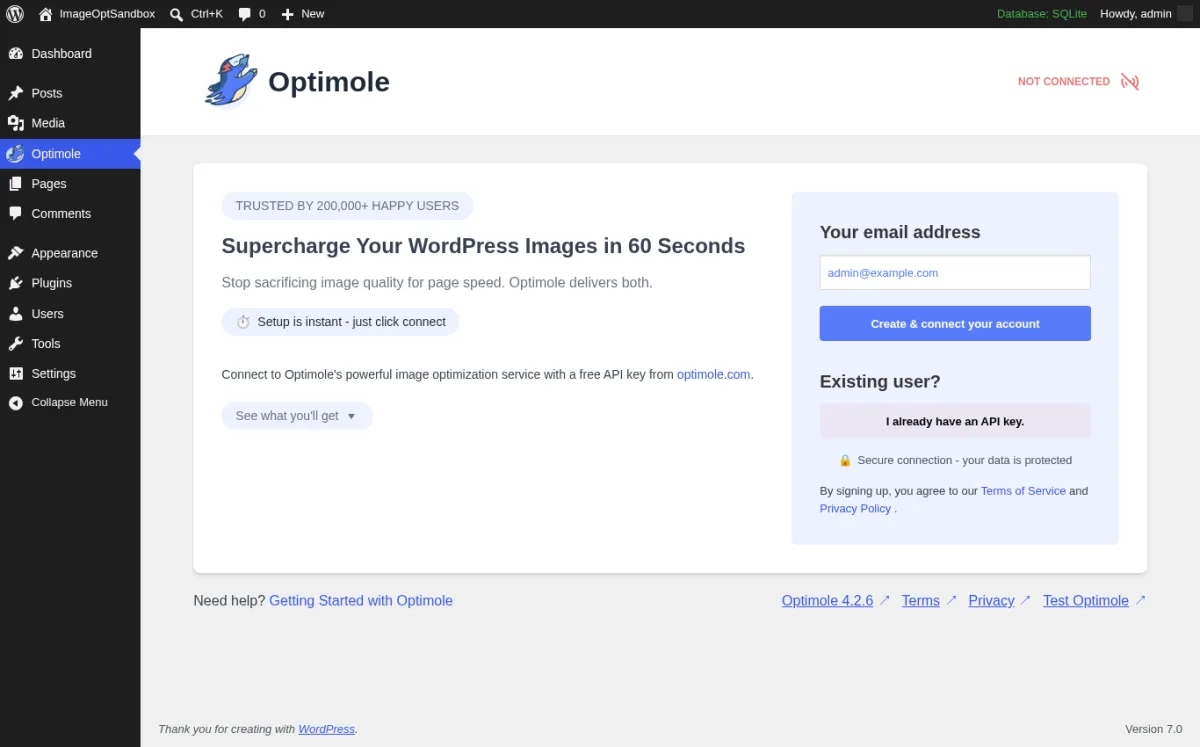
What I tested. I installed Optimole and opened Media > Optimole. The onboarding screen rendered with the NOT CONNECTED status, the TRUSTED BY 200,000+ HAPPY USERS badge, the Supercharge Your WordPress Images in 60 Seconds heading, the Setup is instant just click connect button, the See what you'll get accordion, and the Your email address field pre-filled from the admin user. The "I already have an API key" panel lets returning users skip the create-account flow. I did not connect a live Optimole account during the test, so no real CDN rewriting was run; the description above is grounded in the live pricing page and the plugin's own onboarding copy.
Free vs paid. Free tier covers 5,000 monthly visits with unlimited images and one site, plus the full feature set (WebP, AVIF, CDN, lazy load, LQIP). Paid plans on optimole.com/pricing (verified 2026-06-05, prices shown in GBP with USD on checkout): Starter from £19.08/month billed yearly (48,000 visits/month), Business from £39.08/month billed yearly (120,000 visits/month, recommended), Flexible from £79.08/month billed yearly (300,000 visits/month). Every paid tier ships unlimited images and sites, image offloading and storage, AI-powered auto scaling, the CloudFront CDN, large-image optimization, individual setup assistance, and a 7-day money-back guarantee.
Watch-outs. Because images are served from the Optimole CDN, you depend on the Optimole API being reachable from your visitors. If your CDN region has a hiccup, images fall back to your origin (by design) but you will briefly serve unoptimized images. The free 5,000-visit cap is real; if you blow through it mid-month, Optimole keeps serving images but throttles, so growing sites should upgrade before the cap.
Best fit. Image-heavy WordPress sites (blogs, photography portfolios, news sites, recipe sites, lifestyle and travel sites), where the bigger problem is image weight and host bandwidth rather than compression credits.
Free download on WordPress.org | Optimole pricing
6. Converter for Media: best free WebP delivery without an account
- WordPress.org: wordpress.org/plugins/webp-converter-for-media/
- Active installs: 500,000+
- Rating: 4.9 / 5 (1,086 reviews)
- Latest version: 6.6.1, released 2026-06-03
- Requires: WordPress 4.9+, PHP 7.4+
- Tested up to: WordPress 7.0
What it is. Converter for Media from Mateusz Gbiorczyk (Matt Plugins) is a focused WebP and AVIF converter for WordPress. The free plugin converts JPEG, PNG and GIF files to WebP using either local image libraries (Imagick or GD) or the vendor's free remote conversion server, generates the WebP version alongside the original on disk, and serves the WebP copy to compatible browsers via .htaccess rewrites on Apache or LiteSpeed (Nginx requires a small server-block change documented by the plugin).
Why it earns a slot in 2026. It is the only plugin in this roundup whose entire reason to exist is "deliver WebP correctly, for free, without an account". No credits, no monthly visit cap, no API key. Pair it with a compression plugin and you have a full image-optimization stack at zero recurring cost.
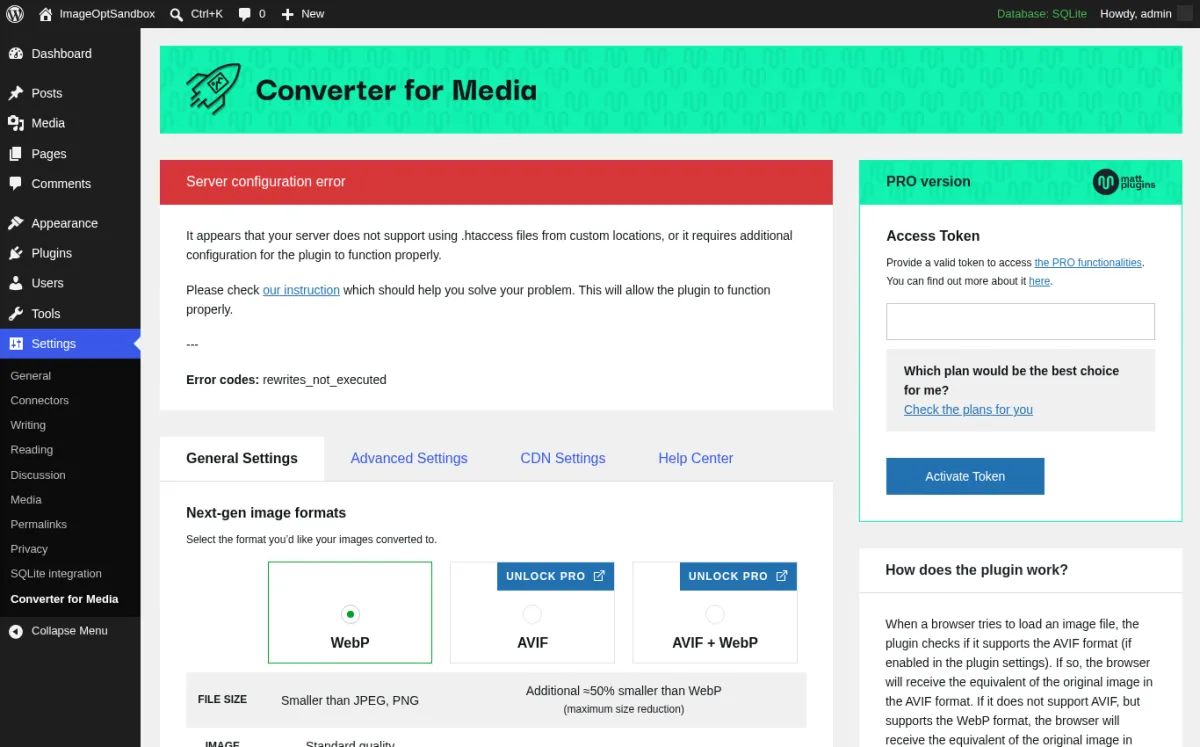
What I tested. I installed Converter for Media in the sandbox and opened Settings > Converter for Media. The General Settings tab rendered the WebP / AVIF / AVIF + WebP next-gen format selector with the AVIF options correctly Pro-gated (UNLOCK PRO badges), the PRO version Access Token sidebar with Activate Token, and a Server configuration error notice flagging the missing rewrite rules. The sandbox runs FrankenPHP / Caddy which does not use .htaccess; on Apache or LiteSpeed the plugin auto-writes the rewrite block on activation, and on Nginx the docs page provides the location block. I switched the loader to the bundled passthru PHP fallback (the same fallback the plugin uses on Caddy or Cloudflare-fronted setups), which cleared the gate, then ran the free WebP bulk converter end to end against the four sample attachments + their 17 generated thumbnails via the plugin's own REST endpoint (POST /wp-json/webp-converter/v1/regenerate). The plugin processed 21 of 21 files. The full set went from 12.67 MB of JPEG/PNG to 5.01 MB of WebP, a 60.5% reduction. Three of the 21 files had a WebP version that ended up larger than the original (the random-noise PNG thumbnails); the plugin's LargerFilesOperator safety check wrote a zero-byte .webp.deleted marker for each so the delivery layer never serves a WebP that would slow the page down. The bulk page after the run rendered "100% / 21 images converted to WebP" and "0% / 21 images remaining" for AVIF (Pro-only).
Free vs paid. Free ships JPEG/PNG/GIF to WebP conversion (local or remote-server), bulk converter, .htaccess delivery, the LargerFilesOperator safety check, and works on unlimited images and unlimited websites. Converter for Media PRO pricing on mattplugins.com (verified 2026-06-05): $50/year for 120,000 images/year (most popular), $100/year for 300,000 images/year, $250/year for 840,000 images/year. Monthly plans from $5/month. Business plans available up to 15,000,000 images/year. PRO adds AVIF conversion (about 50% lighter than WebP at the same quality), remote-server conversion that offloads processing from your WordPress host, and image resizing for very large files.
Watch-outs. "One image" in the PRO image-per-year limit counts as one conversion process, so a single JPEG converted to both WebP and AVIF uses two credits. The same safety check that saved you 0 bytes on three of our 21 test files (by skipping WebP versions that grew the file) will skip a small share of real-world thumbnails too; this is by design and means delivery stays fast. Free local conversion needs the Imagick or GD PHP extension; both ship with most modern hosts but some shared hosts disable Imagick. If neither is available, the plugin falls back to the vendor's free remote conversion server. On Nginx you do have to add the rewrite block manually; copy-paste it from the plugin's docs.
Best fit. Sites that already have compression sorted (Smush, EWWW or a build-time toolchain) and only need clean WebP delivery without paying for another subscription.
Free download on WordPress.org | Converter for Media Pro pricing
7. TinyPNG (Compress JPEG and PNG): pay-as-you-go from the original team
- WordPress.org: wordpress.org/plugins/tiny-compress-images/
- Active installs: 100,000+
- Rating: 4.5 / 5 (170 reviews)
- Latest version: 3.6.14, released 2026-05-15
- Requires: WordPress 4.0+
- Tested up to: WordPress 7.0
What it is. Compress JPEG and PNG images by TinyPNG is the official WordPress plugin from Voormedia BV, the team behind tinypng.com and the Tinify API. The plugin uses the same compression engine that powers the famous web uploader: a perceptual JPEG/PNG/WebP compressor that consistently produces small files at high visual quality. It nests its configuration inside Settings > Media (the WordPress core media screen) and exposes a dedicated Bulk Optimization page under Media > Bulk TinyPNG.
Why it earns a slot in 2026. The compression quality is excellent, the pricing model is the simplest in the category (500 free per month, then pay per image), and there is no recurring subscription if your site only optimizes a few hundred images per month. For low-volume editorial sites and small portfolios, it is often cheaper than any monthly plan in this list.
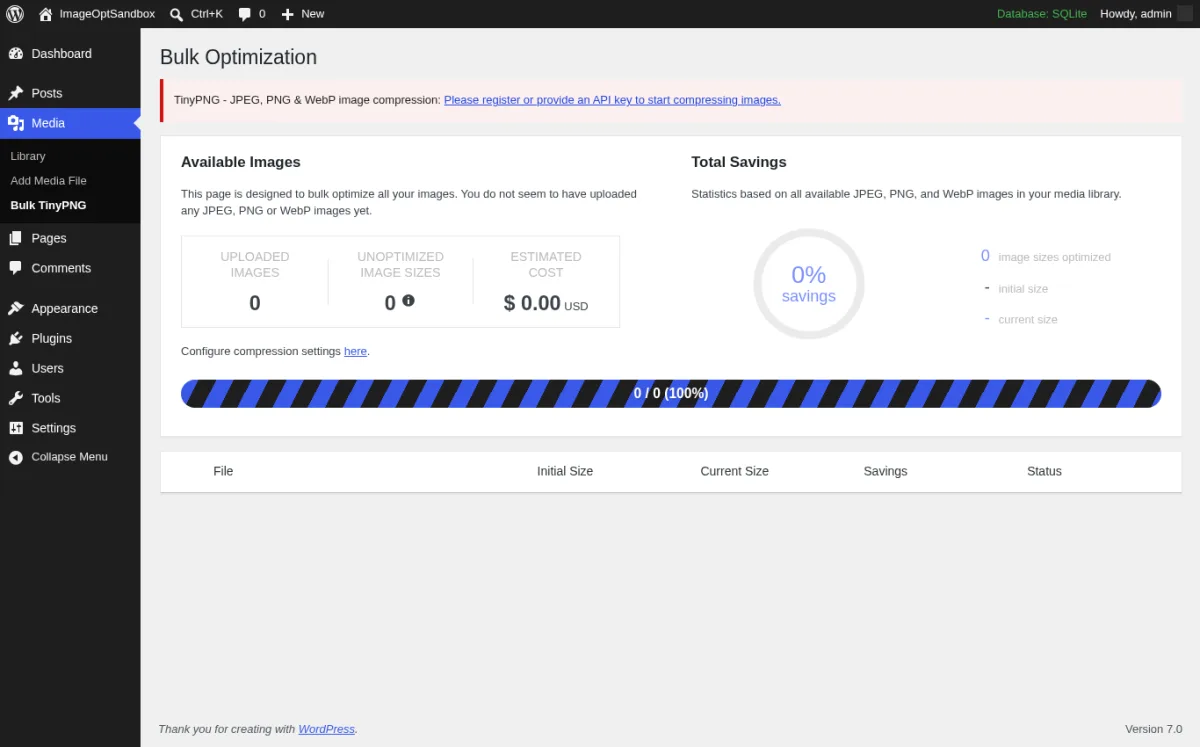
What I tested. I installed the plugin and opened Media > Bulk TinyPNG. The Bulk Optimization page rendered the "Please register or provide an API key to start compressing images" notice, the Available Images card (Uploaded Images 0, Unoptimized Image Sizes 0, Estimated Cost $0.00 USD), the Total Savings ring at 0 percent, the 0/0 progress bar, and the empty table with File / Initial Size / Current Size / Savings / Status columns. The settings live at Settings > Media in the WordPress core admin so the "Configure compression settings here" link routes you back there. To make the gate explicit I then entered an obviously-invalid FAKE_KEY_FOR_VALIDATION_TEST_ONLY value in the API key field and clicked Save Changes; the same "Please register or provide an API key" notice stayed in place and the Bulk TinyPNG page refused to advance. I deliberately did not register a live Tinify Developer API key for this test, because the free 500-compressions-per-month tier still requires a name and an email and the safe-testing rule for this roundup is to avoid creating live vendor accounts.
Free vs paid. 500 free compressions per month, no payment details required, resets monthly, does not roll over. Beyond the free tier (verified 2026-06-05 at tinify.com/developers/pricing): $0.009 per compression for compressions 501-10,000, then $0.002 per compression for every compression above 10,000 in a calendar month. Pre-paid credit bundles of 1,000, 2,500 and 5,000 credits are also available without expiry; useful for one-off bulk runs. For large customers there are custom subscription plans with priority support.
Watch-outs. TinyPNG counts each thumbnail size as a separate compression. Optimizing a single uploaded JPEG that WordPress generates into 6 image sizes uses 6 compressions from your free pool. Disable the larger thumbnail sizes in Settings > Media if you do not need them, or you will burn through 500 free compressions on roughly 80 uploads. You also must register an email-tied Tinify API key before anything compresses: the plugin will sit indefinitely on the "Please register or provide an API key" notice otherwise. The plugin generates WebP for paid users but does not generate AVIF at all; if you need AVIF, pair it with Converter for Media or use one of the all-in-one plugins above.
Best fit. Low-volume sites that want excellent perceptual compression without a subscription, and any site whose monthly image upload count fits inside 500 compressions across all generated thumbnail sizes.
Free download on WordPress.org | TinyPNG developer pricing
How to choose: pick one stack, do not install all seven
You do not install all seven of these. Pick a combination based on your site type, your media-library volume and whether you want a CDN.
- If you have a mixed media library and want both WebP and AVIF in one plugin: ShortPixel Image Optimizer is the cleanest choice. Buy the Unlimited Yearly plan if your monthly upload volume is meaningful; stay on the free 100 credits/month otherwise.
- If you want the largest free tier with no monthly cap: Smush. Pre-resize images larger than 5 MB before upload and you will not hit a paid wall. Pair it with Converter for Media for free WebP delivery.
- If your site is compliance-sensitive or you do not want any image to leave your server: EWWW Image Optimizer in free local mode. Add the Compress API only if you specifically want premium-quality cloud compression on top.
- If you already use WP Rocket and want a calm, no-fuss plugin from the same team: Imagify, free Starter or paid Growth depending on monthly upload volume.
- If your site has heavy images and you want CDN delivery and lazy load in one plugin: Optimole. Free tier is enough for under-5,000-visit personal sites; upgrade to Starter once you cross that line.
- If you only need WebP delivery and already have compression sorted: Converter for Media. It is the only free WebP delivery plugin in this list that does not need an account.
- If you only optimize a few hundred images per month and dislike subscriptions: TinyPNG. Disable WordPress's larger thumbnail sizes first so each upload does not eat 6 of your 500 free monthly compressions.
Lazy loading is a separate concern; if your pages also embed YouTube videos, iframes or background images, our 8 Best Lazy Load Plugins for WordPress roundup is the companion piece. None of the image optimizers above will lazy-load a YouTube embed; that is a different plugin job.
A reminder: no image plugin can fix bad hosting. If your TTFB is over 800 ms before any plugin is installed, the bottleneck is your server, not your image weight.
FAQ
Do I need an image optimization plugin if my host (e.g. SiteGround, Hostinger, Cloudways) already optimizes images?
Usually yes, for two reasons. First, hosting-level optimization is often basic (a single quality preset, no AVIF, no per-thumbnail control); a dedicated plugin gives you the trade-off knobs and the bulk re-optimizer for older uploads. Second, hosting optimization can stop the day you switch hosts. A plugin keeps the optimized files in your media library no matter where you migrate. The exception is when your host's optimization is itself a plugin like SiteGround's Speed Optimizer or LiteSpeed Cache; in that case the host plugin and a separate image plugin can collide. Pick one and disable the other's image module.
Is WebP enough, or do I really need AVIF in 2026?
WebP is enough for most sites. WebP support is universal in every modern browser and saves about 25 to 35 percent over JPEG at the same visual quality. AVIF saves about another 25 to 50 percent over WebP at the same quality and is now supported by every major browser as well, so on image-heavy pages AVIF is worth the cost. If your site is a text-heavy blog with a few inline images, WebP-only is fine and the AVIF upcharge is hard to justify.
Will image optimization break my WooCommerce product gallery?
It will not if you preserve the original image and use the plugin's "Backup originals" option. The two things to watch are: zoom-on-hover features that load the full-resolution version (some optimizers will silently downscale that file too, killing the zoom quality), and lazy-load modules that defer gallery thumbnails the gallery's own JavaScript expects to be eager-loaded. Test the product page on staging after enabling the optimizer and exclude the gallery thumbnail class from lazy load if your gallery breaks.
Can I install two image optimization plugins on the same site?
Generally no. Two optimizers running on the same upload pipeline will fight over the image, double-compress it (which destroys quality), or compress in different formats and confuse the front-end serving logic. The only safe two-plugin combination in this roundup is a "compress only" plugin (Smush, EWWW, ShortPixel, Imagify, TinyPNG) plus a "WebP delivery only" plugin (Converter for Media). In that pair the first one does compression and the second one does delivery, and they do not overlap.
Does optimizing images destroy quality?
Modern lossy image compression is visually indistinguishable from the original for almost every JPEG and PNG when you stay in the default quality preset (around 80 to 85 quality on JPEG). Every plugin in this list ships with a sensible default. The risk is choosing the most aggressive preset (Ultra, Aggressive, "Maximum compression") on every image: portfolios and product photography will look measurably worse. Test the bulk run on a small subset first, look at the optimized result next to the original, and only then run on the full library. All of these plugins keep backups of the originals if you turn that option on.
Why is my media library still big after running the bulk optimizer?
Because WordPress stores the original upload plus every registered image size (thumbnail, medium, large, 1536x1536, 2048x2048, plus any sizes your theme registers). If your bulk optimizer is configured to optimize only the displayed sizes (medium and large), the original 5 MB photo is still 5 MB on disk. Either enable optimization for all thumbnail sizes, or use the plugin's "resize original" option to scale uploaded originals down to a reasonable maximum width (typically 2,560 pixels).
Will image optimization improve my Core Web Vitals?
Yes, two of the three Core Web Vitals respond directly to image optimization. Largest Contentful Paint (LCP) is almost always an image on a content page; a smaller image loads faster. Cumulative Layout Shift (CLS) improves when your optimizer reserves width and height attributes for every image, which every plugin in this list does by default in 2026. Interaction to Next Paint (INP) is mostly about JavaScript, but image optimization frees up bandwidth so the page becomes interactive sooner. The biggest win is usually moving above-the-fold images to WebP or AVIF and pre-resizing the originals.
Conclusion
Image optimization in 2026 has four moving parts: compression, format conversion (WebP and AVIF), original-image resizing and delivery (origin or CDN). The seven plugins above cover those four parts in different combinations. There is no universal winner; the winner depends on whether your bottleneck is compute, bandwidth, monthly upload volume, or compliance.
If you want a single recommendation: install ShortPixel Image Optimizer if you want a serious, all-in-one optimizer with both WebP and AVIF for a clear annual price; install Smush plus Converter for Media if you want the largest free stack with no monthly caps; install EWWW Image Optimizer if your site cannot send images to a third-party cloud. Measure with PageSpeed Insights before and after, back up originals before the first bulk run, and walk through the WordPress speed optimization guide once your image stack is stable so the faster page is also discoverable.


