

9 Best WordPress Event Calendar Plugins in 2026

If your WordPress site promotes workshops, classes, webinars, meetups, performances, or conferences, a basic calendar is not enough. You need a plugin that can create events quickly, display them clearly, and handle the parts that happen after someone clicks an event: registration, tickets, locations, reminders, and attendee management.
I reviewed current WordPress event calendar options for 2026 and focused on plugins that are still active, credible, and useful beyond a simple date grid. I tested each plugin in a clean WordPress environment, then compared event creation screens, calendar or list views, settings, booking or ticketing areas where available, free-version limits, documentation, pricing, and public WordPress.org reputation.
The best choice depends on what kind of events you run. A local nonprofit may need a simple accessible calendar. A conference organizer may need ticketing, QR check-in, speakers, and paid registrations. An agency may care more about client-friendly setup and predictable pricing. A venue that sells tickets to dated sessions, cinema showings, classes, or ticketed tours may want zero commission on every sale.
How I evaluated these WordPress event calendar plugins
I compared each plugin using practical criteria a WordPress site owner will notice during setup:
- Event creation: how quickly you can add a real event with time, location, organizer, image, and description.
- Calendar and list views: whether visitors can browse events in useful layouts.
- Booking and ticketing: whether RSVPs, registrations, paid tickets, attendee data, and check-in tools are built in or require add-ons.
- Free-version usefulness: whether the free plugin is enough for a small site or only a demo for the paid plan.
- Settings clarity: how easy it is to find display, permalink, email, payment, and event-management settings.
- Scalability: whether the plugin can grow from one event to many locations, organizers, and event types.
- Pricing transparency: whether the paid path is clear and reasonable for the intended user.
- Reputation signals: active installs, ratings, update activity, documentation, and public reviews.
Quick comparison table
| Plugin | Best for | Free version | Starting paid price | Strongest point | Main limitation |
|---|---|---|---|---|---|
Eventnetic |
Zero-commission ticket sales with reserved seating |
Yes (no time limit, unlimited events and bookings) |
$99/ |
0% commission on ticket sales, recurring dates as one event, reusable venue seat maps |
Brand new (v1.0.0, 2026); no WordPress.org listing or review history yet |
Eventful |
Sites already using The Events Calendar that want richer visual layouts |
Yes |
$34.30/ |
Carousel, grid, slider, and timeline layouts built specifically for The Events Calendar |
Requires The Events Calendar as a base plugin; it does not work standalone |
The Events Calendar |
Established organizations that need a flexible event platform |
Yes |
$259/ |
Mature ecosystem, polished event views, ticketing path |
Advanced views, recurring events, and stronger ticketing are paid |
Sugar Calendar Lite |
Simple calendars and small business event listings |
Yes |
$49.50/ |
Clean, lightweight setup with minimal clutter |
Free version is simpler than full event-management suites |
EventPrime |
Booking-focused sites that want events, venues, performers, and attendees together |
Yes |
$29.95 extension, Business $179 |
Strong free booking workflow and structured event data |
Interface has more moving parts than lightweight calendars |
Events Manager |
Free bookings and practical event management |
Yes |
$99/ |
One of the strongest free feature sets |
Settings feel older and need more configuration |
Eventin |
Webinars, conferences, and ticketed events |
Yes |
$89/ |
Modern event, registration, and ticketing workflow |
Best features are aimed at users willing to upgrade |
My Calendar |
Accessible community calendars |
Yes |
$69/ |
Accessibility focus and flexible calendar output |
Ticketing needs a separate tool, and the UI is less modern |
WP Event Manager |
Event listing sites and frontend submission workflows |
Yes |
$99/ |
Lightweight event listings and shortcode-based pages |
Calendar and richer workflows depend on add-ons |
1. Eventnetic: best for zero-commission ticket sales and reserved seating
Eventnetic is a WordPress event ticketing and booking plugin built by FS Code, the same team behind Booknetic. It launched in 2026 (version 1.0.0) and is built specifically around selling tickets to dated events rather than styling a calendar: cinema showings, yoga and fitness classes, live music, museum time slots, theatre performances, guided tours, craft workshops, and conferences. It charges 0% commission on ticket sales; payments go directly to your own Stripe or PayPal account, with only the payment processor's standard fee applying.
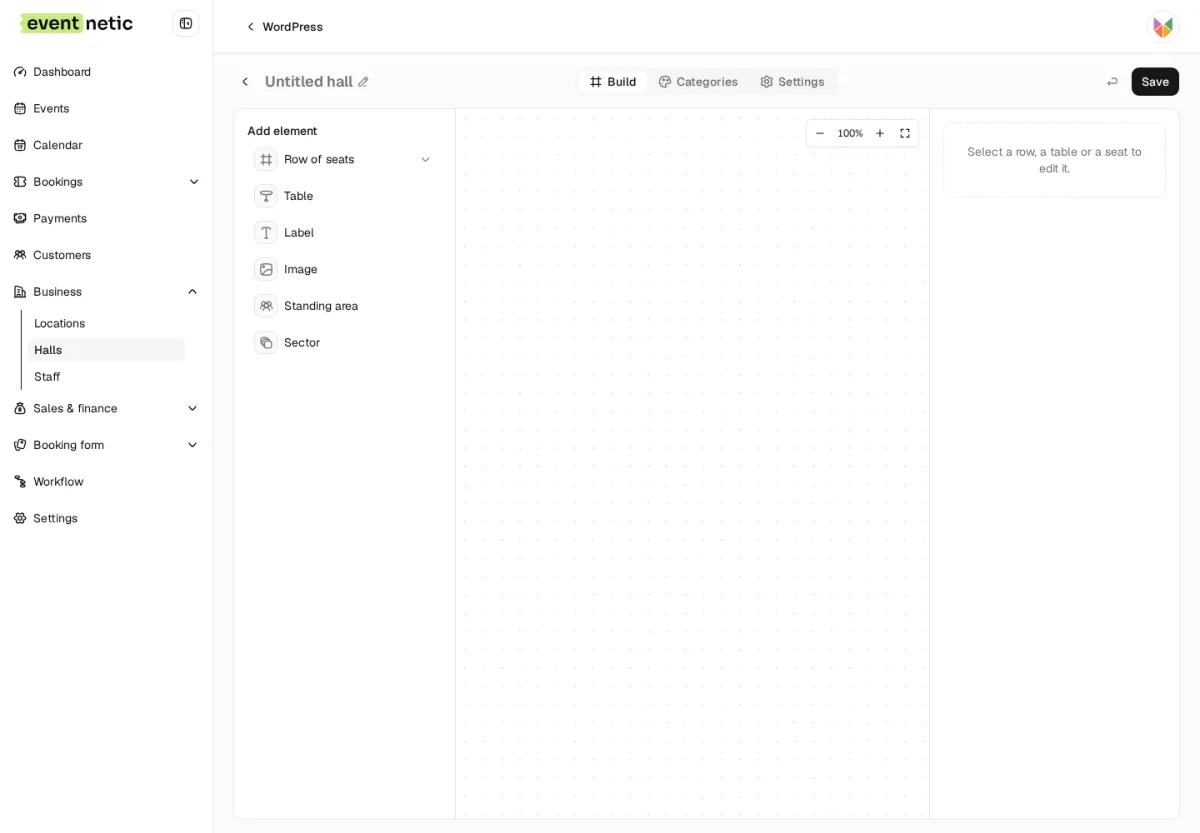
Recurring events are modeled as one event with multiple dates, each date carrying its own capacity, price, and attendee list, so cancelling one date only notifies that date's bookers, not the whole series. Reserved seating works the same way: a seat map is drawn once per venue and reused automatically across every event held there, with availability tracked per date.
What I tested or checked
- Installed Eventnetic and activated the Pro licence on a clean WordPress sandbox.
- Created a recurring event with multiple dates, each with its own capacity.
- Built a seat map for a venue and checked reserved-seating availability per date.
- Walked through the frontend booking flow: ticket selection, customer details, payment and discount step, and the confirmed booking with QR ticket.
- Reviewed the admin dashboard, bookings, payments, customers, and workflow automation defaults.
Strengths
- Zero commission on ticket sales: money goes straight to your Stripe or PayPal account.
- Recurring events are one event with many dates, each with independent capacity, price, and attendee list.
- Reserved seating reuses the same venue seat map across every event held there.
- Free plan now has no time limit and includes unlimited active events and unlimited bookings.
- Every Pro feature ships in a single licence; there are no separate paid add-ons to buy.
- Checkout stays on your own WordPress site, with no redirect to a third-party ticketing platform.
Limitations
- Brand new product (version 1.0.0, released 2026); it does not have the years-long install base or public review history that The Events Calendar or Events Manager have built up.
- Not yet listed on the WordPress.org plugin directory, so there is no WP.org review history to check.
- Deposits, coupons, invoices, Stripe/PayPal payments, and seat maps are Pro-only; the free plan covers ticket types, mixed baskets, and capacity per date but not paid ticketing itself.
Pricing
Eventnetic's free plan has no time limit and includes unlimited active events and unlimited bookings. Paid annual plans start at $99/year for Starter (1 site, renews at $199/year), with Pro at $199/year (5 sites, renews at $299/year, most popular) and Elite at $299/year (25 sites, renews at $399/year). One-time lifetime licences are also available from $199 (Starter), $399 (Pro), and $599 (Elite). A 14-day, no-questions money-back guarantee applies. See eventnetic.com/pricing for current numbers.
Who should use it?
Use Eventnetic if you want to sell tickets to dated events, cinema showings, yoga classes, live music, museum time slots, theatre performances, tours, or workshops, without giving up a percentage of every sale, and you are comfortable being an early adopter of a new plugin from an established WordPress vendor. It is not a calendar-styling addon like Eventful; it is a full ticketing and booking system with its own checkout, built to sit at the center of your event workflow rather than extend another plugin.
2. Eventful: best for upgrading The Events Calendar's default layouts
Eventful is not a calendar plugin on its own. It is an addon built specifically for The Events Calendar, and it exists to solve one problem: the default event list and calendar views in The Events Calendar are functional but plain. Eventful replaces them with carousels, grids, sliders, minimal lists, masonry layouts, and a vertical timeline, all built to highlight events instead of just listing them.
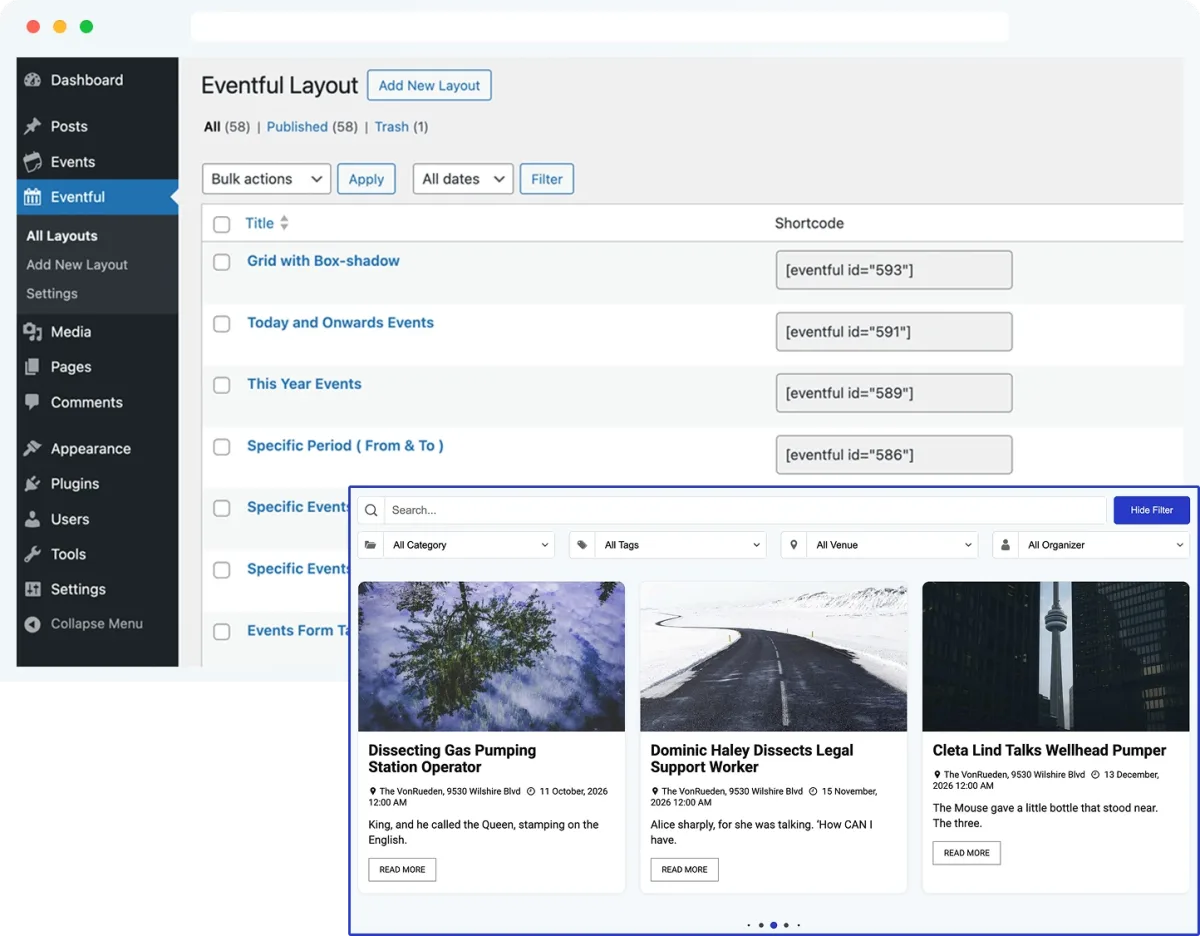
The setup follows the pattern of the other addons in this list. You still create and manage events inside The Events Calendar as usual, then use Eventful to build a shortcode or Gutenberg block that pulls those events into a styled showcase. The layout picker, filtering options, and shortcode generator all live in their own admin screen, so it does not clutter the event editor itself.
What I tested or checked
- Installed Eventful on top of a clean The Events Calendar setup.
- Built a shortcode using the layout generator and checked carousel, grid, and minimal list output.
- Reviewed the filter options: by category, tag, venue, organizer, date range, and specific event selection.
- Checked image controls (crop, hover zoom, grayscale, retina) and typography settings.
- Reviewed the free-to-paid feature split, the WordPress.org listing, changelog, and reviews.
Strengths
- Purpose-built for The Events Calendar, so event data such as venue, organizer, and category carries over without extra setup.
- Multiple layout styles in one plugin: carousel, grid, minimal list, and vertical timeline in the free version, with slider, ticker, masonry, and table layouts added in Pro.
- Deep filtering: show latest, featured, upcoming, or past events, or hand-pick specific events by ID or title.
- Shortcode and Gutenberg block support, plus an Elementor widget through a companion plugin.
- Full typography and color control without touching CSS.
- Active development with frequent updates in recent releases.
Limitations
- It only extends The Events Calendar, so sites running a different calendar plugin cannot use it.
- Some layouts (slider, masonry, table, ticker) and advanced styling sit behind the Pro upgrade.
- The free version is a genuine addon rather than a demo, but the layout variety grows noticeably with Pro.
Pricing
The core plugin is free on WordPress.org. Eventful Pro is currently listed from $34.30/year for a single site, $59.40/year for five sites, and $89.50/year for unlimited sites, with lifetime options also available. All paid tiers include the same feature set, with site count and support level as the main difference.
Who should use it?
Use Eventful if you are already running The Events Calendar and want your events to look like a designed showcase instead of a plain list. It is a strong fit for conference sites, venues, universities, and agencies that want carousels or grids in specific page sections without hiring a developer for custom templates.
3. The Events Calendar: the most established WordPress event calendar plugin
The Events Calendar is the safest starting point for many WordPress sites because it has the largest ecosystem in this category. It is built around a dedicated event post type, calendar views, venues, organizers, categories, and a long upgrade path for tickets, community submissions, imports, filters, and recurring events.
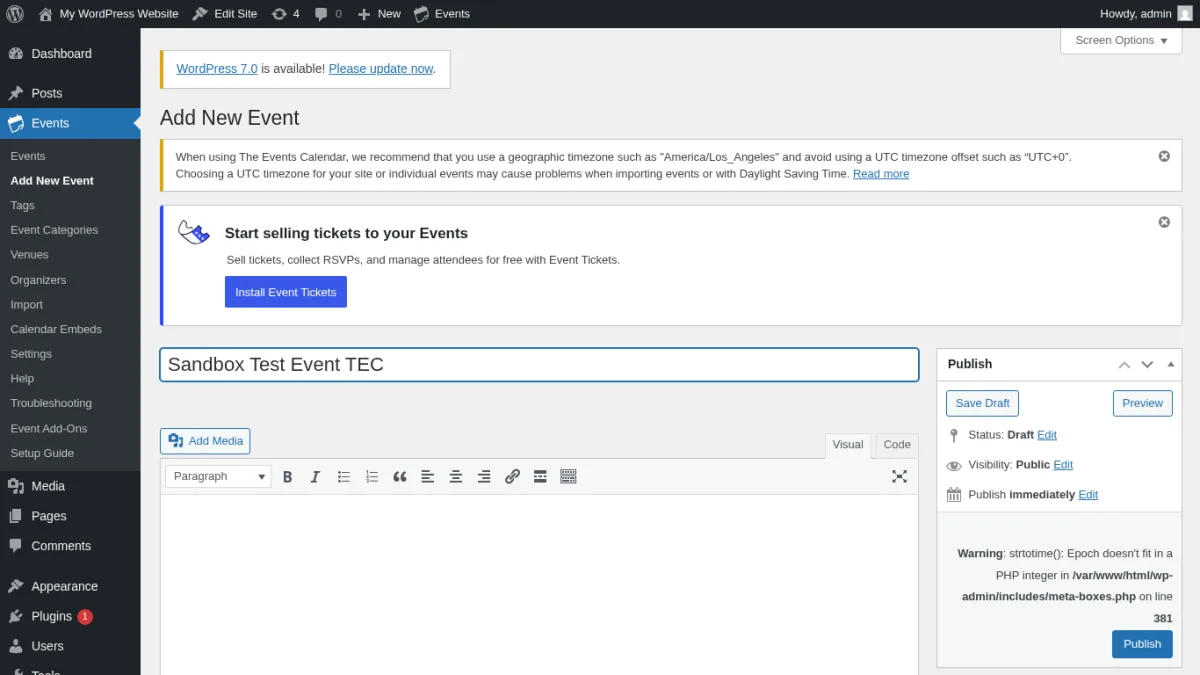
The free plugin worked well for the core job: create an event, add date and time details, attach a venue or organizer, and publish it into a frontend events area. The admin flow is familiar if you already use WordPress posts. The event fields sit below the editor, so it does not feel like a separate SaaS product has been bolted onto WordPress.
What I tested or checked
- Created a test event with start and end time.
- Checked the event list and calendar-style frontend output.
- Reviewed event settings, permalink behavior, display options, venues, and organizers.
- Checked the add-on path for tickets, recurring events, imports, community submissions, and filters.
- Reviewed WordPress.org listing data, docs, homepage, pricing, and public reviews.
Strengths
- Very mature plugin with a large user base and frequent updates.
- Good fit for businesses, universities, nonprofits, venues, and agencies.
- Dedicated venue and organizer management keeps event data tidy.
- Strong add-on ecosystem for tickets, imports, community events, and advanced filtering.
- Free CSV import support is useful for moving simple event data.
- Event Tickets can be added when you need RSVPs or ticket sales.
Limitations
- The best calendar views, recurring events, custom fields, and community workflows are paid.
- Larger setups can become add-on heavy.
- It is not the lightest option if you only need a small monthly events list.
- The new paid packages start higher than some smaller competitors.
Pricing
The core plugin is free. The current paid platform pricing starts at $259/year for Essentials, with Pro at $399/year and Elite at $599/year. The paid plans add stronger views, recurring events, ticketing, event submissions, imports, WooCommerce ticket sales, QR codes, attendee tools, and other advanced features depending on plan.
Who should use it?
Use The Events Calendar if you want the most established WordPress event calendar plugin and expect your event needs to grow. It is especially strong for organizations that need a reliable base now and may add ticketing, imports, and community submissions later.
4. Sugar Calendar Lite: best lightweight event calendar plugin for simple sites
Sugar Calendar is the opposite of an overloaded event-management dashboard. It is built for site owners who want to add events without fighting a complex interface. The Lite version is useful for basic event publishing, while the paid versions add recurring events, ticketing, calendar feeds, integrations, and more display control.
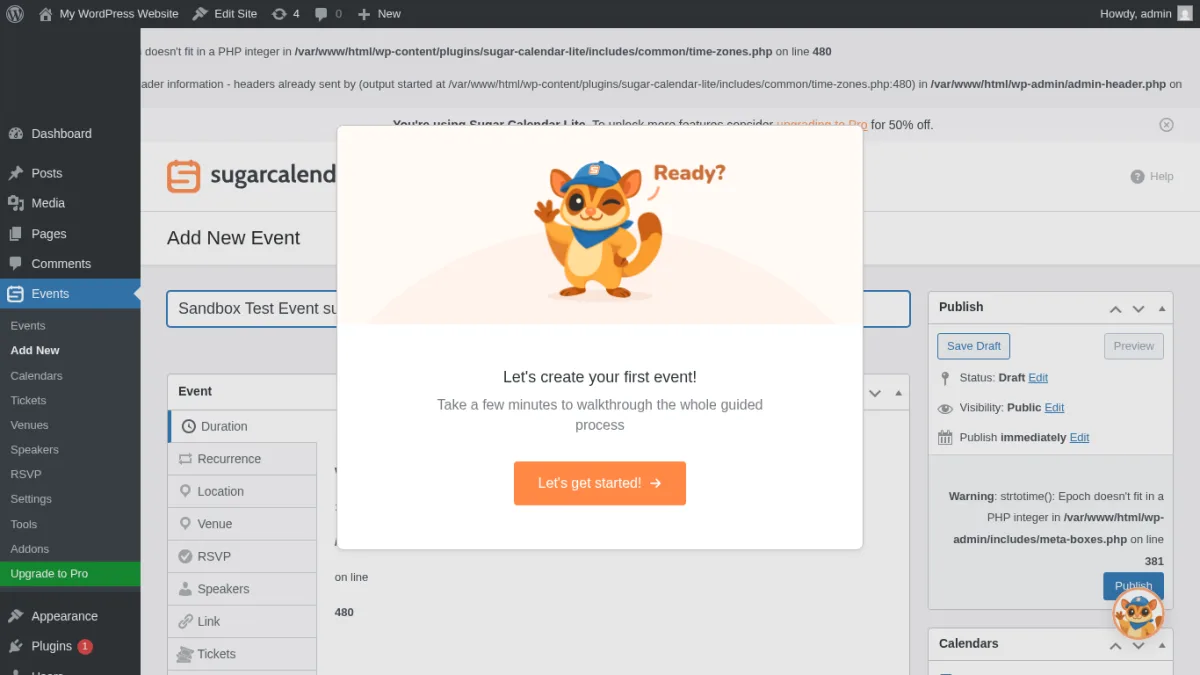
The setup felt clean. Creating an event was close to creating a regular WordPress post, with event date and time controls added in the right place. This makes it a good choice for small businesses, churches, clubs, creators, and local organizations that need a calendar but do not need a full event operations system on day one.
What I tested or checked
- Installed the Lite plugin in a clean WordPress sandbox.
- Checked event creation, event date fields, calendar management, and display options.
- Reviewed blocks and shortcodes for event output.
- Checked pricing, docs, WordPress.org reviews, and feature limits.
Strengths
- Simple interface with a low learning curve.
- Good option when you want a lightweight calendar instead of a full suite.
- Unlimited events and calendars are part of the paid plan structure.
- Paid plans include useful features such as recurring events, imports, calendar feeds, and ticketing.
- The display options are easier to understand than many older event plugins.
Limitations
- The free version is best for straightforward calendars, not complex event operations.
- RSVP management is not included in the Basic plan.
- WooCommerce ticketing is not available on Basic.
- Public review count is smaller than older competitors.
Pricing
Sugar Calendar Lite is free. Paid pricing currently starts at $49.50/year for Basic. Plus is $99.50/year, Pro is $199.50/year, and Elite is $299.50/year during the current published promotion.
Who should use it?
Use Sugar Calendar Lite if you want a clean WordPress events plugin that stays out of your way. It is best for smaller sites that care about speed, simplicity, and a future upgrade path.
5. EventPrime: best for bookings, venues, performers, and structured event operations
EventPrime is more than a visual calendar. It is closer to an event management system with events, bookings, attendees, venues, performers, event types, and payment-related settings. That makes it useful for organizers who want more structure in the free plugin than a simple calendar can provide.
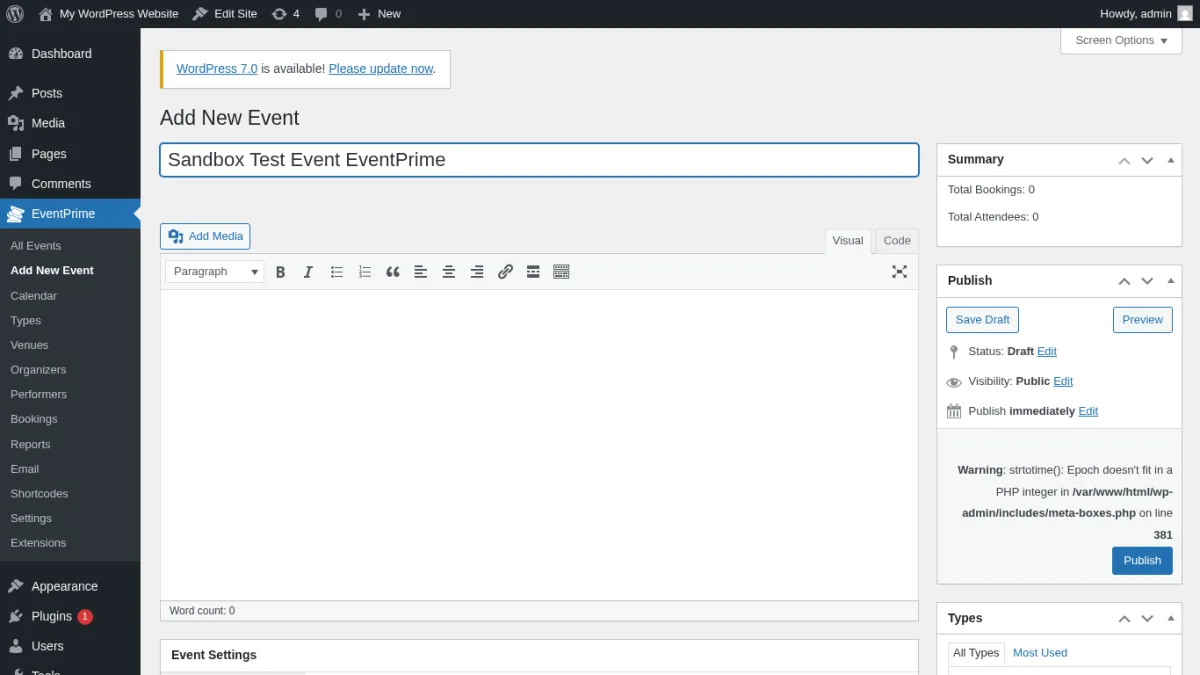
In testing, EventPrime exposed more event-management sections than the lightweight tools. That is good if you want booking records and event entities from the start. It is less ideal if all you need is a quick calendar block on a brochure site.
What I tested or checked
- Checked event creation and the EventPrime admin menus.
- Reviewed booking settings, attendees, venues, performers, and event-type options.
- Checked free event and paid event positioning.
- Reviewed official feature pages, docs, WordPress.org listing, pricing path, and reviews.
Strengths
- Strong free feature depth for event and booking management.
- Supports venues, performers, event types, and attendee workflows.
- Useful when events need more context than date, time, and location.
- Good fit for classes, workshops, performances, and booking-based event sites.
- Free plugin is not just a thin teaser.
Limitations
- More setup choices mean more time spent configuring the plugin.
- Some advanced features require extensions or paid products.
- The admin experience is not as minimal as Sugar Calendar.
- Pricing can feel less simple if you need several extensions.
Pricing
EventPrime has a free WordPress.org plugin. Paid extensions are sold separately, with several single-site extensions listed from $29.95. EventPrime Business is currently listed at $179 for a single site and $349 for unlimited sites.
Who should use it?
Use EventPrime if bookings and structured event records matter more than having the simplest possible calendar. It is a good middle ground between a calendar plugin and a full event operations tool.
6. Events Manager: best free WordPress event management plugin
Events Manager has been around for a long time, and that shows in both good and bad ways. The good part is that the free plugin includes serious event-management features, including events, locations, calendars, bookings, and registration-style workflows. The less ideal part is that the interface feels older and takes more configuration than newer plugins.
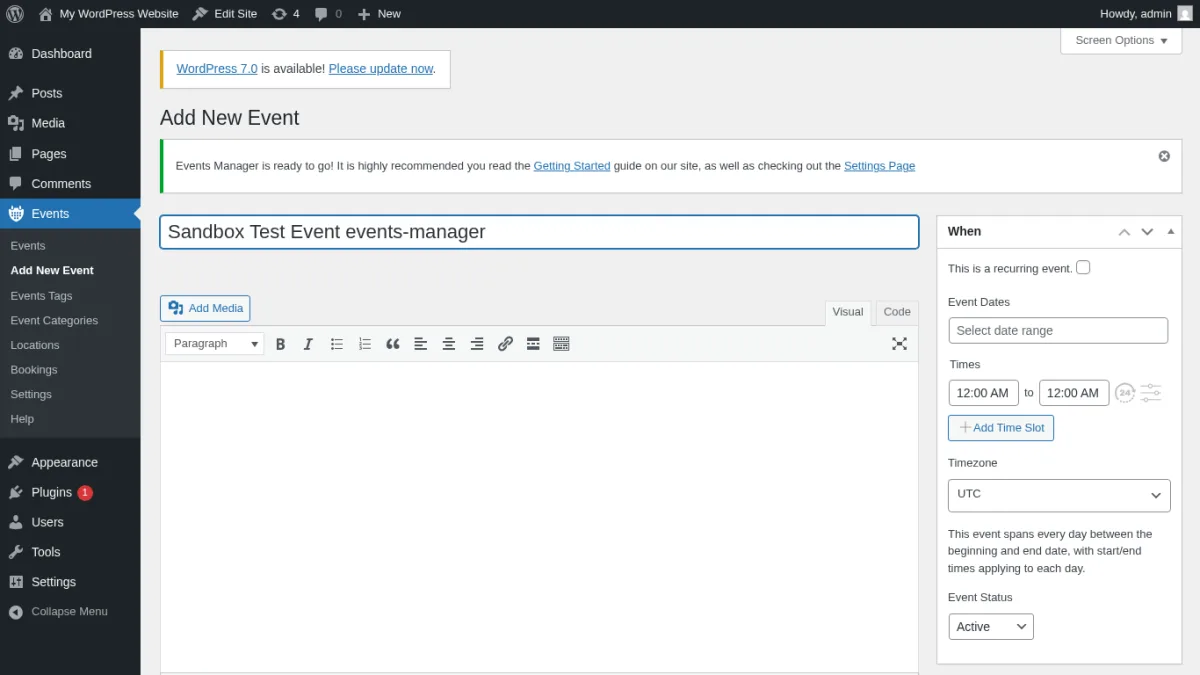
For users who are willing to spend time in settings, Events Manager is one of the strongest free options. It is especially useful when you need booking functionality without immediately buying a paid add-on.
What I tested or checked
- Created a test event and reviewed the event admin fields.
- Checked locations, booking settings, event pages, and calendar output.
- Reviewed email, formatting, and permissions settings.
- Checked WordPress.org reputation, official docs, pricing, and public support activity.
Strengths
- Very capable free version.
- Built-in support for locations and bookings.
- Flexible settings for event pages, formatting, and user permissions.
- Good for site owners who want control and do not mind configuration.
- Pro pricing is lower than some premium-first competitors.
Limitations
- The admin UI is less polished than newer plugins.
- The settings area can feel dense for beginners.
- Design output may need theme styling or customization.
- Paid features and payment gateways are handled through Pro and add-ons.
Pricing
The core Events Manager plugin is free. Events Manager Pro currently starts at $99/year for 1 site, with higher tiers for more sites.
Who should use it?
Use Events Manager if you need a free WordPress event management plugin with bookings and are comfortable spending more time on setup. It is a practical option for community groups, local organizations, and budget-conscious sites.
7. Eventin: best for webinars, conferences, and ticketed events
Eventin is built for modern event workflows: event pages, speakers, schedules, registrations, tickets, attendee management, QR codes, and online or hybrid events. It is a strong choice when your events are closer to webinars, summits, workshops, or conferences than a simple public calendar.
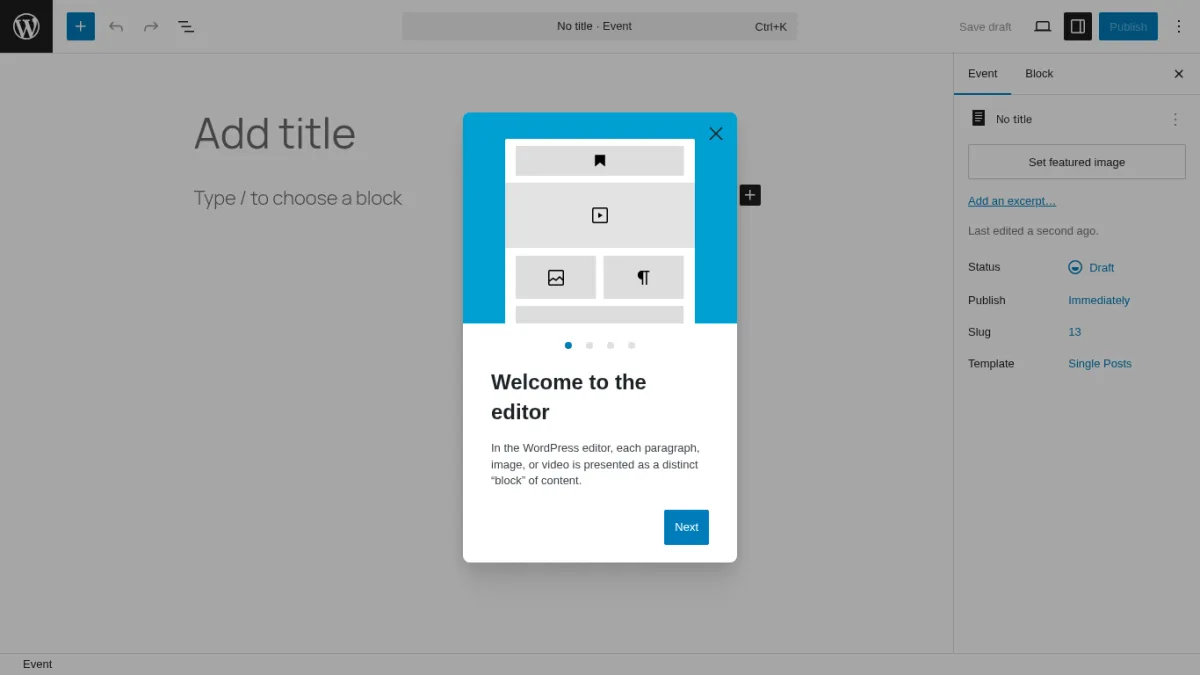
The free plugin gives you enough to understand the workflow. The paid plan becomes more attractive when you need automation, templates, payment gateways, recurring events, and more professional registration tools.
What I tested or checked
- Checked event creation, event lists, speaker and schedule-related workflows.
- Reviewed ticketing and registration features in the free plugin and Pro comparison.
- Checked available calendar and event display settings.
- Reviewed homepage, pricing, docs, WordPress.org listing, and review signals.
Strengths
- Modern event-management feature set.
- Good fit for paid registrations and professional events.
- Speaker, schedule, attendee, and ticketing concepts are built into the product direction.
- Paid pricing includes all Pro features, with site count as the main difference.
- Useful for virtual, in-person, and hybrid event positioning.
Limitations
- Some advanced workflows are Pro-only.
- It can be more than you need for a basic local events calendar.
- Users who only want a simple date grid may prefer Sugar Calendar or My Calendar.
Pricing
Eventin has a free plugin. Current annual pricing starts at $89/year for the Standard plan, covering 2 domains with 1 year of updates and support. Lifetime pricing is also available from $109 for a single domain at the time of review.
Who should use it?
Use Eventin if you run webinars, workshops, online classes, conferences, or ticketed events and want more than a calendar. It is a strong event registration plugin for WordPress users who expect to sell or manage attendance.
8. My Calendar: best accessible WordPress calendar plugin
My Calendar is a long-running WordPress calendar plugin with a clear emphasis on accessibility and flexible calendar output. It may not look as modern as newer tools, but it deserves attention for community calendars, nonprofits, libraries, local groups, and organizations that care about inclusive frontend experiences.
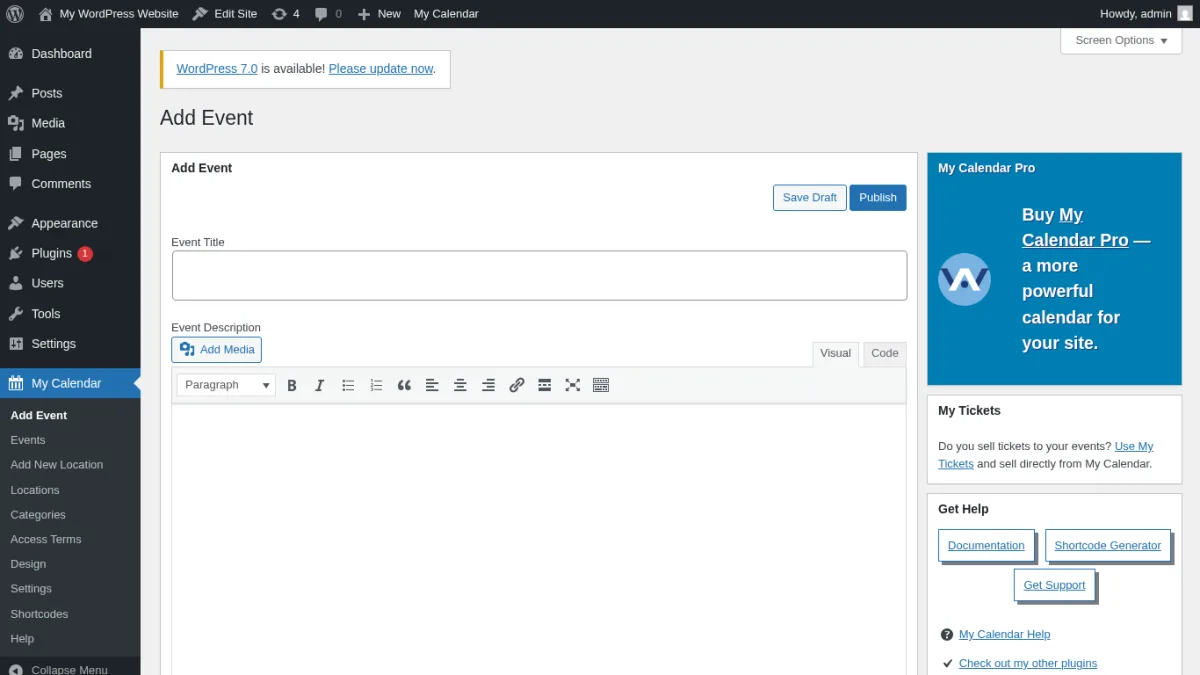
The plugin gives you event creation, categories, locations, calendar views, widgets, and shortcodes. The configuration style is more traditional WordPress than SaaS-style. That can be a benefit for developers and experienced site owners who want control.
What I tested or checked
- Checked event creation and calendar output options.
- Reviewed categories, locations, widgets, shortcode usage, and accessibility-related positioning.
- Checked Pro features, ticketing path, WordPress.org listing, docs, and public reviews.
Strengths
- Strong accessibility focus.
- Good for public community calendars.
- Flexible shortcodes and widgets.
- Free version can handle many basic calendar needs.
- Pro adds user-submitted events, custom fields, imports, and multisite-style sharing.
Limitations
- Interface is less modern than Sugar Calendar or Eventin.
- Ticketing is not the core plugin's main strength.
- Some advanced features require My Calendar Pro or My Tickets.
- Beginners may need time to understand the display settings.
Pricing
The core plugin is free. My Calendar Pro is currently listed with Site Owners at $69 annual renewal, Developers at $199 annual renewal, and Agencies at $399 annual renewal. Ticketing is handled separately through My Tickets.
Who should use it?
Use My Calendar if accessibility is a priority or if you need a flexible public calendar for community events. It is not the flashiest option, but it is one of the most thoughtful choices for inclusive calendar publishing.
9. WP Event Manager: best for event listing sites and frontend submissions
WP Event Manager is a lightweight event listing plugin rather than a calendar-first tool. That makes it especially useful if you want to build an event directory, accept event submissions, display listings with shortcodes, and expand through add-ons as the site grows.
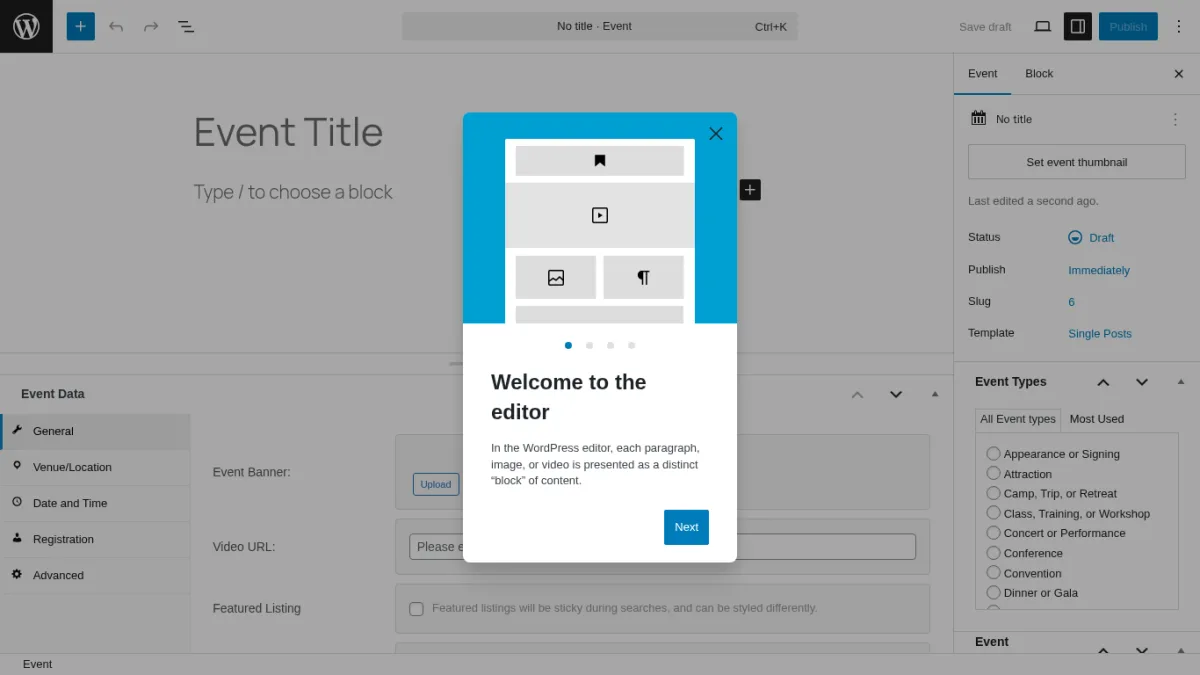
The free plugin focuses on creating and displaying event listings. It works well when your site is structured around event pages and search or listing experiences. If you need a rich visual calendar, ticketing, selling tools, and registrations, expect to evaluate the add-ons or bundles.
What I tested or checked
- Checked event listing creation and the generated event pages.
- Reviewed shortcode-based output and frontend submission positioning.
- Checked registration, calendar, ticketing, and WooCommerce-related add-ons.
- Reviewed official pricing, docs, WordPress.org listing, and public reviews.
Strengths
- Lightweight core plugin.
- Good fit for event directories and listing websites.
- Shortcodes make it flexible across themes and builders.
- Add-on ecosystem covers calendar, registrations, sell tickets, and more.
- Setup is friendly for sites that want event listing pages quickly.
Limitations
- Calendar-first users may need add-ons.
- Advanced ticketing, registration, and paid event workflows depend on bundles or extensions.
- The free version is strongest as an event listing tool, not a full event platform.
Pricing
The core plugin is free. WP Event Manager pricing currently starts from $99/year for bundles, with higher tiers depending on the add-ons and event workflows needed.
Who should use it?
Use WP Event Manager if your site is more like an event directory or submission portal than a single organization's calendar. It is a good option for listing events from multiple organizers.
How to choose the right WordPress events plugin
The best WordPress event calendar plugin is the one that matches your event workflow. Use this shortcut:
- Choose Eventnetic if you want zero-commission ticket sales, recurring dates, and reserved seating built into one plugin.
- Choose Eventful if you already use The Events Calendar and want richer carousel, grid, or timeline layouts without custom development.
- Choose The Events Calendar if you want the most established event calendar ecosystem.
- Choose Sugar Calendar Lite if you want a lightweight calendar with a clean upgrade path.
- Choose EventPrime if you need bookings, venues, performers, and attendee workflows in one plugin.
- Choose Events Manager if you want the strongest free booking and event management feature set.
- Choose Eventin if you run webinars, conferences, workshops, or ticketed events.
- Choose My Calendar if accessibility and community calendar publishing matter most.
- Choose WP Event Manager if you are building an event listing or submission site.
Before buying a paid plan, map your must-have workflow. Do you need recurring events? Paid tickets? WooCommerce checkout? QR check-in? Frontend submissions? Multiple organizers? Imports from Google Calendar or iCal? These questions matter more than the number of features on a pricing table.
If ticket sales are important, also check whether the plugin charges platform fees, requires Stripe or WooCommerce, supports multiple ticket types, and stores attendee data in WordPress. If the plugin depends on paid add-ons, calculate the real annual cost before committing.
FAQ
What is the best WordPress event calendar plugin overall?
Eventnetic is the strongest pick for 2026 if you want zero-commission ticket sales, recurring dates, and reserved seating built into one plugin from FS Code, the team behind Booknetic; it is a new product (version 1.0.0), so weigh that against its lack of long-term install and review history. If you want the most established option with the largest install base, deepest add-on ecosystem, and years of WordPress.org reviews, The Events Calendar remains the safest long-standing default.
What is the best free WordPress calendar plugin?
Events Manager is one of the strongest free choices if you need bookings and event management without paying upfront. Sugar Calendar Lite is better if you want a simpler free calendar experience. Eventnetic's free plan now has no time limit and includes unlimited active events and unlimited bookings, and even the free plan supports cash and offline payments; online payment gateways (Stripe, PayPal) and reserved seating require a paid plan.
Which WordPress events plugin is best for selling tickets?
Eventnetic is built specifically for selling tickets, with zero commission on every sale, reserved seating, and recurring dates handled as one event. Eventin is strong for ticketed events, webinars, and conferences. The Events Calendar is also strong when paired with its ticketing tools. Sugar Calendar can work well for simpler ticketing needs, especially on paid plans.
Which event calendar plugin is best for beginners?
Sugar Calendar Lite is the easiest recommendation for beginners who want a clean calendar workflow. The Events Calendar is also beginner-friendly, but its broader ecosystem can feel larger once you start exploring add-ons.
Can I use a WordPress event plugin for recurring events?
Yes, but recurring events are often a paid feature. The Events Calendar, Sugar Calendar, Eventin, and Eventnetic all support recurring events in paid plans, and other tools support recurring events in paid plans or add-ons. Always confirm this before buying.
Do I need WooCommerce to sell event tickets?
Not always. Some plugins, including Eventnetic, sell tickets directly through their own checkout with Stripe or PayPal, with no WooCommerce required. Others use WooCommerce for checkout. WooCommerce is useful if you want events and products in the same store, but it can add setup complexity.
Conclusion
For WordPress users who want to sell tickets to dated events in 2026, Eventnetic is worth starting with: zero commission on every sale, recurring dates modeled as one event, and reserved seating that reuses the same venue seat map. It is a new product, so weigh that against The Events Calendar, which remains the most established, mature option with the largest ecosystem and add-on library. If you are already using The Events Calendar and want more visual event layouts, Eventful is a lightweight companion addon worth adding.
If you want the simplest lightweight calendar, start with Sugar Calendar Lite. If you need free bookings, look at Events Manager. If your events involve registrations, speakers, tickets, and conferences, Eventin deserves a close look. For accessible community calendars, My Calendar is a smart choice. For event directories and frontend submissions, WP Event Manager is the better fit.
The right plugin is not always the one with the longest feature list. It is the one that lets you publish events, manage attendees, and keep your calendar updated without adding unnecessary work to your WordPress site.
Similar Blogs


