

7 Best WordPress Donation Plugins in 2026 (Tested and Compared)

Choosing a WordPress donation plugin is harder than it looks. The options range from dedicated nonprofit fundraising tools with full donor management to lightweight Stripe forms you can ship in ten minutes. Pick the wrong one and you're either paying platform fees on every donation or buying add-ons you assumed were already included.
I reviewed more than a dozen plugins in this category before narrowing the list to seven. Most plugins with a usable free version were installed and tested in a live WordPress environment, covering donation form setup, payment gateway configuration, recurring donation options, and the overall admin experience. For SaaS platforms and tools that could not be fully tested in a standard WordPress environment, I evaluated them through their official websites, feature documentation, pricing pages, WordPress.org listings, and public user reviews.
Here is what I found.
How I Evaluated These Plugins
These are the criteria I used for every plugin:
- Setup speed: How quickly can a first-time user go from activation to a live donation form?
- Free version usefulness: Does the free version actually accept donations, or is it a lead-generation demo?
- Payment gateway options: Which gateways are available free, and which require a paid add-on?
- Platform and transaction fees: Does the plugin or platform charge a percentage on top of normal payment processor fees?
- Recurring donations: Is this available in the free tier, or is it locked behind a premium plan?
- Donor management: Can you track donor history, export data, and send receipts from WordPress?
- Ease of use for non-technical site owners: Especially relevant for nonprofits with limited technical staff.
- Pricing fairness: Is the paid upgrade priced proportionally to the added value?
Quick Comparison Table
| Plugin | Best For | Free Version | Platform Fee | Starting Paid Price | Strongest Point | Main Limitation |
|---|---|---|---|---|---|---|
GiveWP | Dedicated nonprofit fundraising | Yes (PayPal + Stripe) | 2% on Stripe one-time (free users) | $199/ | Most mature donor management | Recurring needs paid add-on; Stripe fee for free users |
Charitable | Clean campaign-based fundraising | Yes (PayPal + offline) | None | $149/ | Beautiful campaign UI, easy setup | Stripe is premium; recurring is premium |
Donorbox | SaaS nonprofit platform | Yes | 2.95% per donation (Standard) | $150/ | Recurring, broad gateways, SaaS simplicity | Platform fee on every donation |
WP Simple Pay | Quick Stripe forms | Yes (3% fee on Lite) | 3% on Lite free tier | $49.50/ | Fastest Stripe setup | Stripe only; user-entered amounts are Pro only |
Paymattic | Multi-gateway value | Yes (Stripe) | None | $79/ | Many gateways, competitive price | Most gateways need premium |
Zeffy | 100% free nonprofit fundraising | Yes (0% all fees) | 0% (nonprofits only) | Free forever | No fees at all: org receives 100% | Nonprofits only; tied to Zeffy platform |
WPForms | Sites already using WPForms | Yes (no payments) | None | $49.50/ | Easiest form builder in WordPress | Donations are secondary; free has no payment features |
1. GiveWP: Best Dedicated WordPress Donation Plugin
Website: GiveWP | WP.org: GiveWP on WordPress.org
Active installs: 100,000+ | Rating: 4.6/5 (703 reviews) | Free version: Yes
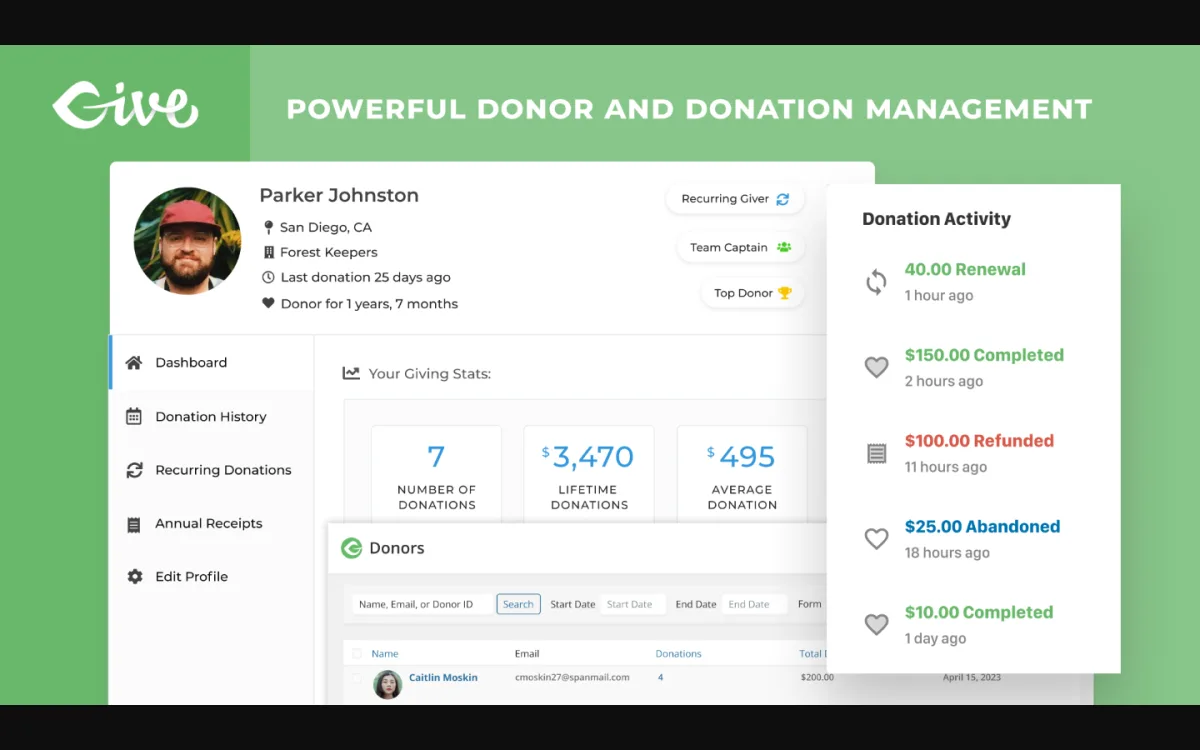
GiveWP is the most established dedicated donation plugin in the WordPress ecosystem. It has been available since 2015, now maintained by Nexcess, and with over 100,000 active installs and a 4.6-star rating on WordPress.org, it is the baseline most nonprofit teams compare everything else against.
What GiveWP does:
GiveWP is built specifically for charitable fundraising. The core plugin gives you customizable donation forms, donor profiles, a donation history dashboard, email receipts, campaign pages with progress bars, and reporting. It is not a general-purpose payment form builder: every feature is designed around the fundraising use case.
Payment gateways in the free version:
The free version includes PayPal Donations, Stripe, Venmo, and offline/manual payments. Stripe is available free, but GiveWP adds a 2% platform fee on Stripe one-time donations for free users. PayPal has no additional fee. You can remove the Stripe fee by upgrading to a paid plan.
Recurring donations:
Recurring donations require the Recurring Donations premium add-on, which is included in all paid plans.
Strengths:
- Most complete donor management of any plugin in this category
- Detailed per-form reporting: total revenue, donor count, average gift size
- Campaign pages with goal progress bars and landing page builder
- Donor dashboard for self-service: donors can view history, update info, manage recurring donations
- Large ecosystem of add-ons: peer-to-peer fundraising, text-to-give, Salesforce sync, PDF receipts
- REST API for custom integrations
- 100,000+ installs and 11 years of active development
Limitations:
- 2% additional fee on Stripe one-time donations for free users
- Recurring donations require a paid add-on
- Premium plans start at $199/year, higher than some alternatives
- Some users on WordPress.org report the admin interface feels cluttered compared to newer alternatives
Pricing:
GiveWP free is genuinely functional for one-time donations via PayPal or offline payment. For Stripe without the additional fee, or for recurring donations, paid plans are required. Paid plans start at $199/year (Essentials, includes Stripe fee removal, recurring donations, priority support) and go up to $399/year (Pro) and $599/year (Elite, includes all add-ons).
Who should use GiveWP:
Nonprofits that need a complete, WordPress-native fundraising system with donor records, email receipts, and room to expand into peer-to-peer campaigns or CRM integrations. If you plan to grow your fundraising operation, GiveWP's ecosystem gives you the most room to scale.
2. Charitable: Best for Clean Campaign-Based Fundraising
Website: Charitable | WP.org: Charitable on WordPress.org
Active installs: 10,000+ | Rating: 4.8/5 | Free version: Yes
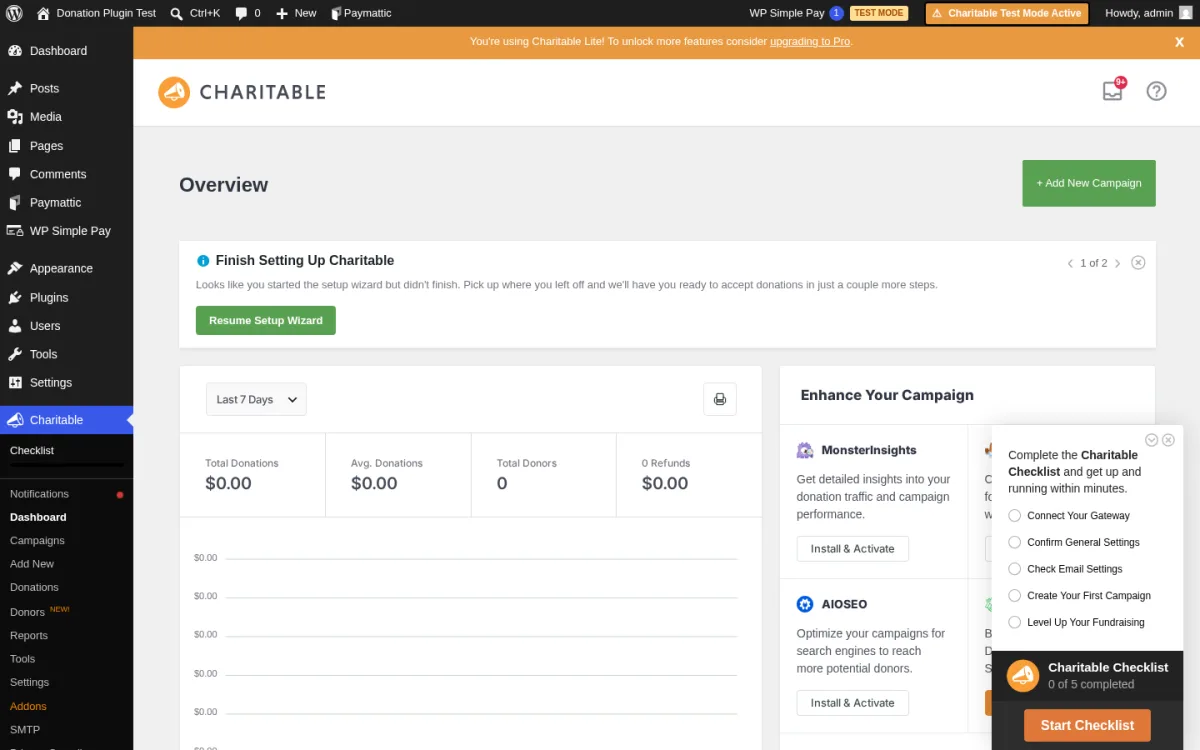
Charitable earns its 4.8-star rating. The moment you activate it, the admin experience feels cleaner and more intentional than most donation plugins I tested. The dashboard surfaces active campaigns, total revenue, and quick-action buttons without overwhelming a non-technical user.
What I tested:
I installed Charitable 1.8.11.2 in a live WordPress sandbox. I created a campaign with a goal amount and end date, configured the payment gateway settings, and walked through the campaign builder from start to finish.
Setting up a campaign:
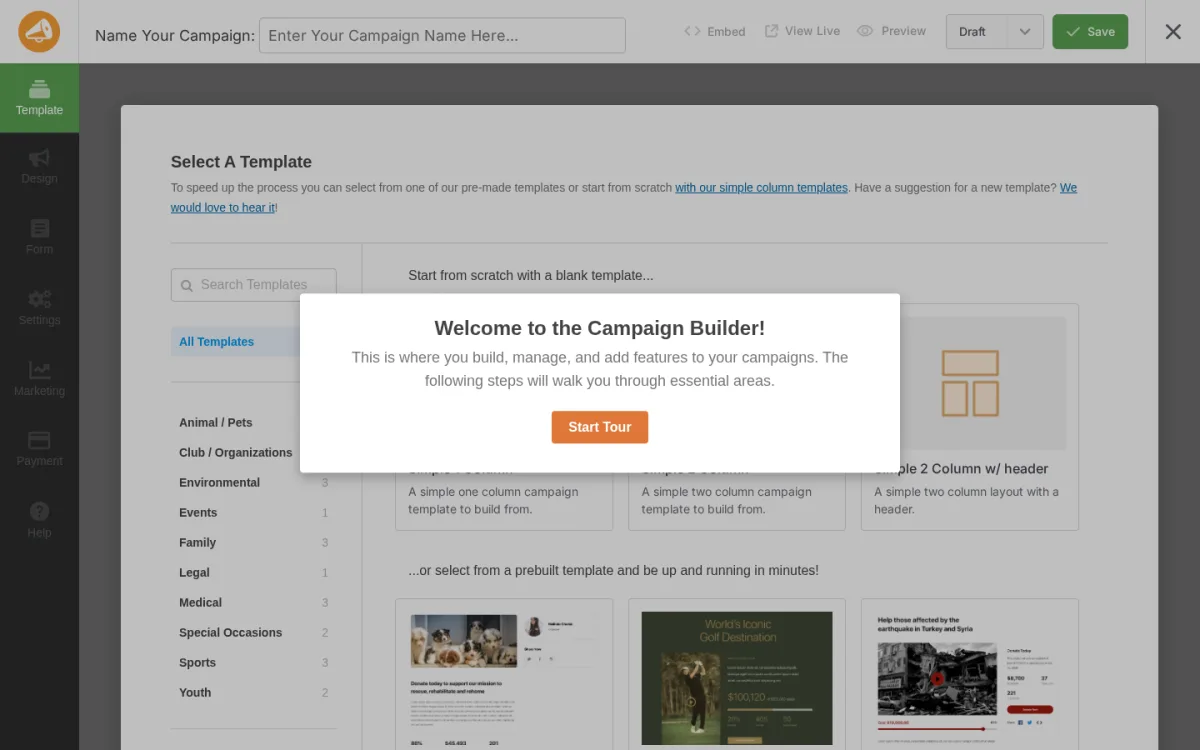
The campaign builder is straightforward. You give the campaign a name, set a fundraising goal, add a description, and set an end date. Goal tracking, progress bars, and donor acknowledgment are all available in the free version.
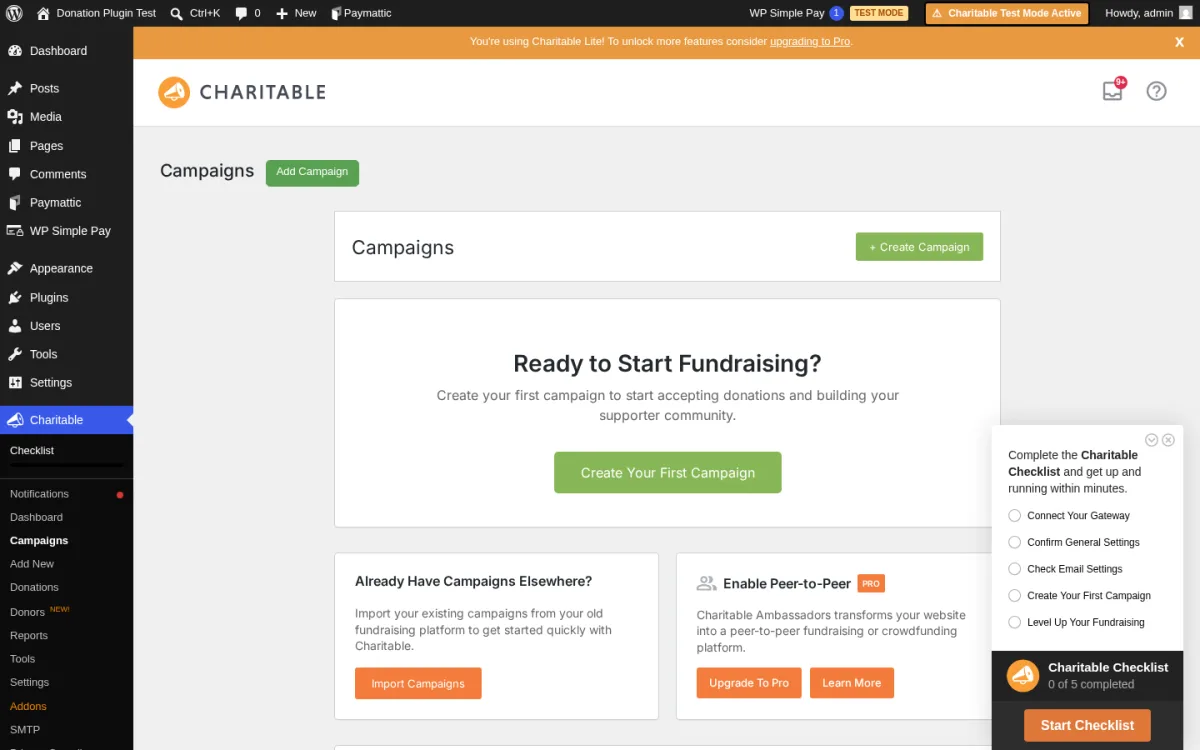
The campaigns list view is clean and readable. Campaign status, funds raised, and percentage of goal are visible at a glance without opening each campaign individually.
Payment gateways:
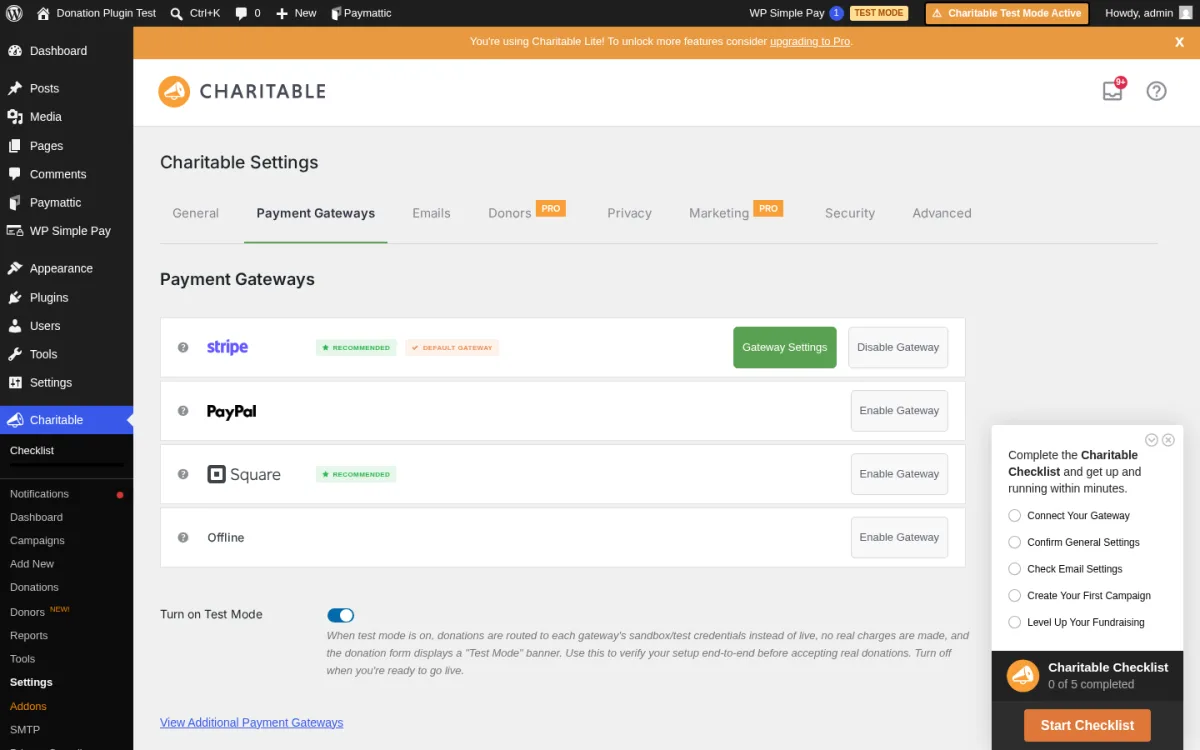
The gateway settings page shows all available options clearly. PayPal Standard and offline/manual donations are available free. Stripe requires a premium license.
Strengths:
- Cleanest campaign-focused UI of any plugin I tested
- Unlimited campaigns in the free version
- Goal progress bars and end dates included free
- PayPal Standard and offline payments in free version
- Donor wall feature available free
- No additional platform fees on any plan
- Strong 4.8-star rating with consistent recent reviews
Limitations:
- Stripe gateway is a premium add-on
- Recurring donations require a premium plan
- Smaller add-on library compared to GiveWP
- Active install count is lower (10,000+ vs GiveWP's 100,000+)
Pricing:
Charitable free covers campaigns, PayPal, and offline payments. Paid plans start at $149/year (Starter, adds Stripe, recurring donations, and core add-ons).
Who should use Charitable:
Nonprofits or community organizations that want a well-designed, campaign-focused fundraising experience without a steep learning curve. If a clean interface and quick campaign setup matter more than a massive add-on library, Charitable is the better pick over GiveWP.
3. Donorbox: Best SaaS Hybrid for Nonprofits
Website: Donorbox
Type: SaaS platform with WordPress embed | Free plan: Yes (Standard, 2.95% platform fee)
Donorbox takes a different approach. Instead of being a native WordPress plugin with its own database tables and payment processing, it is a full SaaS fundraising platform. The WordPress plugin embeds your Donorbox donation forms directly into your site using a shortcode or block.
What I evaluated:
Donorbox is not a standalone WordPress admin experience in the traditional sense. I evaluated it through the official Donorbox website, the pricing page, the WordPress plugin listing on wordpress.org, the feature documentation, and public customer reviews on G2, Capterra, and Trustpilot.
What Donorbox offers:
- A hosted fundraising platform where you manage donors, campaigns, and payouts via the Donorbox dashboard (not WordPress admin)
- Recurring donations on the free Standard plan
- Support for Stripe, PayPal, Apple Pay, Google Pay, ACH bank transfers, SEPA, and more
- Crowdfunding pages, peer-to-peer fundraising, and event ticketing
- Built-in donor management, receipting, and CRM integrations (Salesforce, HubSpot, Mailchimp)
- Tax receipt automation for US, Canadian, UK, and Australian nonprofits
Fees:
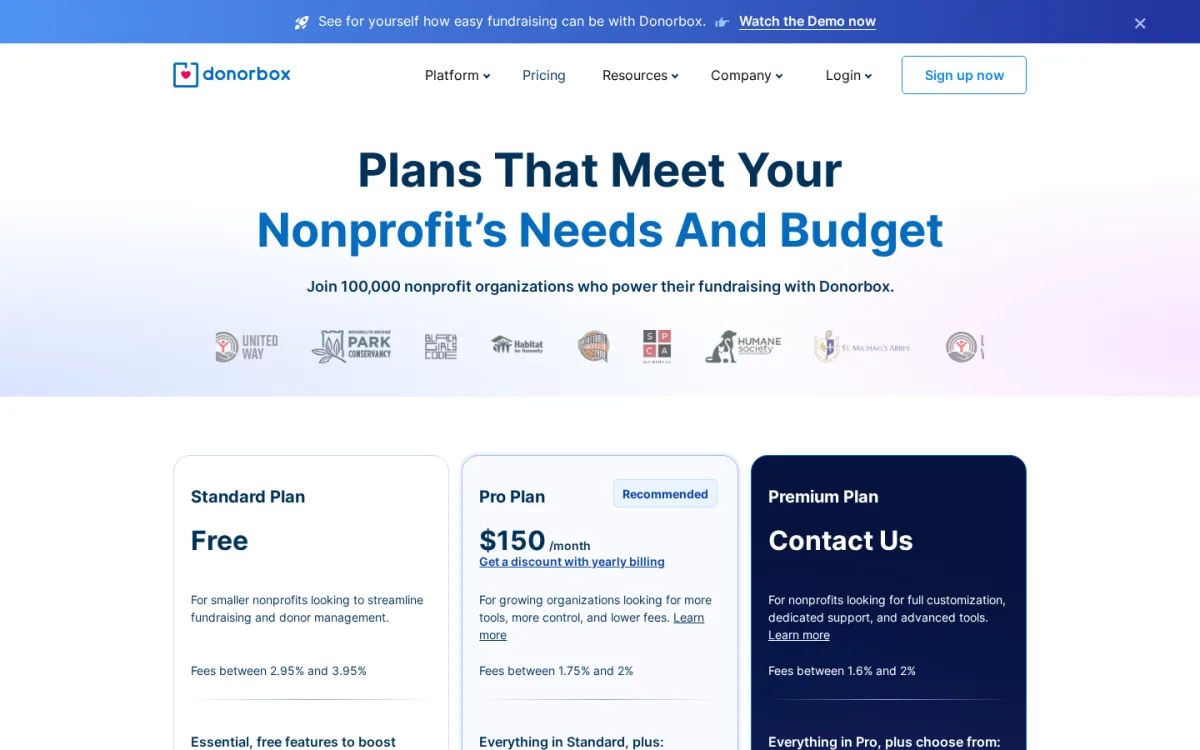
This is the most important thing to understand before choosing Donorbox. The Standard (free) plan charges a 2.95% platform fee per donation on donation forms and pages (up to 3.95% on event and membership forms). This platform fee is on top of normal payment processor fees (Stripe: 2.2% + $0.30; PayPal: 1.99% + $0.49 for nonprofits).
Donors can optionally cover these fees, but the platform fee exists regardless. The Pro plan at $150/month reduces the platform fee to 1.75-2%.
Strengths:
- Recurring donations and multi-currency support on the free plan
- Broad payment gateway support including ACH and SEPA
- No WordPress maintenance required for the fundraising infrastructure
- Strong reporting and donor CRM via the Donorbox dashboard
- Crowdfunding and peer-to-peer campaigns available on all plans
- Good nonprofit reputation with 100,000+ organizations on the platform
Limitations:
- 2.95% platform fee on every donation (Standard plan)
- Not a native WordPress tool: donor management and reporting happen outside WordPress
- Pro plan at $150/month is significantly more expensive than WordPress-native plugins
- Customization of the embed form is limited compared to native plugins
- Some teams find the SaaS dependency uncomfortable for long-term data ownership
Pricing:
Standard plan is free with a 2.95% platform fee per donation. Pro plan is $150/month (with lower fees of 1.75-2%). Premium pricing requires contacting Donorbox.
Who should use Donorbox:
Nonprofits that want reliable recurring donation infrastructure, broad payment gateway support, and a managed SaaS experience without managing a complex WordPress plugin setup. Be aware that the 2.95% platform fee compounds at scale: on $50,000 raised, that is $1,475 in platform fees alone, before payment processor costs.
4. WP Simple Pay: Best for Quick Stripe Donation Forms
Website: WP Simple Pay | WP.org: WP Simple Pay on WordPress.org
Active installs: 9,000+ | Rating: 4.4/5 | Free version: Yes (3% additional fee)
WP Simple Pay (also listed as "Stripe Payment Forms by WP Simple Pay" on WordPress.org) is not a fundraising-specific plugin. It is a lean Stripe payment form builder that works well for donation collection. If your only gateway is Stripe and you want a working donation form quickly, this is one of the fastest paths.
What I tested:
I installed WP Simple Pay Lite 4.17.3 in a live WordPress sandbox. I connected a Stripe test account, browsed the template library, and created a test donation form.
Template library:
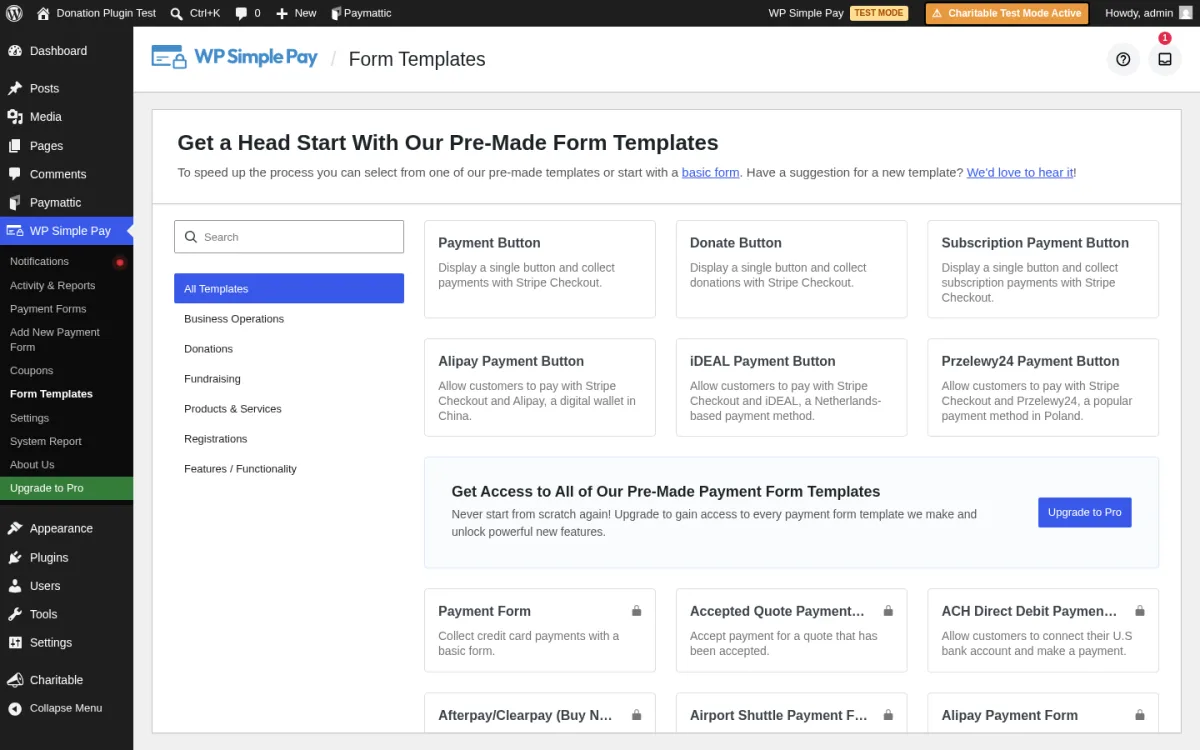
The form template library opens immediately after you connect Stripe. Donation-specific templates are available in the Lite version alongside payment form and subscription templates.
New form setup:
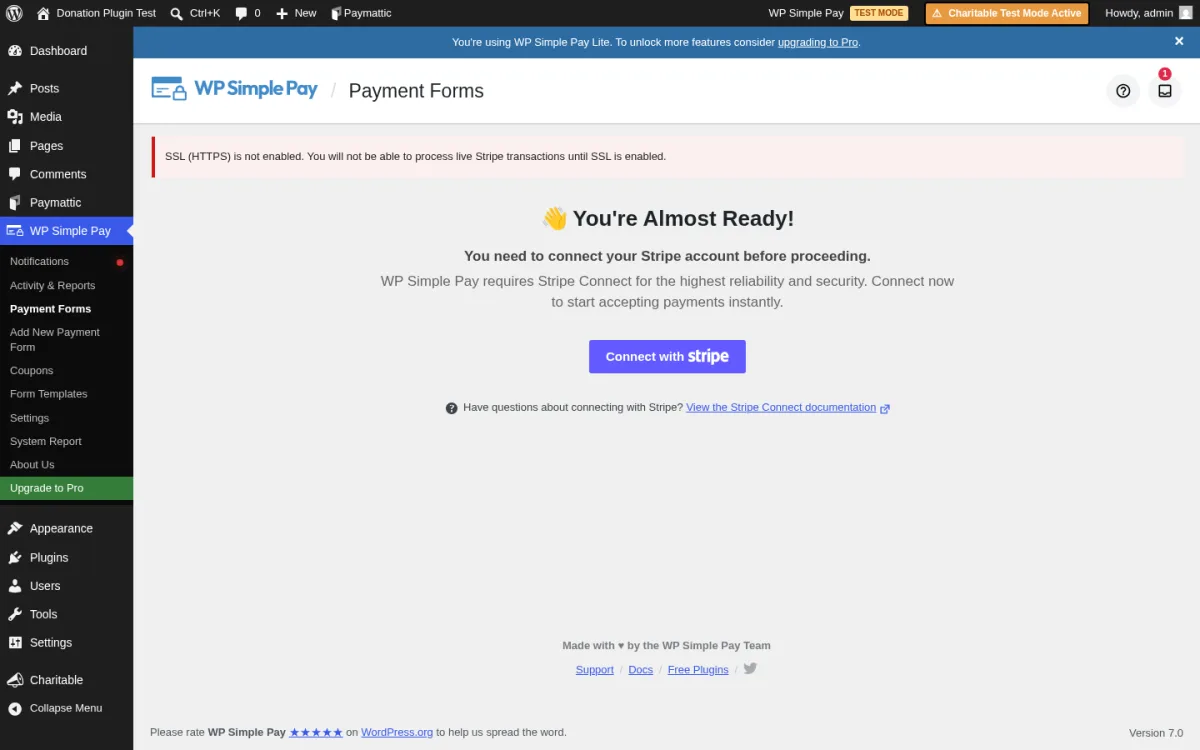
Creating a new form is a two-step process: name the form, pick the type (one-time payment, subscription, or donation), then configure it. The Stripe connection status is visible throughout the setup flow.
Important fee note:
WP Simple Pay Lite charges a 3% additional fee per transaction on top of Stripe's standard rates. This fee is removed by upgrading to any paid plan. For a $100 donation, Lite users pay Stripe's fee plus an extra $3 to WP Simple Pay. This makes the paid plan ($49.50/year) cost-effective fairly quickly for active fundraisers.
Recurring donations:
Recurring subscription payments are available in the Lite free version as of July 2025 (added in v4.14.1). This is a significant recent change.
Custom donation amounts:
Letting donors enter their own amount is a Pro feature. The Lite version uses preset amounts only.
Strengths:
- Fastest time-to-live-form of any plugin I tested
- Donation-specific templates included in Lite
- Stripe connection is clean and straightforward
- Recurring/subscription payments now available in Lite (since July 2025)
- No donor management overhead: simple and focused
Limitations:
- 3% additional fee on all Lite transactions (removed with paid plan)
- Stripe only: no PayPal, no offline payments
- User-entered/custom donation amounts require a paid plan
- No donor management: no donor profiles, donation history, or receipts in WordPress admin
- 9,000+ active installs (smaller community than other plugins here)
Pricing:
WP Simple Pay Lite is free but charges a 3% transaction fee. Paid plans start at $49.50/year (Personal, removes the 3% fee, adds user-entered amounts). Plus plan at $99.50/year adds user-managed subscriptions. Professional at $199.50/year adds ACH, SEPA, buy-now-pay-later, and custom receipt emails.
Who should use WP Simple Pay:
Individuals or small nonprofits already using Stripe that want the simplest possible donation form and plan to upgrade quickly to remove the 3% Lite fee. If you need donor records, multi-gateway support, or user-entered amounts on a free budget, one of the dedicated donation plugins is a better fit.
5. Paymattic: Best Multi-Gateway Option at a Lower Price
Website: Paymattic | WP.org: Paymattic on WordPress.org
Active installs: 10,000+ | Rating: 4.9/5 | Free version: Yes (Stripe, no platform fee)
Paymattic stands out for two reasons: it supports more payment gateways than almost anything else in this category, and its 4.9-star rating is the highest in this roundup.
What I tested:
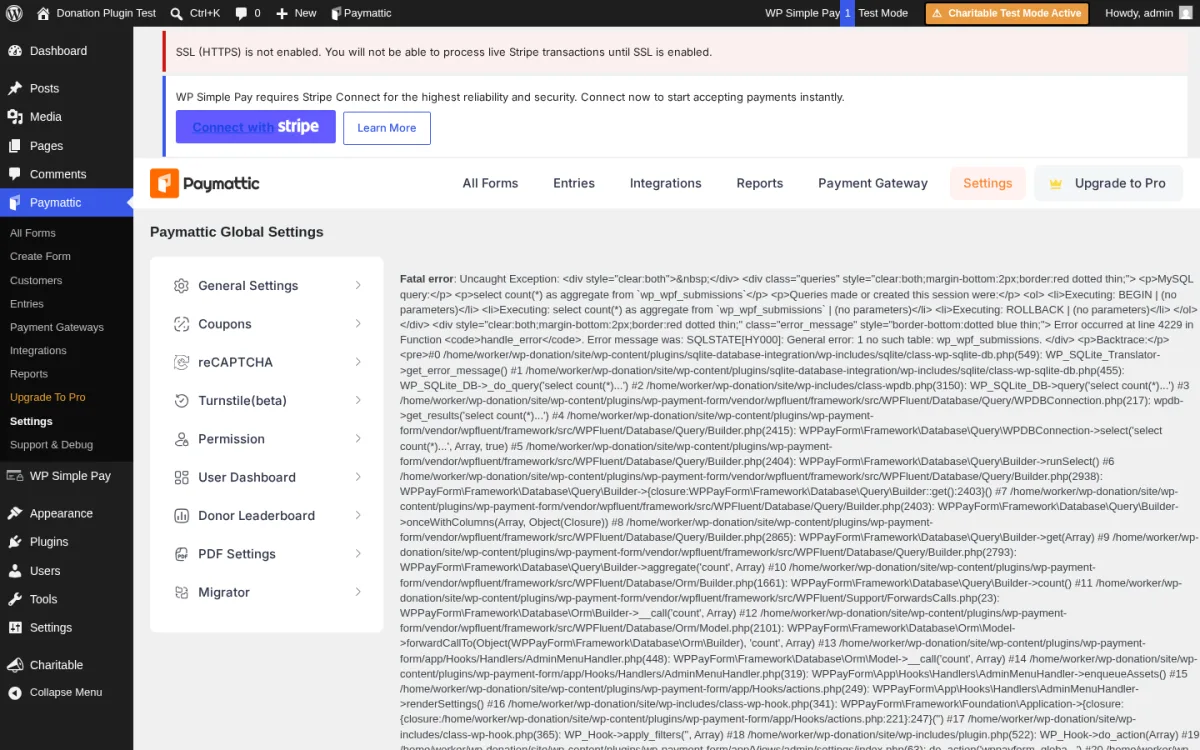
I installed Paymattic 4.6.22 in a live WordPress sandbox and accessed the settings page directly. The gateway configuration options were fully visible and functional.
What Paymattic does:
Paymattic is a multi-purpose payment and donation form builder. The free version includes Stripe payment forms with no additional platform fee. Premium adds PayPal, Mollie, Square, Authorize.net, and other gateways, plus recurring payments, donation goals, and advanced form fields.
Strengths:
- Highest rating of any plugin in this roundup (4.9/5)
- No platform fee on any plan
- Broadest gateway selection (premium): includes Mollie, Square, Authorize.net, PayRexx, and more
- Donation goals and progress bars available
- Conditional logic and multi-step forms for complex donation flows
- Competitive premium pricing compared to GiveWP and Charitable
Limitations:
- Only Stripe is available in the free version; PayPal and other gateways need premium
- Recurring donations require a premium plan
- Smaller community than GiveWP (10,000 installs vs 100,000)
Pricing:
Free version includes Stripe forms with no platform fee. Paid plans start at $79/year (Single site) and $149/year (Agency, up to 5 sites). Compared to GiveWP at $199/year and Charitable at $149/year, Paymattic's single-site pricing is more accessible for smaller organizations.
Who should use Paymattic:
Organizations that need a gateway that neither GiveWP nor Charitable supports natively, such as Mollie (common in Europe), Square, or Authorize.net. Also a strong option if you want a paid plan at a lower price than GiveWP while still getting multi-gateway support and recurring donations.
6. Zeffy: Best for 100% Free Nonprofit Fundraising
Website: Zeffy | WP.org: Zeffy on WordPress.org
Type: SaaS nonprofit platform with WP embed | Free plan: Yes (0% all fees, nonprofits only)
Zeffy has a genuinely different pitch from every other option here: your nonprofit pays zero fees, including zero payment processing fees. When you raise $100, your organization receives $100.
How Zeffy makes this work:
Zeffy covers all payment processing fees and charges no platform fee. Its only revenue comes from optional tips that donors can add at checkout. Donors control the tip amount and can set it to zero. Your nonprofit never absorbs any portion of this cost.
What I tested:
I installed the Zeffy WordPress plugin (zeffy-donate-button 1.2.3) and accessed the settings page in a live WordPress sandbox. The plugin connects your WordPress site to your Zeffy account and lets you embed Zeffy donation forms using a shortcode or block.
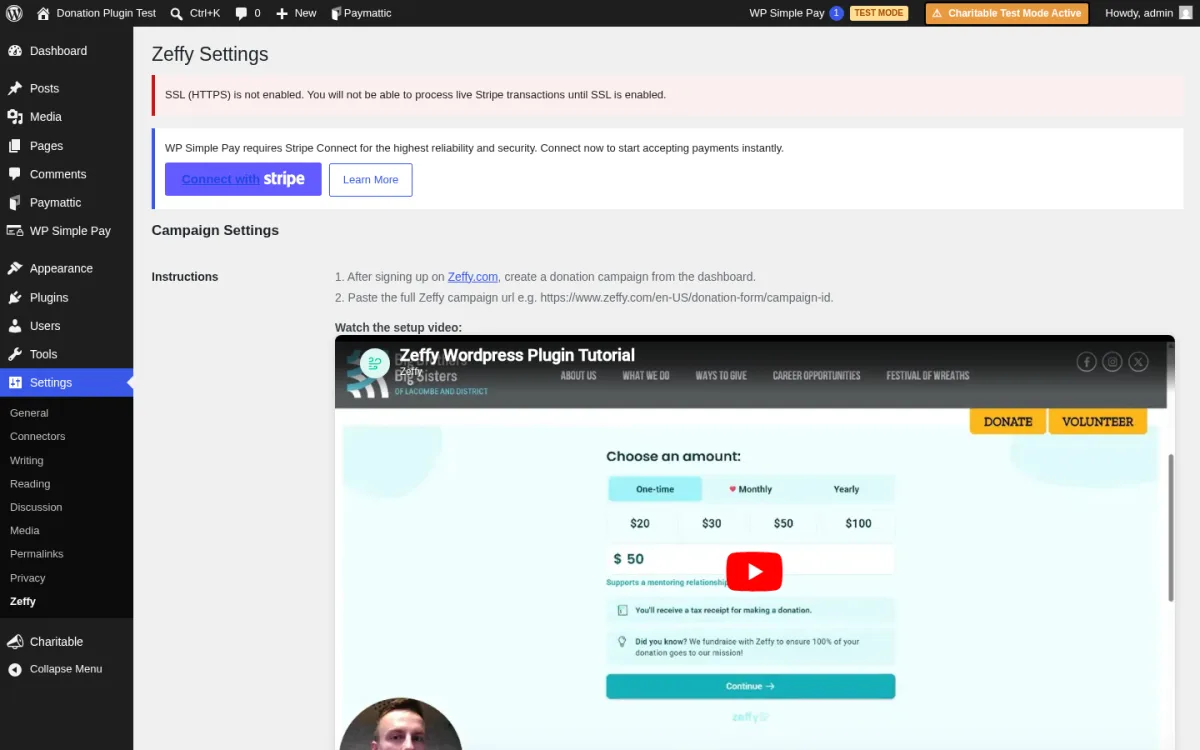
What Zeffy offers:
- Donation forms, fundraising campaigns, event ticketing, and peer-to-peer fundraising
- Tax receipt automation for registered nonprofits
- Donor management via the Zeffy platform dashboard
- 0% platform fee and 0% payment processing fee to the nonprofit
- Recurring donations available at no additional cost
- Suitable for 501(c)(3) and internationally registered nonprofits
Strengths:
- The only option in this roundup where your organization receives 100% of every donation
- Recurring donations included at no cost
- Event ticketing and peer-to-peer campaigns included
- Clean, modern donation form experience for donors
- 100,000+ nonprofits on the platform with $2B+ raised
Limitations:
- Nonprofits only: commercial or unregistered organizations cannot use Zeffy
- Fundraising data and donor management live on the Zeffy platform, not in WordPress
- Customization of the embed is limited compared to native plugins
- Zeffy's business model depends on optional donor tips; the tip prompt at checkout is visible to donors
- Relatively newer platform compared to GiveWP or Charitable
Pricing:
Free for verified nonprofits. Your organization pays no fees of any kind. Donors see an optional tip at checkout that funds Zeffy's operations and covers all processing costs.
Who should use Zeffy:
Verified nonprofits that want to maximize what donors' money reaches their cause. If you qualify and cost efficiency is the top priority, Zeffy is the strongest option in this roundup on pure economics.
7. WPForms: Best if You Already Use WPForms
Website: WPForms | WP.org: WPForms Lite on WordPress.org
Active installs: 6,000,000+ | Rating: 4.7/5 | Free version: Yes (forms only, no payments)
WPForms is the most popular form builder plugin in the WordPress ecosystem with over 6 million active installs. It is not a donation-specific plugin. But if your site already runs WPForms and you want to add a simple donation or payment form without installing a separate plugin, it is worth knowing what WPForms offers in this space.
What I tested:
I installed WPForms Lite 1.10.2 in a live WordPress sandbox. The dashboard loaded cleanly and immediately. The pre-built template library is extensive.
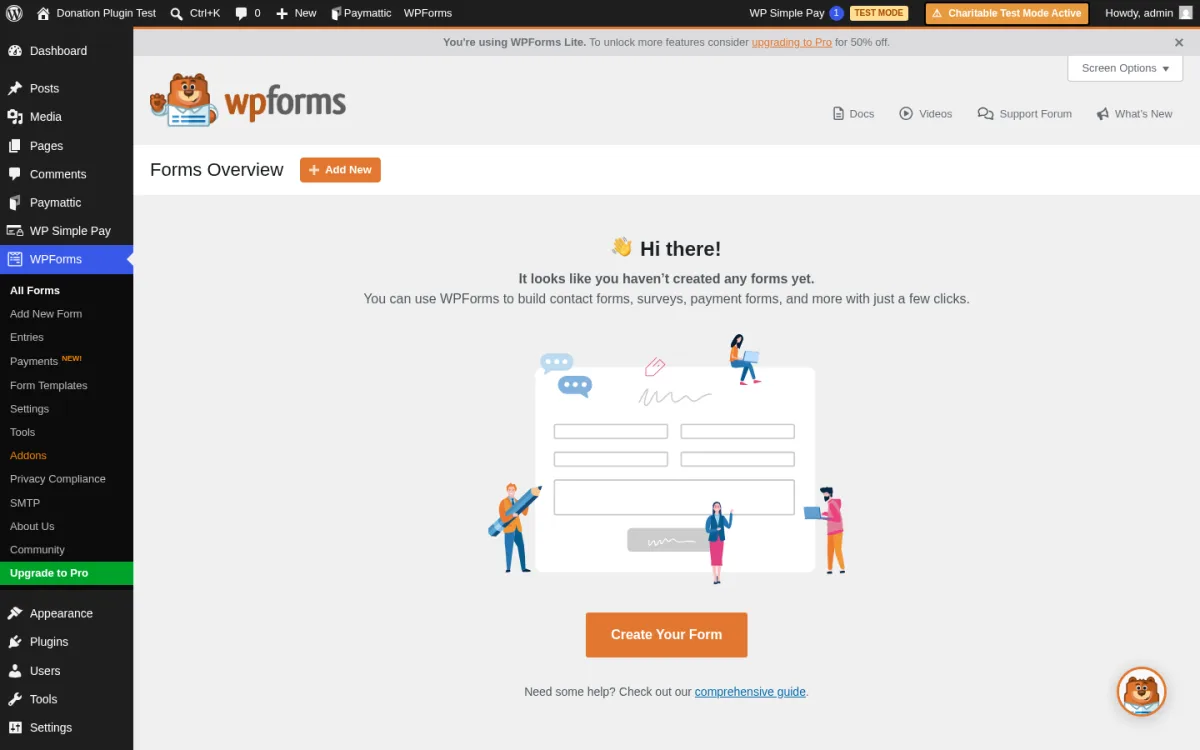
What WPForms offers for donations:
WPForms Lite (free) does not include payment or donation fields. Accepting donations requires a paid plan. With a paid WPForms license you get:
- Stripe payment integration (WPForms Basic and above)
- PayPal donations (WPForms Pro and above)
- Conditional logic for custom donation amounts
- Donation form templates with suggested amounts
WPForms does not include donor management, campaign goal tracking, or donation-specific reporting. It is a form builder first and a donation tool second.
Strengths:
- Largest active install base of any plugin in this roundup (6M+)
- Easiest form builder interface in WordPress: drag and drop, no coding
- Excellent template library covering dozens of form types beyond donations
- Strong documentation and support
- If you already pay for WPForms Pro, you can add donation forms without a separate plugin purchase
Limitations:
- Free version includes no payment features at all; you must upgrade to accept donations
- No donor profiles, campaign pages, or donation goal tracking
- Recurring donations are limited compared to dedicated donation plugins
- Not a cost-effective choice if donations are your primary use case
Pricing:
WPForms Lite is free (no payment features). Paid plans start at $49.50/year (Basic, includes Stripe). PayPal support starts at the Pro level at $199.50/year.
Who should use WPForms for donations:
Sites that already have an active WPForms license at the Basic level or above and need an occasional simple donation form without installing a dedicated fundraising plugin. For any site where fundraising is the primary purpose, one of the dedicated plugins above is a better fit.
How to Choose the Right WordPress Donation Plugin
If you are a nonprofit that plans to grow your fundraising operation:
Start with GiveWP. Its donor management system, reporting, and large add-on library give you room to expand into recurring donations, peer-to-peer campaigns, and CRM integrations. Upgrade to a paid plan to remove the Stripe transaction fee.
If you want the cleanest campaign experience and fast setup:
Charitable is the better choice. The campaign builder is more polished than GiveWP's, there are no platform fees, the free version is genuinely functional with PayPal, and the admin experience is easier for non-technical staff.
If you want 0% fees on every dollar donated and qualify as a nonprofit:
Zeffy is the strongest option on economics. Your organization receives every dollar donated. You give up WordPress-native control over your data, but no other option here can match the cost efficiency.
If you need a SaaS platform with broad gateway support and recurring donations:
Donorbox covers more payment gateways than most native plugins. The 2.95% platform fee is worth weighing carefully: at scale, it adds up quickly. Calculate your expected donation volume before committing.
If your only gateway is Stripe and you want the fastest possible setup:
WP Simple Pay gets you to a working donation form quickly. Upgrade to the paid plan ($49.50/year) to remove the 3% Lite fee, which pays for itself after about $1,650 in donations.
If you need a gateway that the others do not support (Mollie, Square, Authorize.net):
Paymattic is your best option. Its premium plan is priced below GiveWP and Charitable while supporting a wider range of payment methods.
If you already use WPForms Pro:
Use WPForms for simple, infrequent donation forms. For dedicated fundraising, use one of the purpose-built plugins above.
Frequently Asked Questions
What is the best free WordPress donation plugin?
GiveWP and Charitable both have solid free versions that accept real donations. GiveWP includes PayPal, Stripe (with a 2% fee), and offline payments; Charitable includes PayPal and offline. Charitable has no platform fee on any plan. For truly zero-fee fundraising including processing costs, Zeffy is the answer for verified nonprofits.
Does WordPress have a built-in donation feature?
No. WordPress core does not include payment or donation functionality. You need a plugin (or a SaaS platform like Donorbox or Zeffy) to accept donations on your site.
Do WordPress donation plugins charge a fee per transaction?
It depends on the plugin. GiveWP charges 2% on Stripe one-time donations for free users. WP Simple Pay Lite charges 3% per transaction. Donorbox charges 2.95% per donation on its Standard plan. Charitable, Paymattic, and WPForms (paid) charge no platform fees. Zeffy charges no fee of any kind to nonprofits.
Can I accept recurring donations with a free plan?
It depends. Donorbox includes recurring on its free Standard plan (with the 2.95% fee). Zeffy includes recurring for nonprofits at no cost. WP Simple Pay Lite now supports recurring subscriptions via Stripe at no extra cost (added July 2025), though the 3% transaction fee still applies. GiveWP and Charitable require a paid add-on or plan for recurring.
Which WordPress donation plugin is best for nonprofits?
GiveWP is the most established WordPress-native option with the deepest feature set for growing nonprofits. Charitable is a strong alternative with a cleaner UI and no platform fees. Zeffy and Donorbox are worth evaluating if you prioritize minimizing fees and are comfortable with a SaaS platform.
Is WPForms good for collecting donations?
WPForms is a general-purpose form builder, not a fundraising tool. The free version cannot accept payments at all. With a paid plan it can process Stripe or PayPal donations, but it lacks donor management, campaign goal tracking, and donation-specific reporting. It is a reasonable option for sites already paying for WPForms, but a dedicated donation plugin is a better choice if fundraising is your primary goal. If you need a broader look at WordPress form plugins, there are dedicated roundups that cover both contact and payment forms in one place.
Conclusion
For most WordPress sites and nonprofits starting out, the choice comes down to three plugins:
- GiveWP if you want the most complete donor management and the largest ecosystem for future growth. Upgrade to remove the Stripe fee.
- Charitable if you want a cleaner, faster campaign setup with no platform fees and a solid free tier.
- Zeffy if you are a verified nonprofit and want to maximize what donors' money actually reaches your cause.
WP Simple Pay is the right pick if simplicity and Stripe are all you need and you upgrade quickly to remove the 3% Lite fee. Donorbox and Paymattic each have a clear niche. WPForms makes sense only if it is already in your stack.
The best donation plugin is the one that matches your specific payment gateway requirements, fee tolerance, donor management needs, and growth plans, not just the most popular one.
Testing and research for this article was conducted in June 2026. Plugin versions, pricing, and features may change. Always verify current pricing on the vendor's website before making a purchase decision.
Similar Blogs


